

Kuidas määrata & taastada kadunud Turvalisus, Jagamine ja Kohanda Tabs kataloogi omadused Windows 10
Et taastada kõik või sakke nõuab registri redigeerimist. Kõik muudatused saab teha samas kohas registris.
Avada registri:
Win Key + R
regedit -> OK
The registry should be open. Make sure the address bar is showing…
View -> Address Bar
Paste the following registry location into the address bar…
ComputerHKEY_CLASSES_ROOTDirectoryshellexPropertySheetHandlers
Here we need to create registry key values for each of the missing tabs.
Security Tab
Right click on the PropertySheetHandlers key…
New -> Key
Name the new key the following…
{1f2e5c40-9550-11ce-99d2-00aa006e086c}
Sharing Tab
Right click on the PropertySheetHandlers key…
New -> Key
Name the new key the following…
Sharing
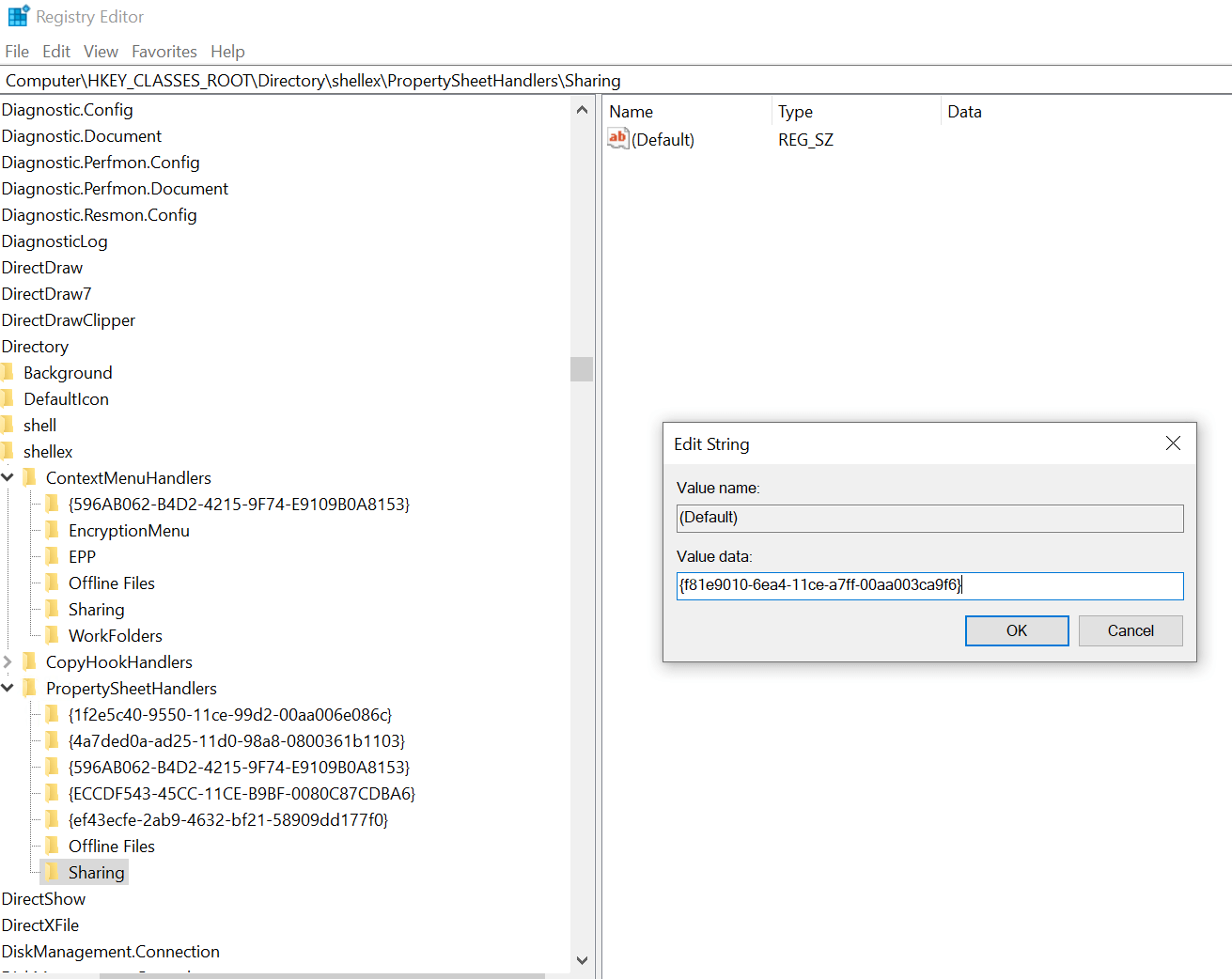
Veenduge, et uus võti jagamine valitakse klõpsates. Parempaanil topeltklõps kirje Default sisestada järgmise väärtuse andmeväli:
{f81e9010-6ea4-11ce-a7ff-00aa003ca9f6}
Kohanda Tab
Right click on the PropertySheetHandlers key…
New -> Key
Name the new key the following…
{ef43ecfe-2ab9-4632-bf21-58909dd177f0}
