
Vertoon Android smartphone boodskappe op Windows 7/8.1 lessenaar / laptop / tablet PC
Connecting jou Android smartphone met jou Windows lessenaar of laptop PC, gee baie voordele soos om jou selfoon te hef of kennisgewings wat nie belangrik is terwyl jy ignoreer word met behulp van jou Windows lessenaar of laptop PC.
Daar is 2 hoof Android apps wat maklik die beste by sodat jy om dit te doen. They are:
- Pushbullet
- AirDroid
Beide programme vereis dat jy Windows sagteware aflaai, wat die programme gebruik dan die kennisgewing te stuur na die laptop / lessenaar.
Kom ons nader kyk na beide die apps langs mekaar.
Die Android App Interfaces
AirDroid

Pushbullet

Funksies
AirDroid
File Transfer
Die oordrag van lêers van jou selfoon by jou lessenaar. Lêers kan teks, Fotos, Kamera, Musiek of video's. Airdroid allows to transfer multiple files at any one time.
File Manager
Airdroid het 'n eenvoudige lêer bestuurder.
Hotspot
Deel jou mobiele verbinding
Verbinding
In staat stel om USB tethering
Booster
Booster frees RAM by closing apps.
Programme
This is an app manager that allows to uninstall apps
Find phone
Visit a web browser and enter the airdroid url to find your phone.
Hotspot
Share your mobile data connection with other devices.
Verbinding
In staat stel om USB tethering
Pushbullet
File Transfer
Die oordrag van lêers van jou selfoon by jou lessenaar. Lêers kan Nota wees, Link, Foto en lêer. Files can only be transferred one at a time.
Kanale
Pushbullet allows following channel feeds, which allows to receive latest news from followed channels.
Voorbeelde van dinge om te volg, is TopGear, Android en meer…
Add Friends
If you know anybody registered with pushbullet then you will be able to add them as a friend. Adding friends enables you to push files, photos, notes and links to your friends.
Windows Laptop / Desktop Interface
AirDroid


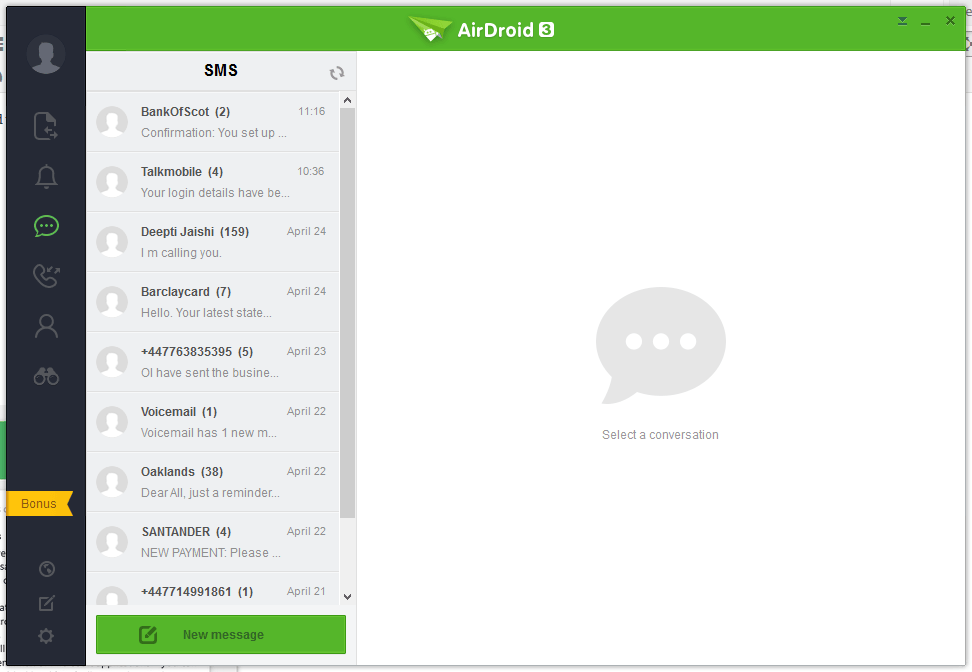


Pushbullet
The following are the screenshots for pushbullet on Windows Desktop.


Memory
Windows
Airdroid used about 160MB memory whilst running in the background, whereas Pushbullet uses 28.7MB.
Android Phone
Airdroid on an android phone uses 9.9MB memory, whereas Pushbullet uses 7MB.
Conclusion
Both apps for sending notifications to a Windows desktop / laptop are very good. If the extra features of Airdroid are relevant to you, then this would be best. If you want to conserve memory and some of the extra features in Airdroid is not required, then Pushbullet is best.
