
Паказаць Android-камунікатар паведамлення на вокнах 7/8.1 працоўны стол / партатыўны кампутар / планшэтныя ПК
Падключэнне АНДРОІД смартфон да Windows, настольным кампутары або ноўтбуку, дае шмат пераваг, такіх як магчымасць зарадзіць свой тэлефон ці ігнараваць апавяшчэнняў, не важна ў той час як вы выкарыстоўваеце вашы вокны камп'ютэра або ноўтбука.
Ёсць 2 Асноўныя праграмы, якія лёгка лепшым у дазваляе гэта зрабіць. They are:
- Pushbullet
- AirDroid
Абодва прыкладання патрабуюць, каб загрузіць праграмнае забеспячэнне для Windows, якія прыкладання затым выкарыстоўваць для адпраўкі апавяшчэння ноўтбука / працоўны стол.
Давайце больш падрабязна разгледзім як на баку прыкладання па баку.
The App Інтэрфейсы Android
AirDroid

Pushbullet

Асаблівасці
AirDroid
Перадача файлаў
Перадача файлаў з тэлефона на працоўным стале. Файлы могуць быць тэкст, Фота, Камера, Музыка або Відэа. Airdroid allows to transfer multiple files at any one time.
Файлавы менеджэр
AirDroid мае просты файлавы менеджэр.
Кропка
Падзяліцеся мабільнай сувязі
Мадэм
Ўключыць USB-мадэма
Booster
Booster frees RAM by closing apps.
Прыкладання
This is an app manager that allows to uninstall apps
Find phone
Visit a web browser and enter the airdroid url to find your phone.
Кропка
Share your mobile data connection with other devices.
Мадэм
Ўключыць USB-мадэма
Pushbullet
Перадача файлаў
Перадача файлаў з тэлефона на працоўным стале. Файлы могуць быць Заўвага, Спасылка, Фота і файла. Files can only be transferred one at a time.
Каналы
Pushbullet allows following channel feeds, which allows to receive latest news from followed channels.
Прыклады рэчаў, каб прытрымлівацца з'яўляюцца TopGear, Android і больш…
Add Friends
If you know anybody registered with pushbullet then you will be able to add them as a friend. Adding friends enables you to push files, photos, notes and links to your friends.
Вокны для ноўтбука / Шпалеры для працоўнага інтэрфейсу
AirDroid


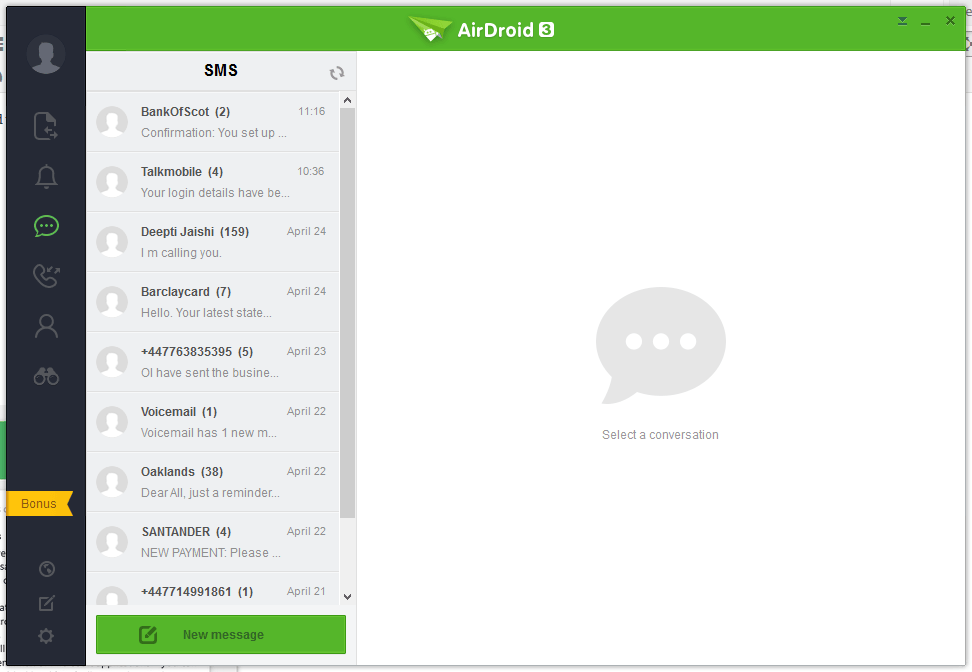


Pushbullet
The following are the screenshots for pushbullet on Windows Desktop.


Памяць
Windows
Airdroid used about 160MB memory whilst running in the background, whereas Pushbullet uses 28.7MB.
Android Phone
Airdroid on an android phone uses 9.9MB memory, whereas Pushbullet uses 7MB.
Conclusion
Both apps for sending notifications to a Windows desktop / laptop are very good. If the extra features of Airdroid are relevant to you, then this would be best. If you want to conserve memory and some of the extra features in Airdroid is not required, then Pushbullet is best.
