
Rodyti Android smartfon pranešimus apie Windows 7/8.1 darbastalio / nešiojamas / planšetiniai kompiuteriai
Prijungus Android smartfon į savo Windows stalinio ar nešiojamojo kompiuterio, suteikia daug privalumų, pavyzdžiui, kad galėtų įkrauti savo telefoną ar ignoruoti pranešimus, kurie nėra svarbūs, o jūs naudojate savo Windows darbalaukį ar nešiojamojo kompiuterio.
Yra 2 Pagrindiniai Android Apps, kad yra lengvai geriausiai leidžia jums tai padaryti. They are:
- Pushbullet
- AirDroid
Abi programos reikalauja, kad jūs atsisiųsti Windows programinę įrangą, kurie apps tada naudokite siųsti pranešimą laptopo / darbastalio.
Leiskite turėti arčiau pažvelgti tiek apps pusėje iki pusės.
Android App Sąsajos
AirDroid

Pushbullet

Įranga
AirDroid
File Transfer
Perkelkite failus iš savo telefono į savo darbalaukį. Failai gali būti tekstas, Nuotraukos, Fotoaparatas, Muzika ir vaizdo įrašai. Airdroid allows to transfer multiple files at any one time.
Failų tvarkyklė
Airdroid turi paprastą failų tvarkyklė.
Hotspot
Pasidalinkite savo mobiliojo ryšio
Rišti
Įjungti USB rišti
Booster
Booster frees RAM by closing apps.
Apps
This is an app manager that allows to uninstall apps
Find phone
Visit a web browser and enter the airdroid url to find your phone.
Hotspot
Share your mobile data connection with other devices.
Rišti
Įjungti USB rišti
Pushbullet
File Transfer
Perkelkite failus iš savo telefono į savo darbalaukį. Failai gali būti pastaba, Ryšys, Nuotraukų ir failų. Files can only be transferred one at a time.
Kanalai
Pushbullet allows following channel feeds, which allows to receive latest news from followed channels.
Pavyzdžiai dalykų seka yra TopGear, "Android" ir daugiau…
Add Friends
If you know anybody registered with pushbullet then you will be able to add them as a friend. Adding friends enables you to push files, photos, notes and links to your friends.
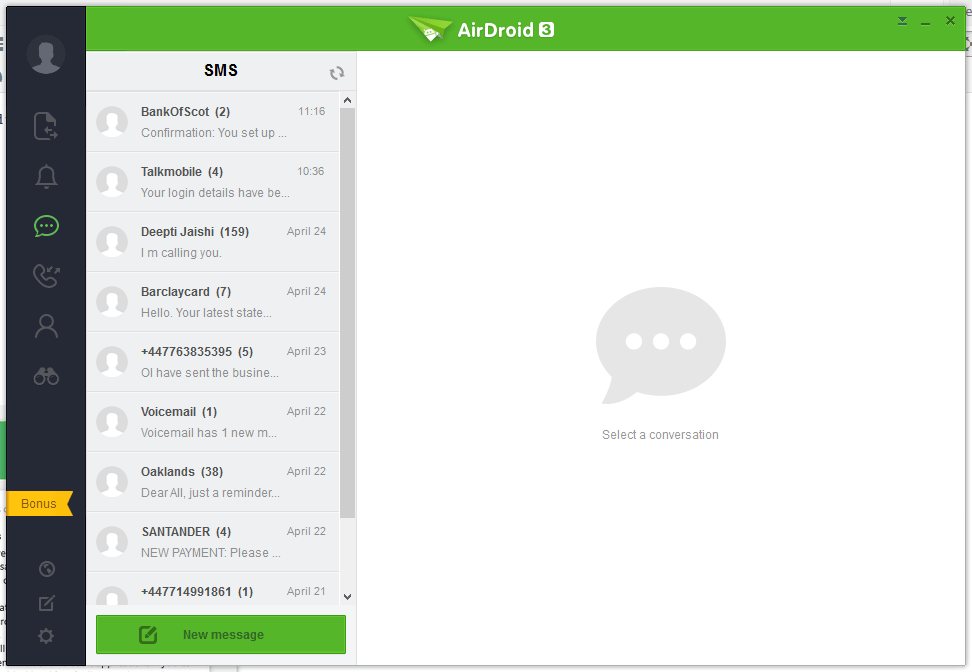
"Windows Laptop / Stalinis sąsaja
AirDroid




Pushbullet
The following are the screenshots for pushbullet on Windows Desktop.


Atmintis
Windows
Airdroid used about 160MB memory whilst running in the background, whereas Pushbullet uses 28.7MB.
Android Phone
Airdroid on an android phone uses 9.9MB memory, whereas Pushbullet uses 7MB.
išvada
Both apps for sending notifications to a Windows desktop / laptop are very good. If the extra features of Airdroid are relevant to you, then this would be best. If you want to conserve memory and some of the extra features in Airdroid is not required, then Pushbullet is best.
