
Показати Android-комунікатор повідомлення на вікнах 7/8.1 робочий стіл / портативний комп'ютер / планшетні ПК
Підключення андроїд смартфон до Windows, настільному комп'ютері або ноутбуці, дає багато переваг, таких як можливість зарядити свій телефон або ігнорувати повідомлень, що не важливо в той час як ви використовуєте ваші вікна комп'ютера або ноутбука.
Є 2 Основні програми, які легко кращим в дозволяє це зробити. They are:
- Pushbullet
- AirDroid
Обидві програми вимагають, щоб завантажити програмне забезпечення для Windows, які додатки потім використовувати для відправлення повідомлення ноутбука / робочий стіл.
Давайте докладніше розглянемо як на стороні додатку по стороні.
The App Інтерфейси Android
AirDroid

Pushbullet

Особливості
AirDroid
Передача файлів
Передача файлів з телефону на робочому столі. Файли можуть бути текст, Фото, Камера, Музика або Відео. Airdroid allows to transfer multiple files at any one time.
Файловий менеджер
AirDroid має простий файловий менеджер.
Точка
Поділіться мобільного зв'язку
Модем
Включити USB-модема
Booster
Booster frees RAM by closing apps.
Додатки
This is an app manager that allows to uninstall apps
Find phone
Visit a web browser and enter the airdroid url to find your phone.
Точка
Share your mobile data connection with other devices.
Модем
Включити USB-модема
Pushbullet
Передача файлів
Передача файлів з телефону на робочому столі. Файли можуть бути Примітка, Посилання, Фото і файлу. Files can only be transferred one at a time.
Канали
Pushbullet allows following channel feeds, which allows to receive latest news from followed channels.
Приклади речей, щоб слідувати є TopGear, Android і більше…
Add Friends
If you know anybody registered with pushbullet then you will be able to add them as a friend. Adding friends enables you to push files, photos, notes and links to your friends.
Вікна для ноутбука / Шпалери для робочого інтерфейсу
AirDroid


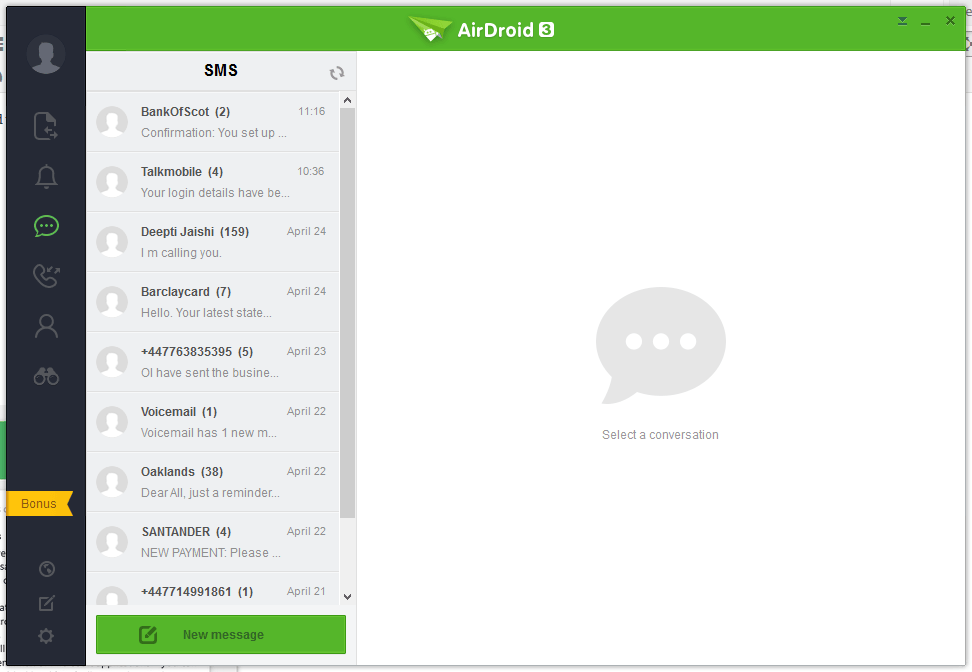


Pushbullet
The following are the screenshots for pushbullet on Windows Desktop.


Пам'ять
Вікна
Airdroid used about 160MB memory whilst running in the background, whereas Pushbullet uses 28.7MB.
Android Phone
Airdroid on an android phone uses 9.9MB memory, whereas Pushbullet uses 7MB.
Висновок
Both apps for sending notifications to a Windows desktop / laptop are very good. If the extra features of Airdroid are relevant to you, then this would be best. If you want to conserve memory and some of the extra features in Airdroid is not required, then Pushbullet is best.
