

كيفية إصلاح & إعادة الأمن المفقود, تقاسم وتخصيص علامات التبويب في خصائص المجلد في ويندوز 10
لإعادة كل أو أي من علامات التبويب يتطلب تحرير التسجيل. جميع التعديلات يمكن أن يتم في نفس الموقع في التسجيل.
لفتح التسجيل:
فوز مفتاح + R
regedit -> OK
The registry should be open. Make sure the address bar is showing…
View -> Address Bar
Paste the following registry location into the address bar…
ComputerHKEY_CLASSES_ROOTDirectoryshellexPropertySheetHandlers
Here we need to create registry key values for each of the missing tabs.
Security Tab
Right click on the PropertySheetHandlers key…
New -> Key
اسم المفتاح الجديد ما يلي:…
{1f2e5c40-9550-11ce-99d2-00aa006e086c}
Sharing Tab
Right click on the PropertySheetHandlers key…
New -> Key
اسم المفتاح الجديد ما يلي:…
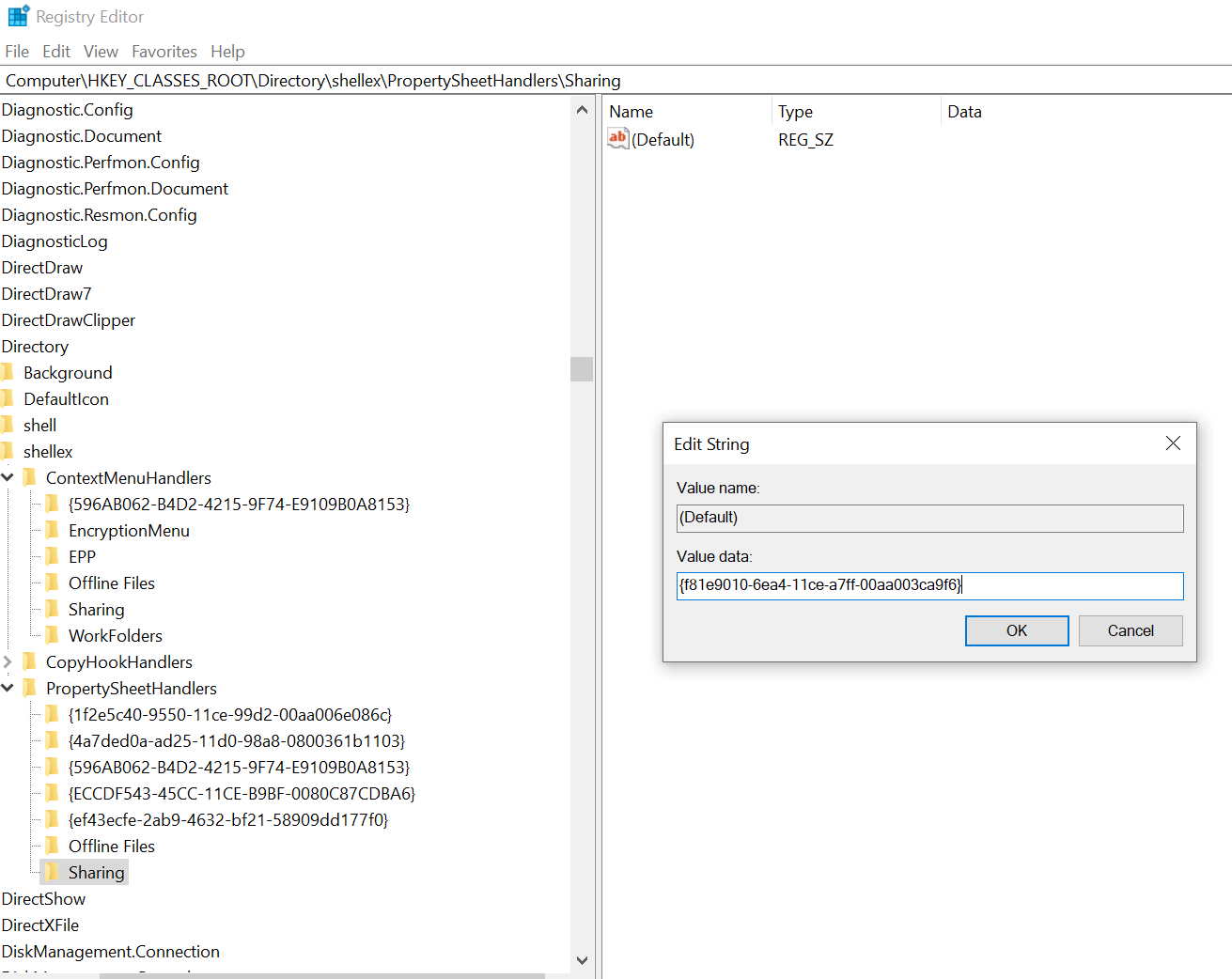
Sharing
Make sure the new key Sharing is selected by clicking on it. In the right pane double click the Default entry and enter the following in the value data field:
{f81e9010-6ea4-11ce-a7ff-00aa003ca9f6}
Customise Tab
Right click on the PropertySheetHandlers key…
New -> Key
اسم المفتاح الجديد ما يلي:…
{ef43ecfe-2ab9-4632-bf21-58909dd177f0}
