

Kufunga Windows IOT juu Raspberry Pi kutumia Windows 8.1 / 7 (/ Applydrive chaguo haitambuliwi katika mazingira haya.)
Kama wewe ni kuanzisha Windows IOT juu Raspberry Pi, utakuwa tu kuwa na uwezo wa kufunga kwa kutumia maelekezo Microsoft kutumia Windows 10 OS.
Kama ni kutumia Windows 7, 8 au 8.1 basi utakuwa kupata “/ Applydrive chaguo haitambuliwi katika mazingira haya.” makosa. This is because the dism.exe version on Windows 7, 8 na 8.1 ni tofauti na dism.exe juu ya Windows 10.
Kuna njia rahisi kufunga Windows IOT juu ya Windows 7, 8 au 8.1. Just follow the following instructions.
- Download the Raspberry Pi2 Windows IoT latest build from Microsoft Connect

- Dondoo zip file kwa c:/yacht
- Download imgmount and place the exe file to c:/yacht
- Open a administrator command prompt and go to c:/iot and type imgmount Flash.ffu. This will convert the ffu to a VHD image and mount it in Disk Management
- Go to disk management and detach the VHD
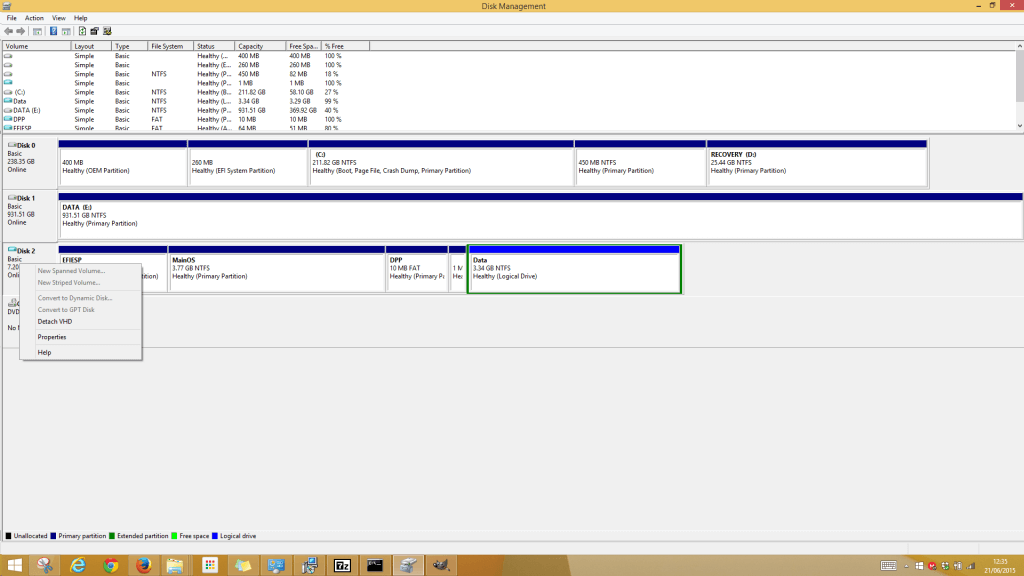
- Next is to restore the VHD file to the SD Card using winimage
- Download winimage and install. Open the winimage administrator
- Click Disk from the menu and choose Restore Virtual Hard Disk image on physical drive
- Select your SD Card from the list and navigate to the VHD file which should be the following path “C:\Users\{user}\AppData\Local\Temp” .
Restoring the image onto the SD Card can take a while. After it is complete insert the SD Card into the Raspberry Pi 2 and all should be working.
