

The LeTV LEECO 1 Pro USA Version X800 Malware Removal, TWRP farfadowa da na'ura, Rooting kuma kayyade Boot Madauki Matsaloli
The LeTV The LEECO 1 Pro ne mai kyau waya cewa ya zo a wata low price. Some retailers are selling the phone for approx. £ 150. However, wayar bai zo da 'yan matsaloli.
The phone comes bundled with an old YouTube app which refuses to update to the latest version. The phone has malware where apps are installed in the background and ads are served in the Chrome browser.
At the time of writing there are no updated official ROMs. There are custom ROMs which should fix the problems above but there is no guarantee. Saboda haka, yana da sauki ga kafa matsalolin sama cikin wannan shigar ROM.
Update 18.7.16
A lokacin rubuce-rubuce babu hukuma ROM available. Yanzu a hukuma ROM An saki. Ba za a iya samu a wannan post. Installing da hukuma ROM ne mafi sauki hanyar gyara malware da app da matsaloli tare da wayar.
The TrustGo App from the Google Play store pointed out that the Ant Keyboard bundled app contained the malware. The YouTube problem can be fixed by uninstalling the bundled YouTube and installing the latest YouTube from the Google Play Store.
Wayar da za a kafe a cire YouTube da malware app Ant Keyboard.
Wadannan umarnin zai tushen LeTV Le 1 Pro USA version only. However, rooting Can tubali wayarka, so if you do go ahead it will be your responsiblity. Rooting also invalidates the warranty of the phone. You will also be able to unroot your phone at a later date and reinstate your warranty.
The wadannan tabbatar da cewa kana amfani da Windows 10.
Rooting da LeTV Le 1 Pro USA Version
- shigar TWRP
- TWRP will allow to root the phone. First it needs to be installed.
- Domin shigar TWRP, kana bukatar ka haɗa wayarka zuwa PC
- Lets shirya PC kafin mu gama da shi
- Shigar Java JDK 8 ta yin amfani da Chocolatey
- Bude wani shugaba umurnin m
- Type cmd a search, dama click umurnin mota da kuma zabi Run matsayin shugaba.
- Copy da manna da wadannan code a cikin administrative umurnin m taga shigar chocolately
@powershell -NoProfile -ExecutionPolicy Kewaya -Command "iex ((sabon-abu net.webclient).DownloadString('https://chocolatey.org/install.ps1'))" && SET hanya =% hanya%;%ALLUSERSPROFILE% chocolatey bin
- Shigar da saita JDK 8 by pasting da wadannan code a cikin administrative umurnin m taga.
choco install jdk8
- Download, shigar da saita android studio ta yin amfani da Predefinicións a saitin
- Download Android Studio
- Kaddamar saitin da kuma yarda da Predefinicións
- A karshe allon zaži lanuch Android Studio, sa'an nan kuma gama
- Zabi Sanya jerin zaɓuka, sa'an nan kuma zabi SDK sarrafa

- A cikin SDK sarrafa, duba Google kebul Driver daga SDK Tools tab kuma zabi OK

- Close the administrative command prompt and then open a new administrative command prompt and type adb. You should see the adb command returning help. This means that adb driver is installed and ready to go.
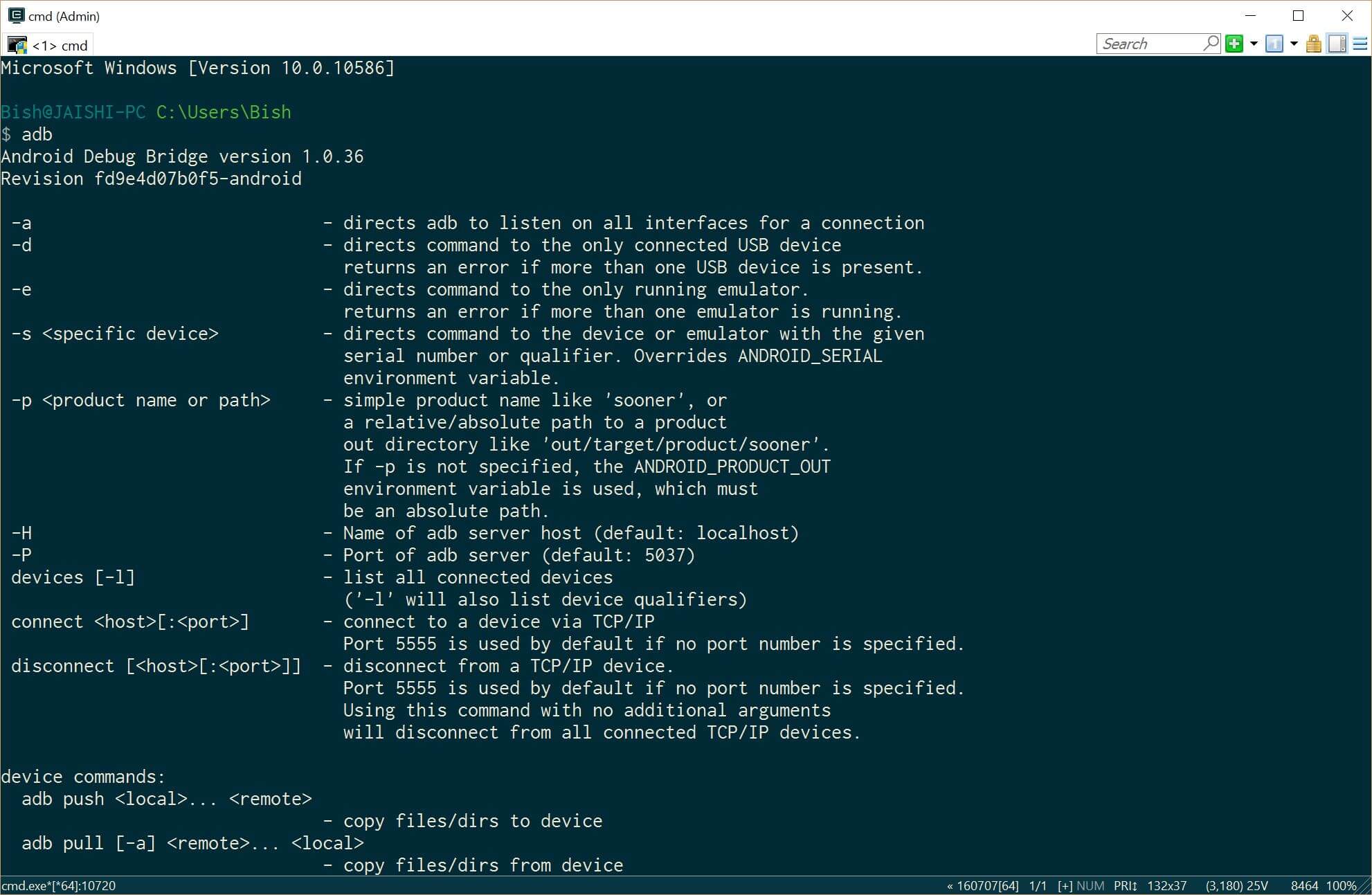
- Download da latest version of TWRP uwa da PC ta yin amfani da wannan mahada
- Sake suna da sauke fayil zuwa recovery.img
- Bude wani shugaba umurnin m
- Shigar Java JDK 8 ta yin amfani da Chocolatey
- Now it is time to prepare the phone before we connect it to our already prepared PC. If your phone does not boot into android then you can skip the whole of this #4 sashe da kuma matsa wa #5 (TWRP) section below.
- Go to settings and then about on your phone. Unlock developer options by touching the build number several times.
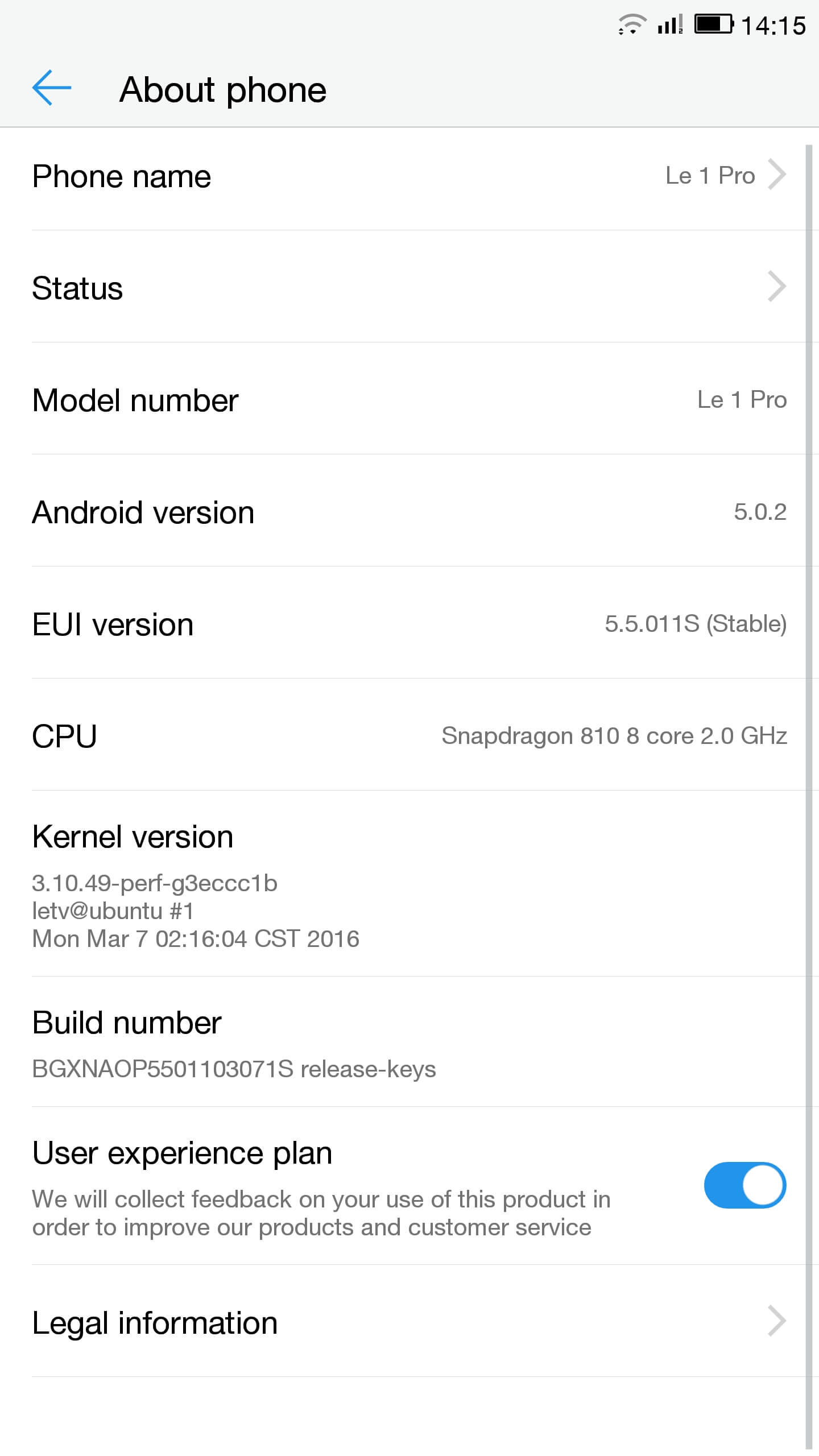
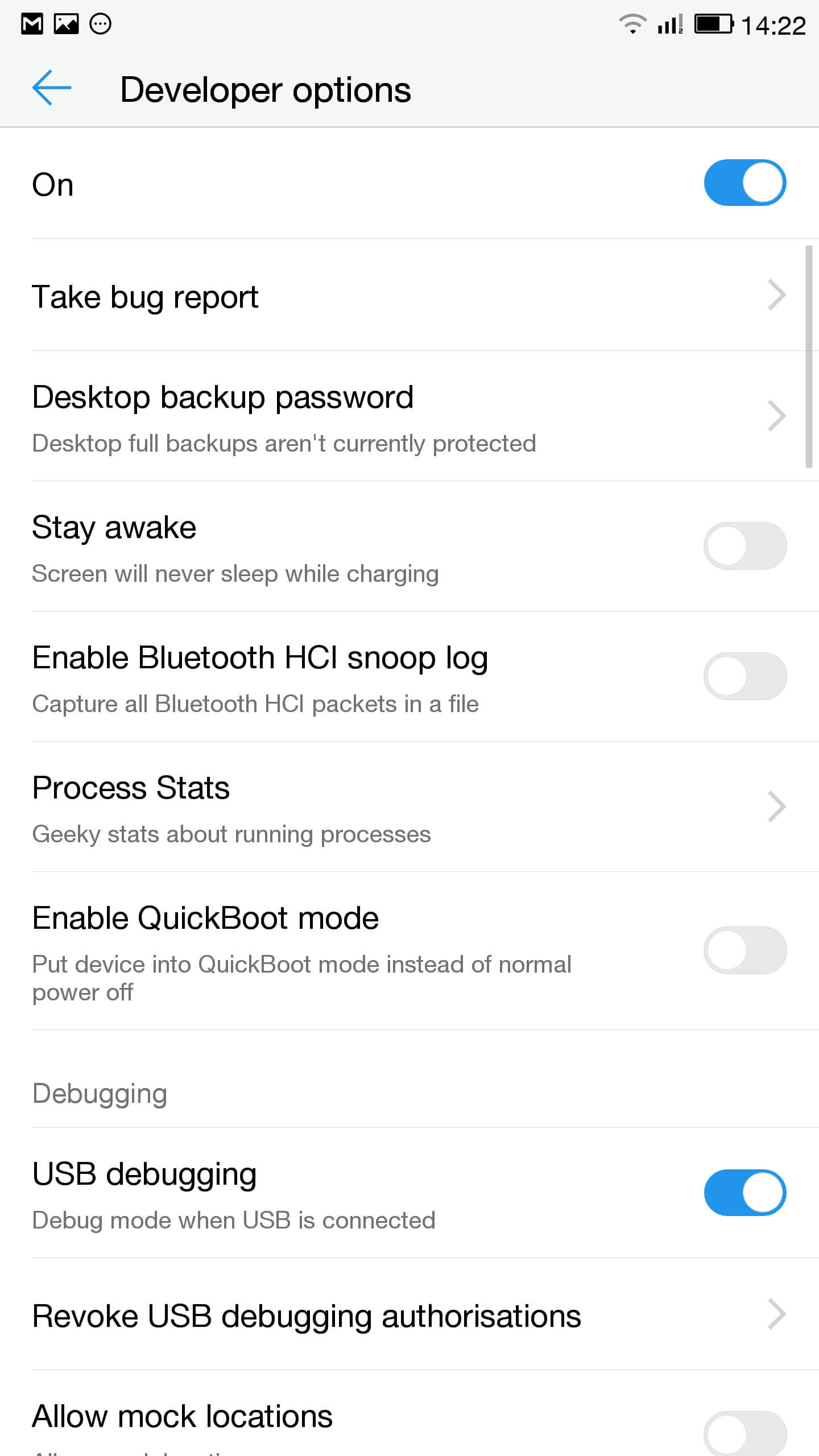
- Go to saituna, developer zažužžukan da kuma taimaka kebul na debugging
- A cikin sanarwar bar danna kan touch ga kebul zažužžukan da kuma tabbatar da cewa MTP aka zaba
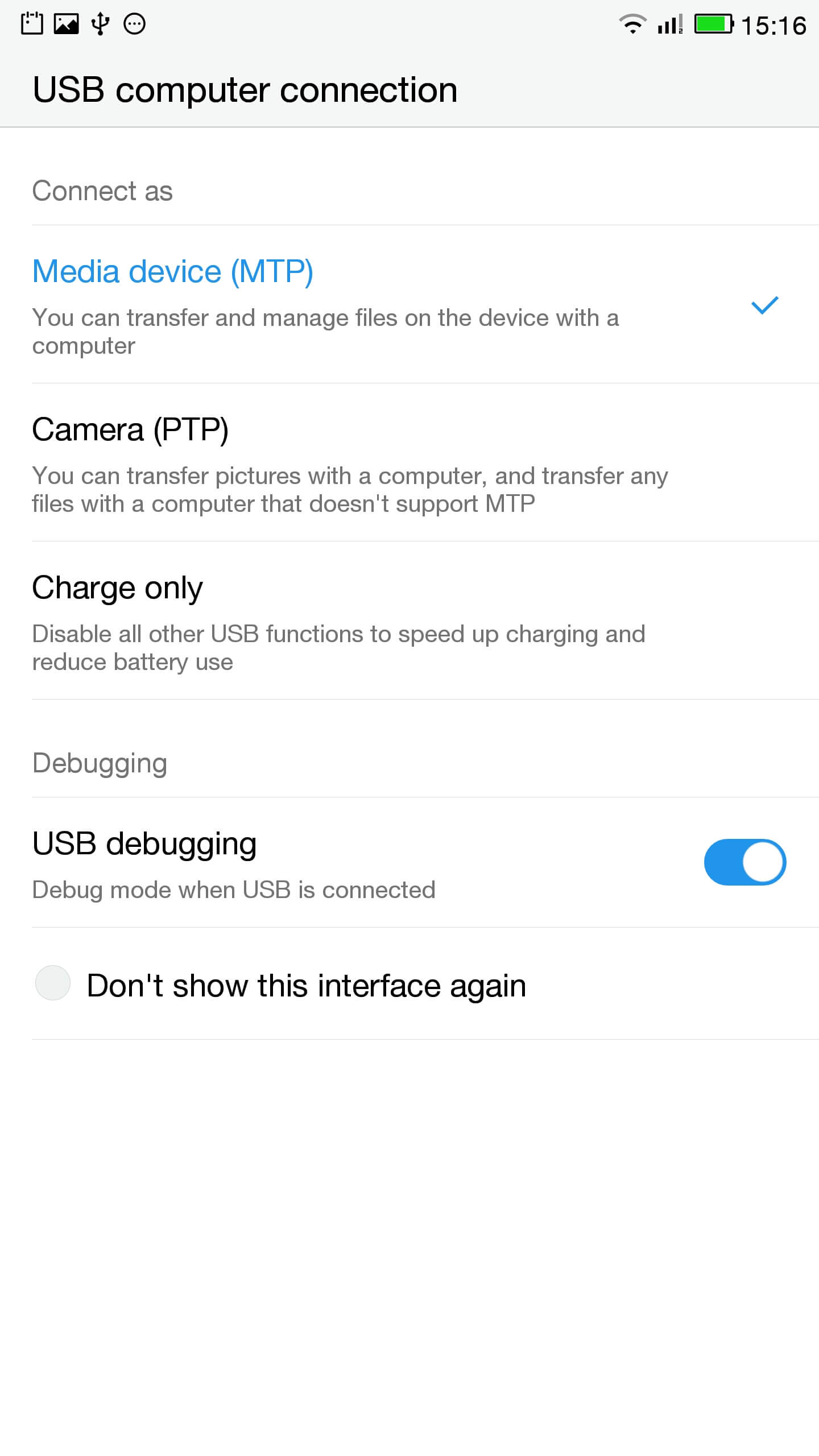
- Haša wayar zuwa PC
- A wata administrative m duba an haɗa waya daidai da buga
ADB na'urorin
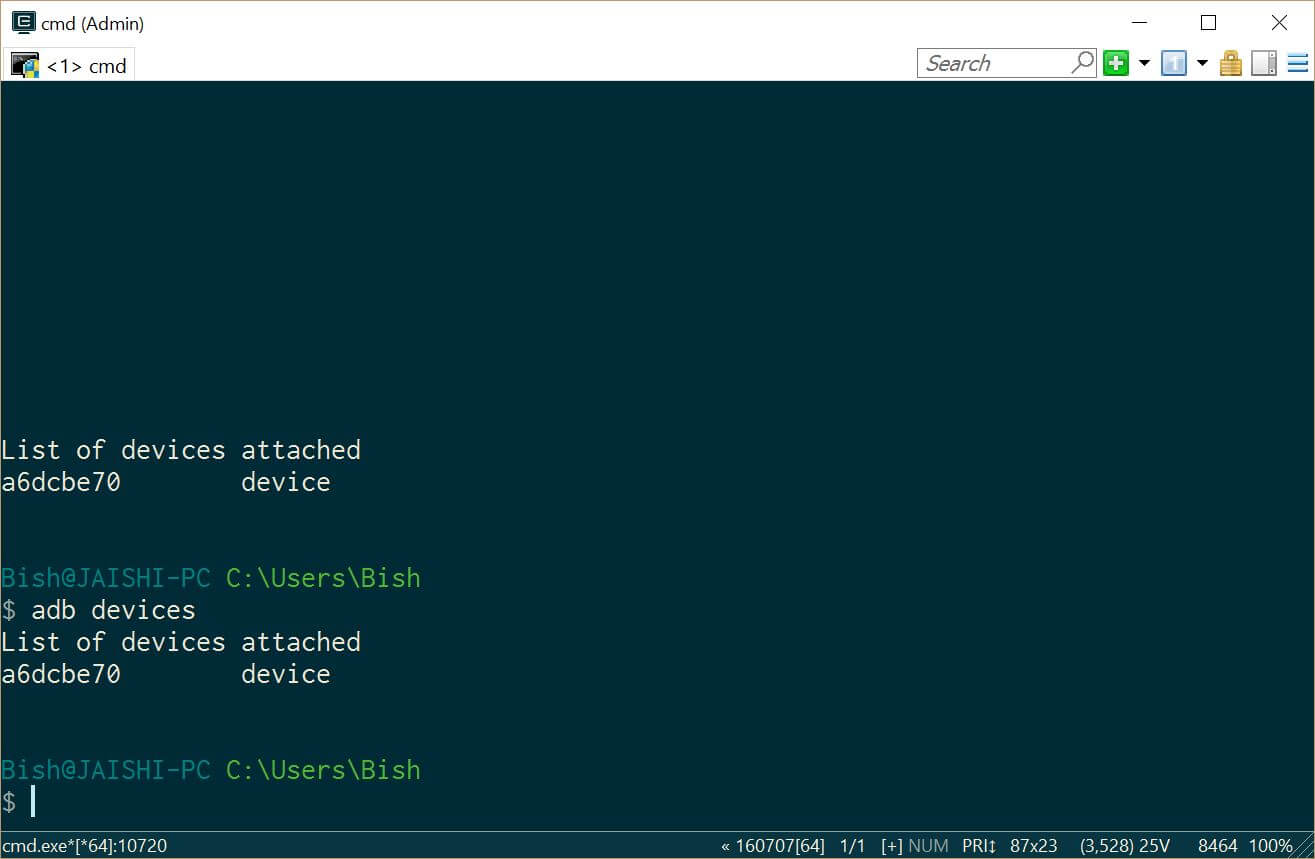
Ya kamata ka gani a na'urar karkashin ADB na'urorin - Download SuperSU da kuma amfani da mai sarrafa fayil don ya sa a cikin tushen shugabanci na wayar
- Go to settings and then about on your phone. Unlock developer options by touching the build number several times.
- Lets flash TWRP into the phone. You should not lose any data, amma idan kana da bayanai a kan wayar, ya kamata ka yi a madadin kawai idan.
- Muna bukatar mu kora cikin fastboot. A PC, bude administrative umurnin m kuma rubuta
ADB sake yi bootloader
Idan na'urarka ba kora cikin android, za ka iya shiga cikin fastboot da ya sauya sheka a kashe wayarka, ka riƙe ƙasa maɓallin ƙara sa'an nan kuma latsa ikon button.
- Once in fastboot you should see a small picture of a penguin in the middle of the screen. To check that the phone is connected, a cikin administrative umurnin m irin
fastboot na'urorin
Ya kamata ka gani na'urarka aka jera
- A cikin administrative umurnin m tabbatar ka kasance a cikin shugabanci na recovery.img fayil kuma rubuta da wadannan
fastboot flash maida recovery.img
- Da zarar maida aka haskaka irin wadannan kuma ka riƙe sama mažallin žara to zata sake farawa a maida
fastboot sake yi
- You should now be in TWRP. In TWRP there may be an option advanced or settings to install SuperSU. If the option is not there use install to install SuperSU (sauke baya) daga cikin tushen wayar ajiya.
- Da zarar an shigar da za ka iya sake yi a cikin android kuma bin umarnin a SuperSU app.
- Da zarar shigarwa ne complete download da RootChecker app daga Google Play store da kuma duba idan na'urar da aka kafe.
- Muna bukatar mu kora cikin fastboot. A PC, bude administrative umurnin m kuma rubuta
- Kayyade da matsaloli tare da YouTube da kuma cire malware
- Shigar Easy Uninstaller, M Trojan Killer da Malwarebytes Anti-Virus daga Google Play Store.
- Uninstall YouTube and Ant Keyboard. I uninstalled Cantonese Keyboard Language and Mii Browser as well as I was not using these. If you start getting errors, kawai sake yi na'urarka.
- Download kuma shigar da YouTube app daga Google Play Store.
- Run da m Trojan Killer da kuma cire duk wani sãmi Trojans.
- Run the Malwarebytes Anti-Virus and remove any found viruses. Run the privacy scanner and follow the recommendations.
Da zarar ka samu nasarar kammala sama matakai to your na'urar kamata malware free kuma gaba daya mai amfani.
Shirya matsala
My na'urar ne bricked
Your device may not be bricked. It may just look bricked as the screen may not turn on and it will not charge. If this is the case leave your device for at least a week without charging it at all so that all the power is drained out. After a week connect it to the charger and see if the LED light indicator shows. If the LED does come on then allow the phone to charge for about 90 minutes and then hold down volume and power button. The penguin icon should be on the screen. If you see the penguin then you can continue from E.ii from the instructions above.
My na'urar ne a cikin wani bootloop
Idan wannan shi ne yanayin to, kawai riƙe da ikon button for game 15 seconds until the device is off. Then hold down volume and power button. The penguin icon should be on the screen. If you see the penguin then you can continue from E.ii from the instructions above.
Android ba ya aiki
Za ka iya bukatar sake filashi da ROM. The original USA version of the ROM can be found a nan.
Ban sani ba idan ina da Amurka version
Check the box of the device. If it has the web address of the USA website then it should be USA version, ko zan iya ba da tabbacin shi.

Salut, j’ai suivi toutes les étapes à la lettre, cependant quand je tape en mode admin dans la console “fastboot device” aucun résultat…. c’est vide… que faire?
Switch off the phone. Hold the down volume key and then press power on button. You should see a penguin on the screen (this is fastboot mode). Now connect the phone to the PC. In an administrator command prompt type ‘fastboot devices’.
J’ai effectué cette manœuvre, vu le pinguin aussi au démarrage de l’appareil,
mais lorsque je passe en mode admin sur la console : je tape “adb device” mon appareil apparait dans la liste.
mais quand je tape “fastboot devices =”le néant complet ” il n’apparait pas, la est mon problème 🙁
The phone should remain in fastboot (penguin icon will show constantly on the screen) whilst you type the fastboot devices command. If the penguin picture goes off the screen then it means that your phone has rebooted and hence goes into android debugging.
If I try to turn it on it beeps and the notification light blinks red and purple. Any ideas?