

The LeTV LEECO 1 Pro USA Version X800 Malware mwepụ, TWRP Recovery, Dịrị na Fixing buut Loop Nsogbu
The LeTV The LEECO 1 Pro bụ ihe magburu onwe ekwentị na-abịa na a nnọọ ala price. Some retailers are selling the phone for approx. £ 150. Otú ọ dị, Ekwentị anaghị abịa na a ole na ole nsogbu.
The phone comes bundled with an old YouTube app which refuses to update to the latest version. The phone has malware where apps are installed in the background and ads are served in the Chrome browser.
At the time of writing there are no updated official ROMs. There are custom ROMs which should fix the problems above but there is no guarantee. Ya mere, ọ bụ mfe idozi nsogbu ndị dị n'elu na n'ime ya ka wụnye ROM.
Update 18.7.16
Na oge e dere na e nweghị ukara ROM dị. Ugbu a a ukara ROM a tọhapụrụ. Ọ nwere ike dị na a post. Wụnye ukara ROM bụ kacha ụzọ idozi malware na ngwa nsogbu na ekwentị.
The TrustGo App from the Google Play store pointed out that the Ant Keyboard bundled app contained the malware. The YouTube problem can be fixed by uninstalling the bundled YouTube and installing the latest YouTube from the Google Play Store.
Ekwentị nwere na-esite iwepu YouTube na malware ngwa Ndanda Keyboard.
Ndị na-esonụ ntụziaka ga kwụsịrị na LeTV Le 1 Pro USA version only. Otú ọ dị, dịrị nwere ike brick ekwentị gị, so if you do go ahead it will be your responsiblity. Rooting also invalidates the warranty of the phone. You will also be able to unroot your phone at a later date and reinstate your warranty.
Ndị na-esonụ na-eburu na ị na-eji Windows 10.
Dịrị LeTV Le 1 Pro USA Version
- wụnye TWRP
- TWRP will allow to root the phone. First it needs to be installed.
- Iji wụnye TWRP, mkpa ka ị jikọọ ekwentị na PC
- -Ahapụ akwadebe PC tupu anyị jikọọ ya
- Wụnye Java JDK 8 eji Chocolatey
- Emeghe onye nchịkwa iwu ozugbo
- Ụdị cmd na search, nri pịa iwu ozugbo na họrọ Run dị ka nchịkwa.
- Idetuo na mado na-esonụ koodu n'ime administrative iwu ozugbo window iji wụnye chocolately
@powershell -NoProfile -ExecutionPolicy uzo -Command "iex ((ọhụrụ-ihe net.webclient).DownloadString('https://chocolatey.org/install.ps1'))" && Nịm ụzọ =% ụzọ%;%ALLUSERSPROFILE% chocolatey biini
- Wụnye na hazi JDK 8 site pasting ndị na-esonụ koodu n'ime administrative iwu ozugbo window.
choco install jdk8
- Download, wụnye na hazi android studio na iji defaults na ntọlite
- Download Android Studio
- Ẹkedori na ntọlite na-anabata defaults
- Na ikpeazụ na ihuenyo họrọ lanuch Android Studio wee rụchaa
- Ahọrọ Hazi dropdown na mgbe ahụ họrọ SDK manager

- Na SDK manager, ịlele Google USB Driver si SDK Ngwaọrụ taabụ ma họrọ OK

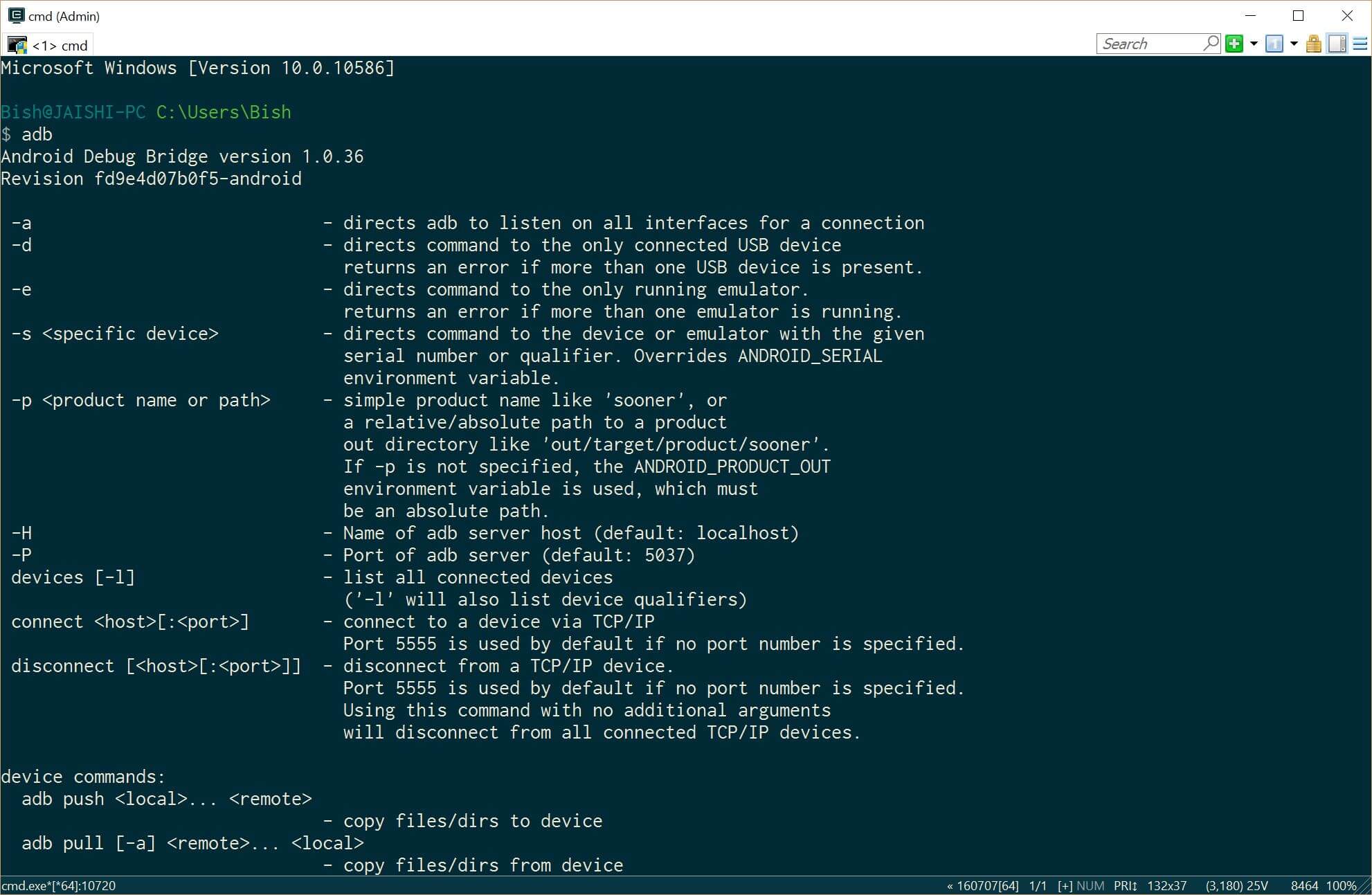
- Close the administrative command prompt and then open a new administrative command prompt and type adb. You should see the adb command returning help. This means that adb driver is installed and ready to go.
- Download ọhụrụ version nke TWRP na na PC na iji njikọ
- Kpọgharia aha nke ebudatara faịlụ ka recovery.img
- Emeghe onye nchịkwa iwu ozugbo
- Wụnye Java JDK 8 eji Chocolatey
- Now it is time to prepare the phone before we connect it to our already prepared PC. If your phone does not boot into android then you can skip the whole of this #4 ngalaba na ibugharịa na #5 (TWRP) section below.
- Go to settings and then about on your phone. Unlock developer options by touching the build number several times.
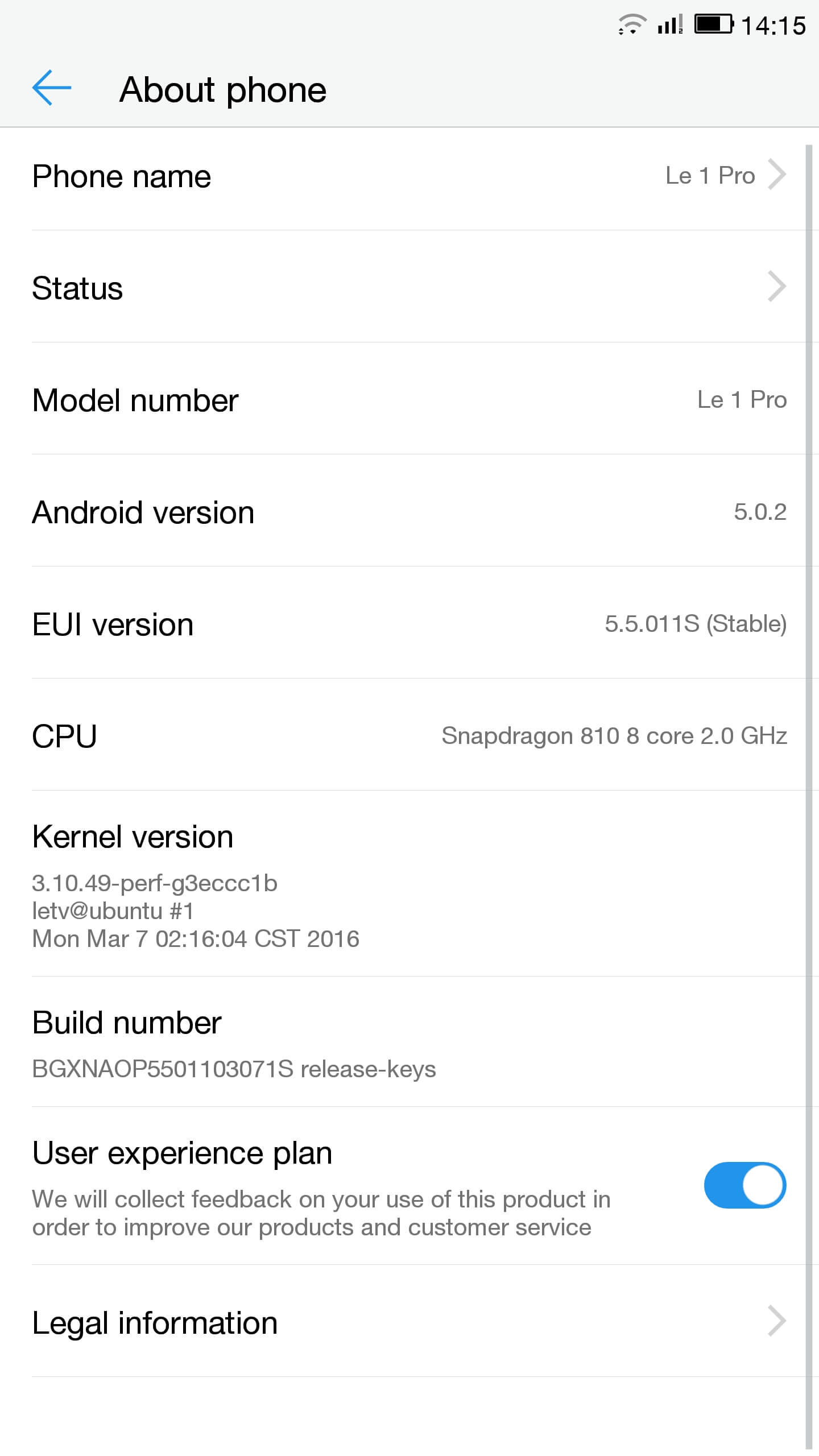
- Gaa ntọala, Mmepụta nhọrọ ma nwee USB debugging
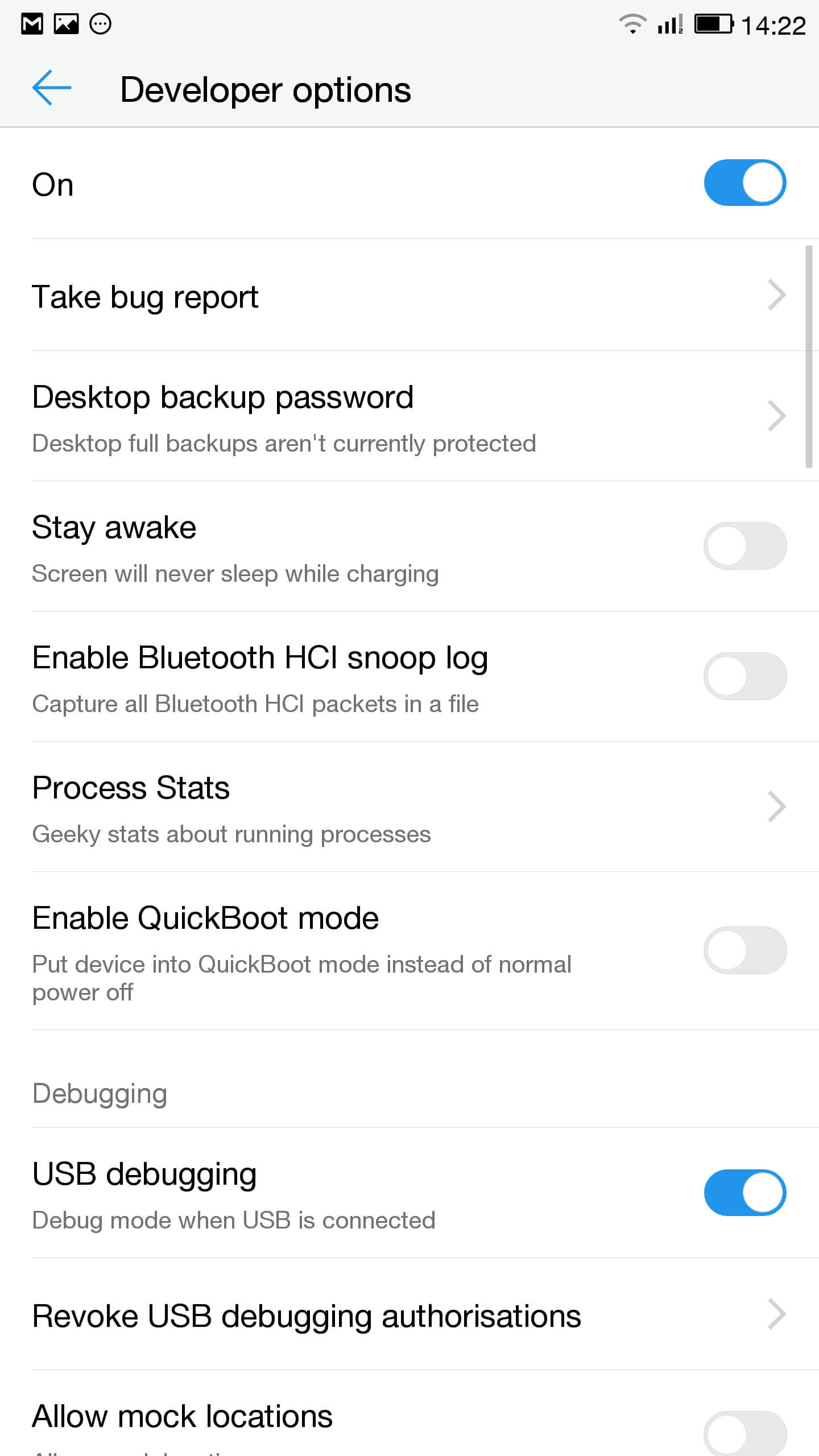
- Na ngosi mmanya pịa aka maka USB nhọrọ ma hụ na MTP họrọ
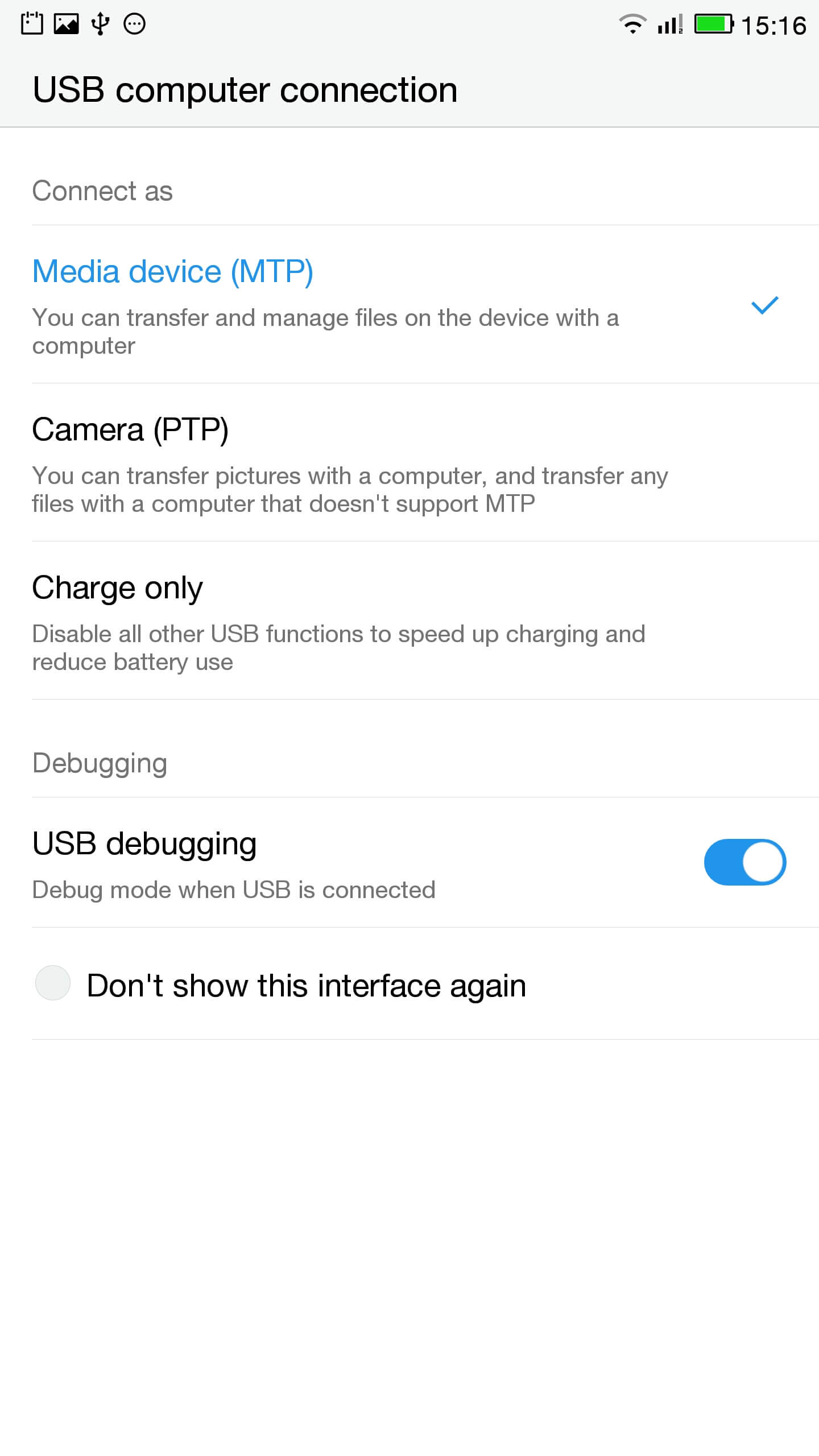
- Jikọọ ekwentị na PC
- Na administrative ozugbo ịlele e jikọọ ekwentị n'ụzọ ziri ezi site na iji kọmputa ede
ADB ngwaọrụ
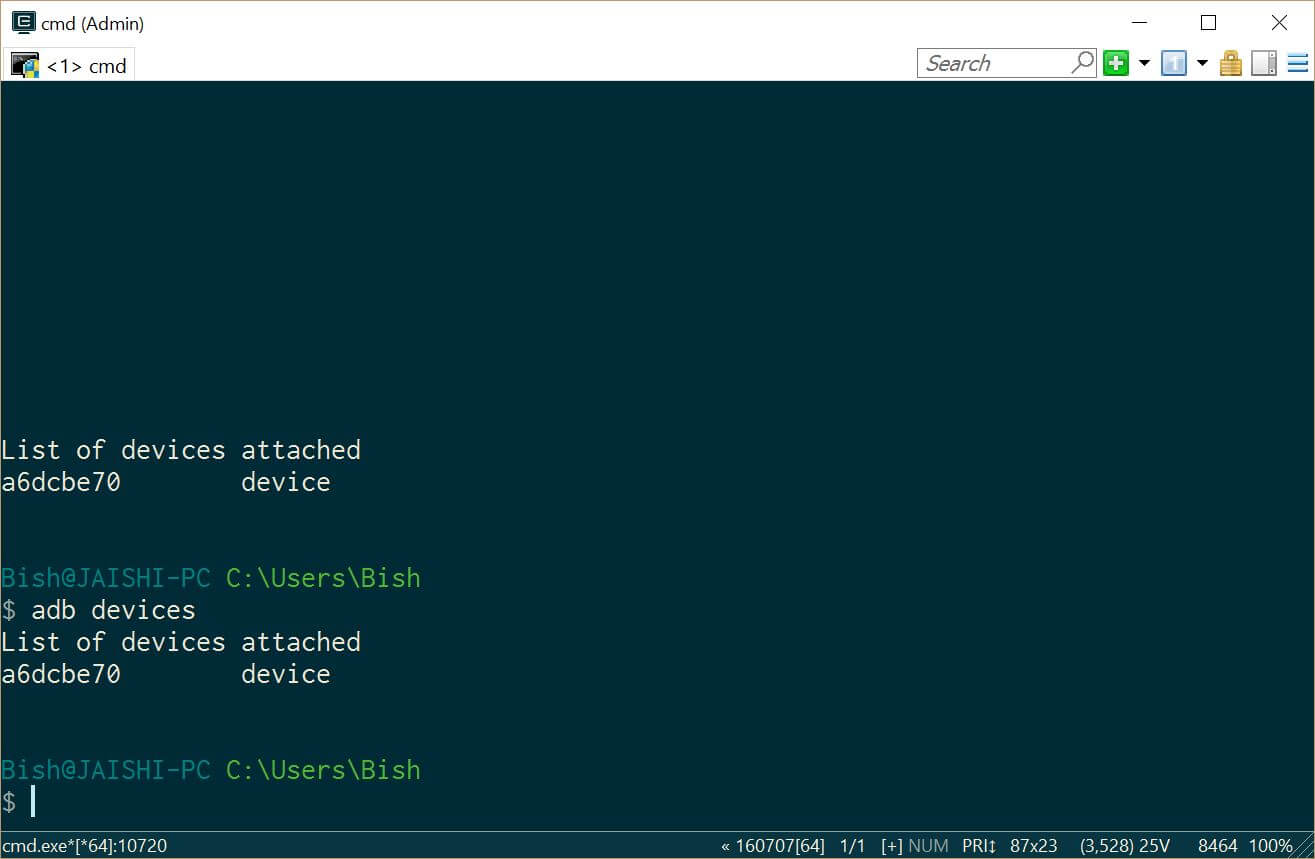
Ị kwesịrị ị na-ahụ a na ngwaọrụ n'okpuru ADB ngwaọrụ - Download SuperSU ma jiri Njikwa faili na-etinye na mgbọrọgwụ ndekọ nke ekwentị
- Go to settings and then about on your phone. Unlock developer options by touching the build number several times.
- Lets flash TWRP into the phone. You should not lose any data, ma ọ bụrụ na ị nwere data na ekwentị na i mee ka a ndabere dị nnọọ bụrụ na.
- Anyị kwesịrị buut n'ime Fastboot. Na PC, imeghe administrative iwu ozugbo na pịnyere
ADB reboot bootloader
Ọ bụrụ na gị ngwaọrụ adịghị buut n'ime android, i nwere ike na-aga n'ime Fastboot site ịmafe oyi ekwentị gị, jide ala igodo olu wee pịa ike button.
- Once in fastboot you should see a small picture of a penguin in the middle of the screen. To check that the phone is connected, n'ebe nlekọta iwu ozugbo ụdị
Fastboot ngwaọrụ
Ị ga-ahụ na ngwaọrụ gị depụtara
- N'ebe nlekọta iwu ozugbo jide n'aka na ị na-na ndekọ na nke recovery.img faịlụ na pịnyere ndị na-esonụ
Fastboot flash mgbake recovery.img
- Ozugbo mgbake na-akpamfia ụdị ndị na-esonụ ma jide igodo olu elu Malitegharịa ekwentị na mgbake
Fastboot reboot
- You should now be in TWRP. In TWRP there may be an option advanced or settings to install SuperSU. If the option is not there use install to install SuperSU (ebudatara mbụ) site n'úkwù nke ekwentị nchekwa.
- Ozugbo arụnyere, i nwere ike reboot n'ime android na-esonụ ntụziaka dị na SuperSU ngwa.
- Ozugbo echichi zuru ezu download na RootChecker ngwa si Google Play ụlọ ahịa na lelee ma ọ bụrụ na ngwaọrụ e gbanyere mkpọrọgwụ.
- Anyị kwesịrị buut n'ime Fastboot. Na PC, imeghe administrative iwu ozugbo na pịnyere
- Gwara ndị nsogbu na YouTube na wepụ malware
- Wụnye Easy Uninstaller, Isi ike Trojan egbu egbu na Malwarebytes mgbochi Nje Virus si Google Play Store.
- Uninstall YouTube and Ant Keyboard. I uninstalled Cantonese Keyboard Language and Mii Browser as well as I was not using these. If you start getting errors, nanị reboot ngwaọrụ gị.
- Download na wụnye YouTube ngwa si Google Play Store.
- Gbaa ndị Nupụrụ Isi Trojan egbu egbu na wepụ ihe ọ bụla hụrụ trojans.
- Run the Malwarebytes Anti-Virus and remove any found viruses. Run the privacy scanner and follow the recommendations.
Ozugbo ị ịga nke ọma dechara n'elu nzọụkwụ ahụ na ngwaọrụ gị kwesịrị malware free kpam usable.
Nchọpụta nsogbu
My ngwaọrụ a bricked
Your device may not be bricked. It may just look bricked as the screen may not turn on and it will not charge. If this is the case leave your device for at least a week without charging it at all so that all the power is drained out. After a week connect it to the charger and see if the LED light indicator shows. If the LED does come on then allow the phone to charge for about 90 minutes and then hold down volume and power button. The penguin icon should be on the screen. If you see the penguin then you can continue from E.ii from the instructions above.
My ngwaọrụ bụ na a bootloop
Ọ bụrụ na nke a bụ ikpe ahụ dị nnọọ jide ike button maka maka 15 seconds until the device is off. Then hold down volume and power button. The penguin icon should be on the screen. If you see the penguin then you can continue from E.ii from the instructions above.
Android anaghị arụ ọrụ
Ị nwere ike mkpa nd-Flash na ROM. The original USA version of the ROM can be found ebe a.
Amaghị m ma ọ bụrụ na m nwere USA version
Check the box of the device. If it has the web address of the USA website then it should be USA version, ezie na m nwere ike ekwe nkwa ido ya.

Salut, j’ai suivi toutes les étapes à la lettre, cependant quand je tape en mode admin dans la console “fastboot device” aucun résultat…. c’est vide… que faire?
Switch off the phone. Hold the down volume key and then press power on button. You should see a penguin on the screen (this is fastboot mode). Now connect the phone to the PC. In an administrator command prompt type ‘fastboot devices’.
J’ai effectué cette manœuvre, vu le pinguin aussi au démarrage de l’appareil,
mais lorsque je passe en mode admin sur la console : je tape “adb device” mon appareil apparait dans la liste.
mais quand je tape “fastboot devices =”le néant complet ” il n’apparait pas, la est mon problème 🙁
The phone should remain in fastboot (penguin icon will show constantly on the screen) whilst you type the fastboot devices command. If the penguin picture goes off the screen then it means that your phone has rebooted and hence goes into android debugging.
If I try to turn it on it beeps and the notification light blinks red and purple. Any ideas?