

Die LeTV LEECO 1 Pro VSA weergawe X800 Malware Verwydering, TWRP Recovery, Wortels en Bevestiging Boot Loop Probleme
Die LeTV die LEECO 1 Pro is 'n uitstekende selfoon wat kom op 'n baie lae prys. Some retailers are selling the phone for approx. £ 150. Maar, die telefoon kom teen 'n paar probleme.
The phone comes bundled with an old YouTube app which refuses to update to the latest version. The phone has malware where apps are installed in the background and ads are served in the Chrome browser.
At the time of writing there are no updated official ROMs. There are custom ROMs which should fix the problems above but there is no guarantee. Daarom, Dit is makliker om die probleme hierbo in hierdie geïnstalleerde ROM los.
Werk 18.7.16
Ten tyde van die skryf was daar geen amptelike ROM beskikbaar. Nou 'n amptelike ROM vrygestel is. Dit kan gevind word in hierdie post. Die installering van die amptelike ROM is die maklikste manier om die malware en jeug probleme met die telefoon op te los.
The TrustGo App from the Google Play store pointed out that the Ant Keyboard bundled app contained the malware. The YouTube problem can be fixed by uninstalling the bundled YouTube and installing the latest YouTube from the Google Play Store.
Die telefoon moes word gewortel na die YouTube en die malware app mier Sleutelbord verwyder.
Die volgende instruksies sal ontwortel die LeTV Le 1 Pro USA version only. Maar, wortels kan baksteen op jou selfoon, so if you do go ahead it will be your responsiblity. Rooting also invalidates the warranty of the phone. You will also be able to unroot your phone at a later date and reinstate your warranty.
Die volgende word aanvaar dat jy Windows 10.
Wortels die LeTV Le 1 Pro VSA weergawe
- installeer TWRP
- TWRP will allow to root the phone. First it needs to be installed.
- Ten einde TWRP installeer, wat jy nodig het om die telefoon aan te sluit op die rekenaar
- Kom ons berei die rekenaar voordat ons verbind dit
- Installeer Java JDK 8 gebruik van Chocolatey
- Maak 'n administrateur opdrag prompt
- Tik cmd in die soeke, regs kliek Command Prompt en kies Run as administrator.
- Kopieer en plak die volgende kode in die administratiewe command prompt venster chocolately om te installeer
@powershell -NoProfile -ExecutionPolicy Verbypad -Command "IEX ((nuwe objek net.webclient).DownloadString('https://chocolatey.org/install.ps1'))" && STEL PATH =% PATH%;%ALLUSERSPROFILE% chocolatey bin
- Installeer en instel JDK 8 deur plak die volgende kode in die administratiewe command prompt venster.
choco install jdk8
- Aflaai, installeer en instel Android studio met behulp van die gebreke in die opstel
- Aflaai Android Studio
- Loods opstel en aanvaar die standaard
- In die finale skerm kies lanuch Android Studio en dan klaar
- Kies die instel dropdown en kies dan SDK bestuurder

- In die SDK bestuurder, check die Google USB Driver uit die blad SDK Tools en kies OK

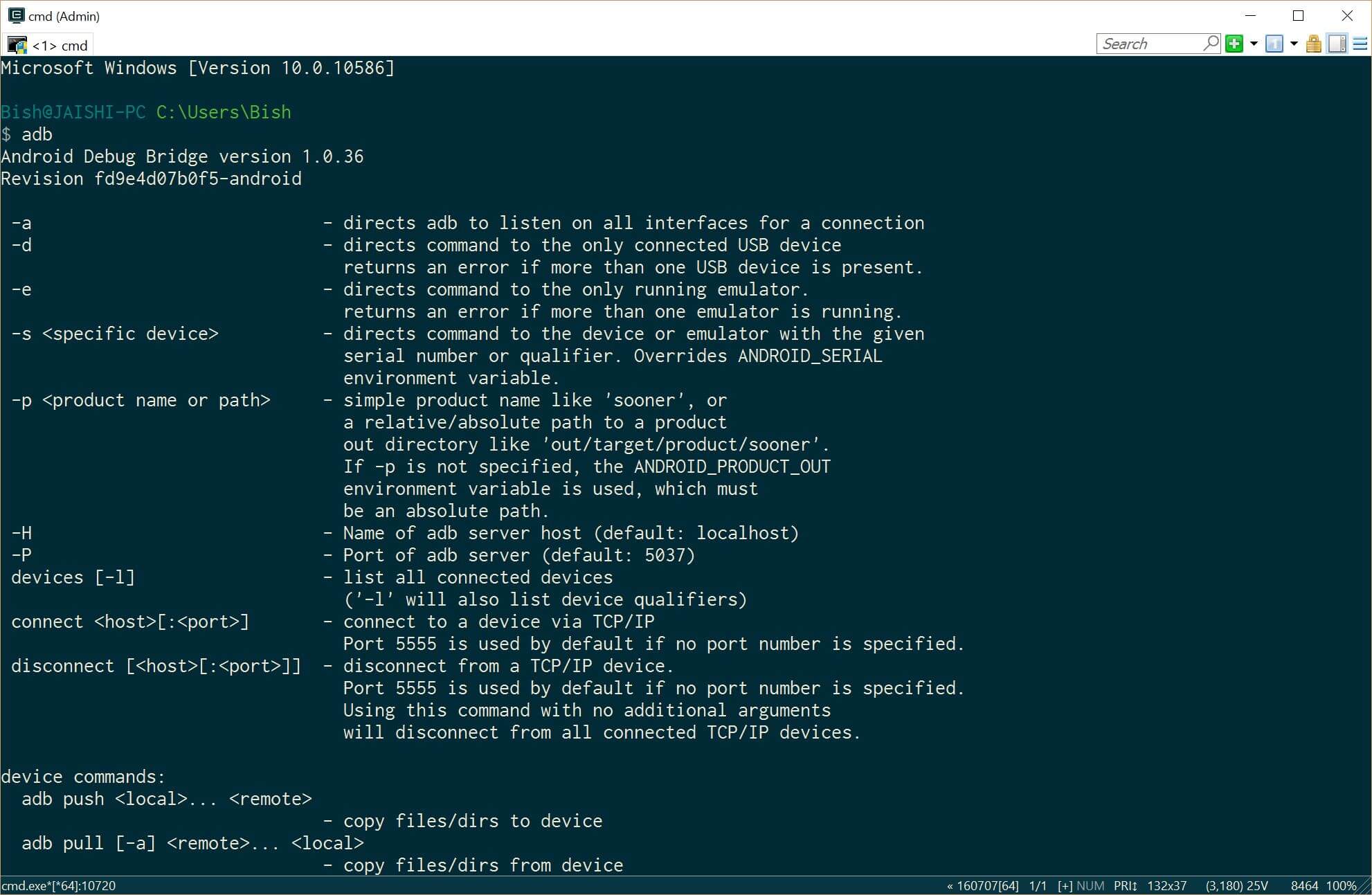
- Close the administrative command prompt and then open a new administrative command prompt and type adb. You should see the adb command returning help. This means that adb driver is installed and ready to go.
- Kry die nuutste weergawe van TWRP op die rekenaar met behulp van hierdie skakel
- Herbenoem die lêer om recovery.img
- Maak 'n administrateur opdrag prompt
- Installeer Java JDK 8 gebruik van Chocolatey
- Now it is time to prepare the phone before we connect it to our already prepared PC. If your phone does not boot into android then you can skip the whole of this #4 artikel en skuif op na #5 (TWRP) section below.
- Go to settings and then about on your phone. Unlock developer options by touching the build number several times.
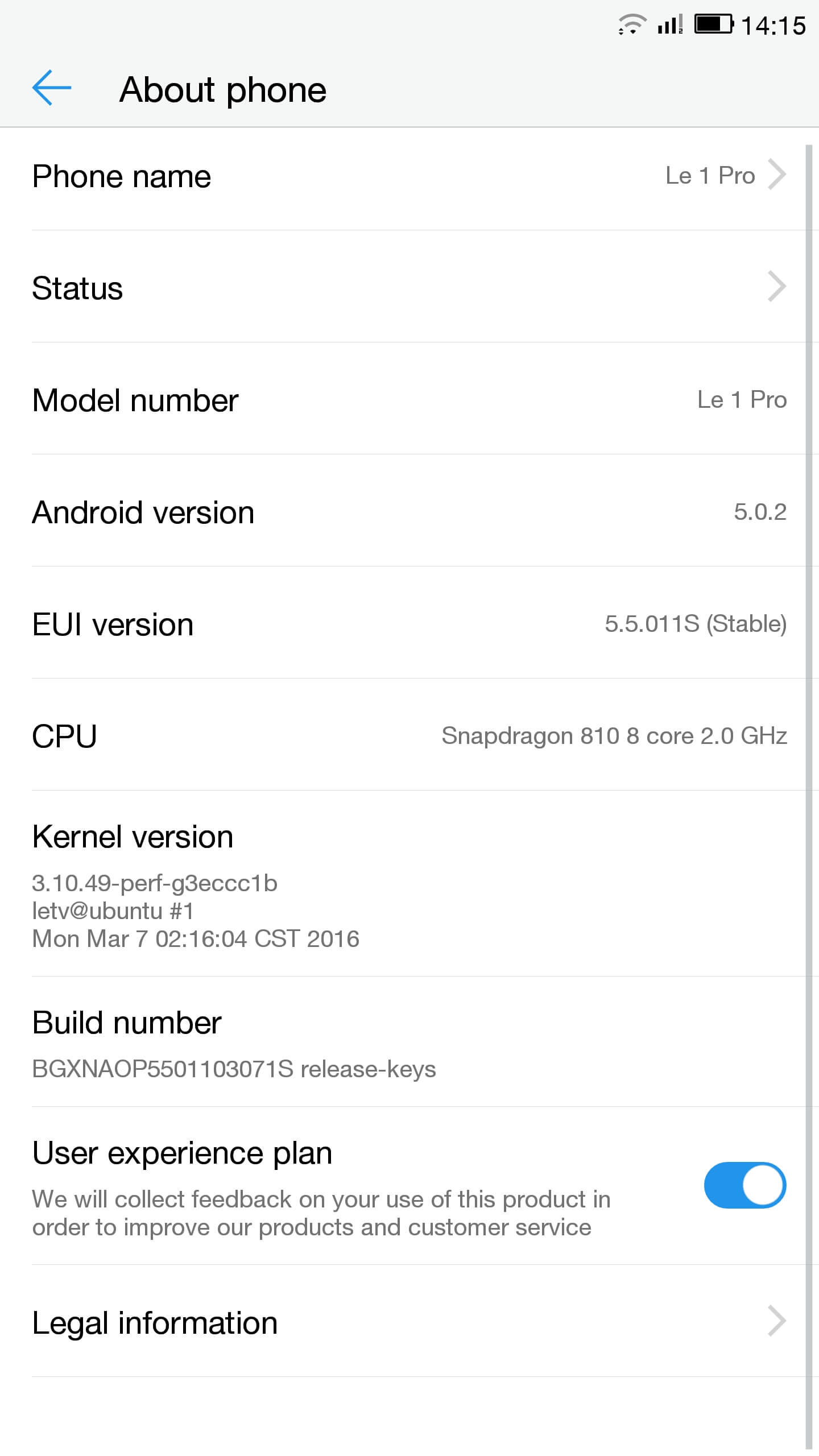
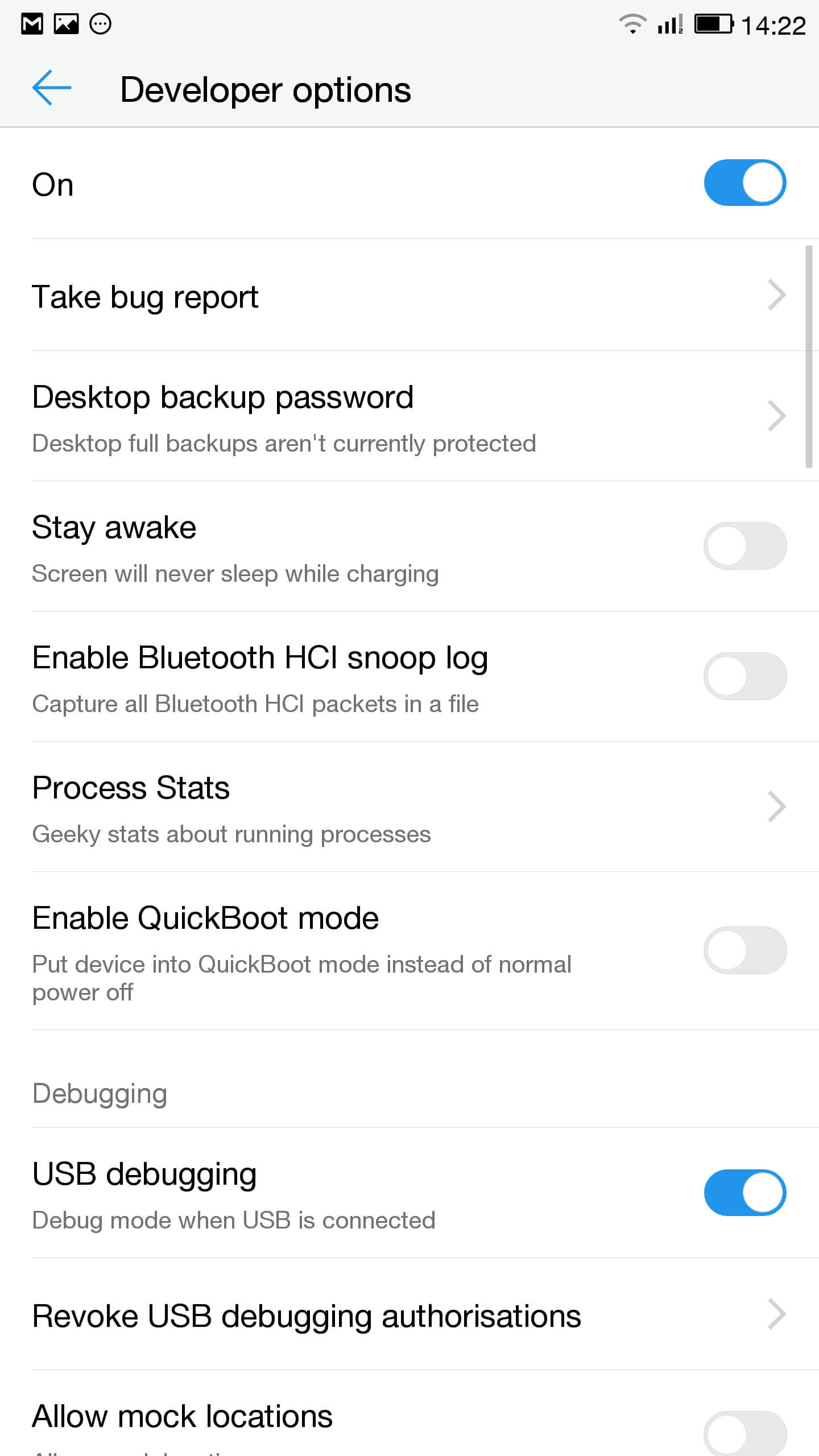
- Gaan na die instellings, ontwikkelaar opsies en in staat stel om USB-ontfouting
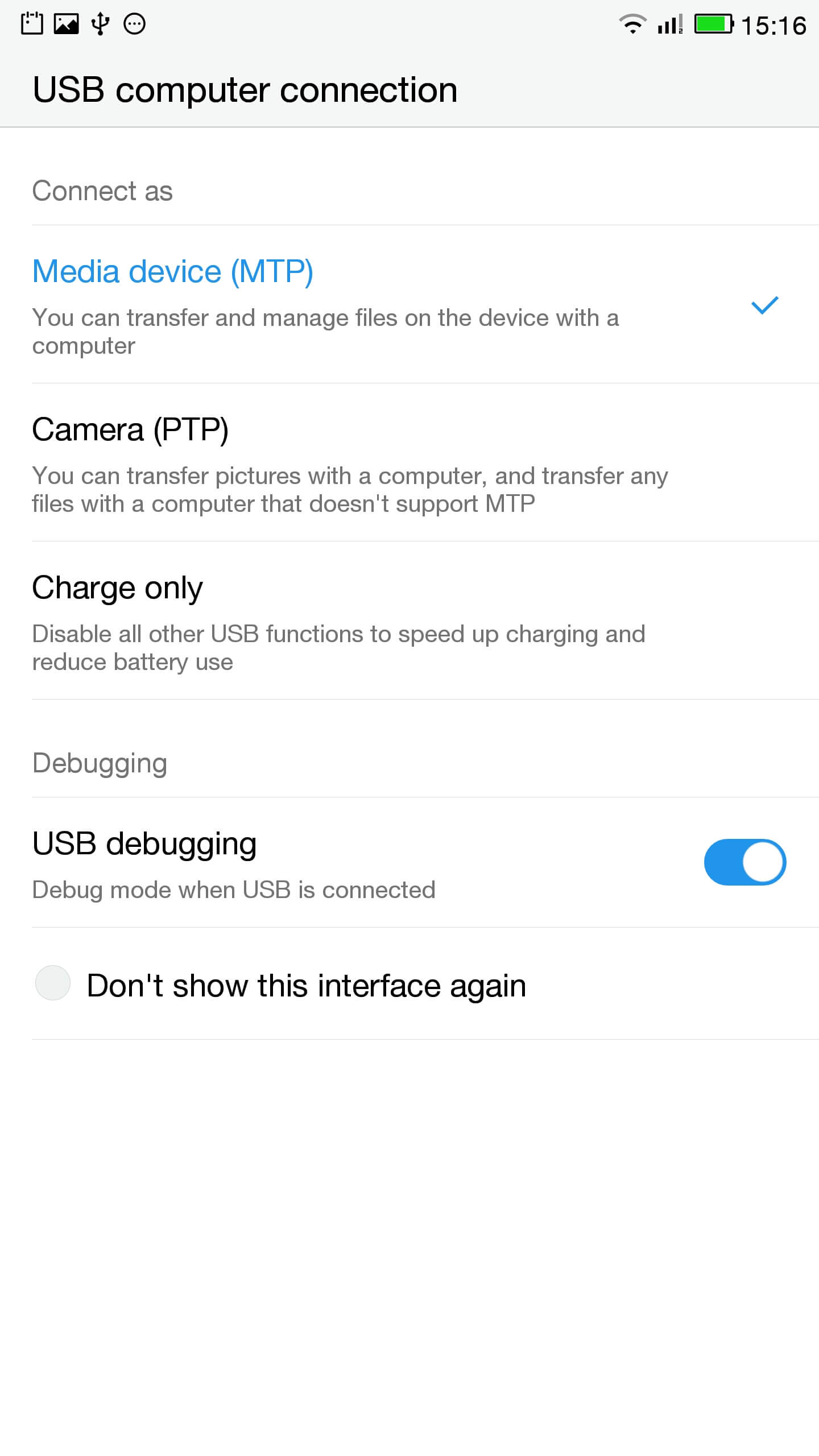
- In die kennisgewing bar klik op touch vir USB opsies en verseker dat MTP gekies
- Sluit die telefoon aan die rekenaar
- In 'n administratiewe vinnige check die telefoon korrek verbind deur te tik
ADB-toestelle
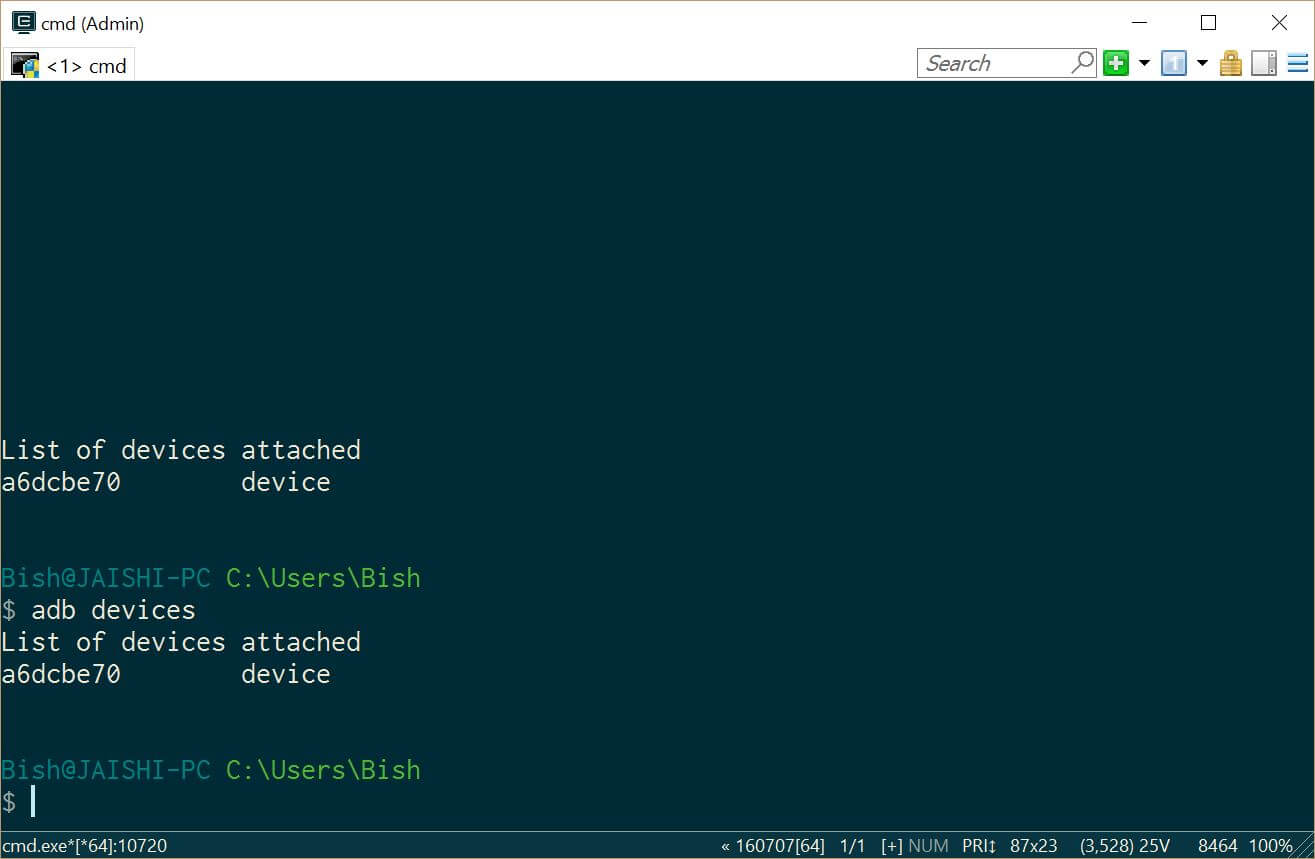
Jy moet 'n toestel onder ADB toestelle te sien - Aflaai SuperSU en gebruik die lêer bestuurder in die hoofdmap van die telefoon te sit
- Go to settings and then about on your phone. Unlock developer options by touching the build number several times.
- Lets flash TWRP into the phone. You should not lose any data, maar as jy data oor die telefoon het jy moet 'n back-up te maak net vir ingeval.
- Ons moet begin in fastboot. Op die rekenaar, open 'n administratiewe opdrag prompt en tik
ADB herlaai selflaaiprogram
As jou toestel nie begin in Android, jy kan in fastboot gaan deur oor te skakel jou selfoon af, hou die down volume sleutel en dan druk die kragknoppie.
- Once in fastboot you should see a small picture of a penguin in the middle of the screen. To check that the phone is connected, in die administratiewe opdrag prompt tipe
fastboot toestelle
Jy moet sien jou toestel gelys
- In die administratiewe opdrag prompt maak seker jy is in die gids van die recovery.img lêer en tik die volgende
fastboot flits herstel recovery.img
- Sodra die herstel is geflits tik die volgende en hou die up volume sleutel om weer te begin in die herstel
fastboot reboot
- You should now be in TWRP. In TWRP there may be an option advanced or settings to install SuperSU. If the option is not there use install to install SuperSU (vroeër afgelaai) uit die wortel van die telefoon stoor.
- Sodra geïnstalleer is jy kan herlaai in Android en die instruksies in die SuperSU inligting.
- Sodra die installering voltooi is af te laai die RootChecker inligting uit die Google Play winkel en kyk of die toestel is gewortel.
- Ons moet begin in fastboot. Op die rekenaar, open 'n administratiewe opdrag prompt en tik
- Bevestiging van die probleme met YouTube en die verwydering van die malware
- Installeer Maklik Uninstaller, Hardnekkige Trojaanse Killer en Malwarebytes Anti-Virus uit die Google Play-winkel.
- Uninstall YouTube and Ant Keyboard. I uninstalled Cantonese Keyboard Language and Mii Browser as well as I was not using these. If you start getting errors, eenvoudig herlaai jou toestel.
- Aflaai en installeer die YouTube inligting uit die Google Play-winkel.
- Begin die hardnekkige Trojaanse Killer en verwyder enige gevind Trojane.
- Run the Malwarebytes Anti-Virus and remove any found viruses. Run the privacy scanner and follow the recommendations.
Sodra jy suksesvol die bogenoemde stappe voltooi het, dan moet jou toestel malware gratis en heeltemal bruikbaar wees.
Probleemoplossing
My toestel ingemetseld
Your device may not be bricked. It may just look bricked as the screen may not turn on and it will not charge. If this is the case leave your device for at least a week without charging it at all so that all the power is drained out. After a week connect it to the charger and see if the LED light indicator shows. If the LED does come on then allow the phone to charge for about 90 minutes and then hold down volume and power button. The penguin icon should be on the screen. If you see the penguin then you can continue from E.ii from the instructions above.
My toestel is in 'n bootloop
As dit die geval is dan net te hou die krag knoppie vir ongeveer 15 seconds until the device is off. Then hold down volume and power button. The penguin icon should be on the screen. If you see the penguin then you can continue from E.ii from the instructions above.
Android nie werk nie
Dit mag nodig wees om weer flits die ROM. The original USA version of the ROM can be found hier.
Ek weet nie of ek die VSA weergawe
Check the box of the device. If it has the web address of the USA website then it should be USA version, alhoewel ek nie kan waarborg dit.

Salut, j’ai suivi toutes les étapes à la lettre, cependant quand je tape en mode admin dans la console “fastboot device” aucun résultat…. c’est vide… que faire?
Switch off the phone. Hold the down volume key and then press power on button. You should see a penguin on the screen (this is fastboot mode). Now connect the phone to the PC. In an administrator command prompt type ‘fastboot devices’.
J’ai effectué cette manœuvre, vu le pinguin aussi au démarrage de l’appareil,
mais lorsque je passe en mode admin sur la console : je tape “adb device” mon appareil apparait dans la liste.
mais quand je tape “fastboot devices =”le néant complet ” il n’apparait pas, la est mon problème 🙁
The phone should remain in fastboot (penguin icon will show constantly on the screen) whilst you type the fastboot devices command. If the penguin picture goes off the screen then it means that your phone has rebooted and hence goes into android debugging.
If I try to turn it on it beeps and the notification light blinks red and purple. Any ideas?