

Olee otú na-adịgide adịgide gbanyụọ tuo na mbugharị atụmatụ ke Synaptics aka na mpe mpe akwa ntọala na Windows 8 / 8.1 / 10
M na-eji a HP anyaụfụ na laptọọpụ na-agagharị na web oge niile. The problem is that the web page keeps zooming whilst I am moving the mouse pointer with the touchpad.
M chọpụtara na atụmatụ ahụ bụ akụkụ nke Synaptics software na na m chọrọ ịga akara panel na-aga òké na aka-na mpe mpe akwa ntọala. There I click on additional mouse options and select the ClickPad settings tab. Here there is a check-box on Pinch and Zoom which I unchecked.
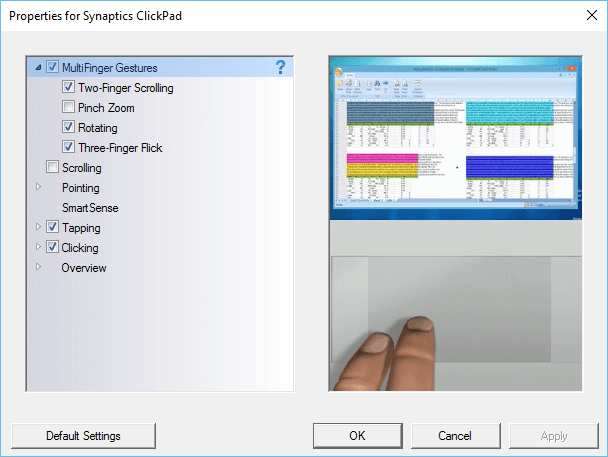
N'ikpeazụ na nsogbu nke m na ibe weebụ mmadụ na mberede zooming arahụ, ruo mgbe m Malitegharịa ekwentị ahụ na kọmputa. The zooming problem still happens on web pages. I check the settings in the control panel and find that the Pinch and Zoom check-box is again checked. This happens all the time, M na-achịkwaghị achịkwa igbe, Malitegharịa ekwentị ahụ na igwe na nsogbu dị ka e nwere.
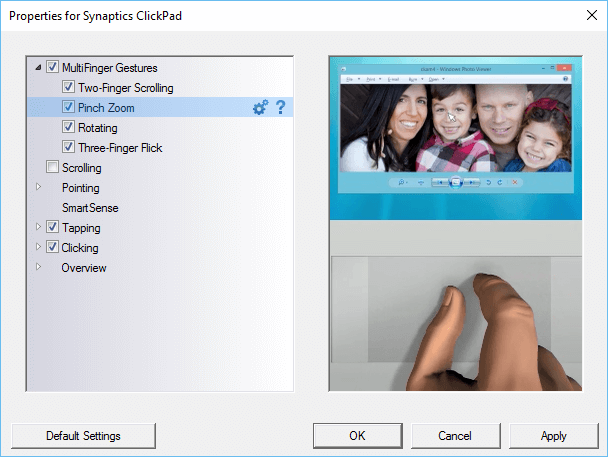
The only way to make sure that the pinch and zoom is permanently turned off is to make a change to the Windows registry.
Na search igbe nke Windows ụdị regedit na navigation ndị na-esonụ isi:
- HKEY_LOCAL_MACHINE
- Software
- Synaptics
- SynTp
- Wụnye
- SynTp
- Synaptics
- Software
Find the key DeleteUserSettingsOnUpgrade. Right click on it and choose modify. Change the value of this key to 0. Click OK and close the Windows register.
Ugbu a tuo na mbugharị ọnọdụ ga-achịkwaghị achịkwa ọbụna mgbe Windows na-restarted.
