

LEECO Няхай V 1 Pro версія для ЗША X800 выдалення шкоднасных праграм, TWRP Recovery, Укараненне і ліквідацыю праблем з загрузкай Loop
Хай V LEECO 1 Pro з'яўляецца выдатным тэлефон, які пастаўляецца па вельмі нізкай цане. Some retailers are selling the phone for approx. £ 150. аднак, тэлефон сапраўды ідзе з некалькімі праблемамі.
The phone comes bundled with an old YouTube app which refuses to update to the latest version. The phone has malware where apps are installed in the background and ads are served in the Chrome browser.
At the time of writing there are no updated official ROMs. There are custom ROMs which should fix the problems above but there is no guarantee. таму, лягчэй ліквідаваць вышэйпаказаныя праблемы ў гэтай усталяванай ROM.
Абнаўленне 18.7.16
На момант напісання артыкула не было ніякага афіцыйнага ROM даступны. Цяпер афіцыйны дыск быў выпушчаны. Яго можна знайсці ў гэты пост. Ўстаноўка афіцыйнага ROM гэта самы просты спосаб выправіць шкоднасных праграм і прыкладанняў праблемы з тэлефонам.
The TrustGo App from the Google Play store pointed out that the Ant Keyboard bundled app contained the malware. The YouTube problem can be fixed by uninstalling the bundled YouTube and installing the latest YouTube from the Google Play Store.
Тэлефон павінен быць выкаранены, каб выдаліць YouTube і шкоднаснае прыкладанне Ant Keyboard.
Наступныя інструкцыі будуць укараніць Le Няхай V 1 Pro USA version only. аднак, ўкараненне можа, цэгла тэлефон, so if you do go ahead it will be your responsiblity. Rooting also invalidates the warranty of the phone. You will also be able to unroot your phone at a later date and reinstate your warranty.
Далей мяркуецца, што вы карыстаецеся Windows, 10.
Ўкараненне ў Ле Хай V 1 Pro версія для ЗША
- ўсталяваць TWRP
- TWRP will allow to root the phone. First it needs to be installed.
- Для таго каб усталяваць TWRP, вам неабходна падключыць тэлефон да кампутара
- Дазваляе падрыхтаваць ПК, перш чым мы падключыць яго
- Ўстаноўка Java JDK 8 выкарыстоўваючы шакаладным
- Адкрыйце камандную радок адміністратара
- Тып CMD ў пошуку, пстрыкніце правай кнопкай мышы Камандны радок і абярыце Запуск ад імя адміністратара.
- Скапіруйце і ўстаўце наступны код у акне запыту адміністрацыйнай каманды ўсталяваць chocolately
@powershell -NoProfile -ExecutionPolicy Абыход -command "IEX ((новага аб'екта net.webclient).DownloadString('https://chocolatey.org/install.ps1'))" && SET PATH =% PATH%;%ALLUSERSPROFILE% шакаладным Bin
- Ўстаноўка і настройка пакета JDK 8 уставіўшы наступны код у акне запыту адміністрацыйна-каманднай.
choco install jdk8
- Спампаваць, ўсталяваць і наладзіць Android Studio, выкарыстоўваючы налады па змаўчанні ў наладах
- Спампаваць Android Studio
- Запуск ўстаноўкі і прыміце значэнні па змаўчанні
- У апошнім акне выберыце Android Studio Запуск усталяванага, а затым скончыць
- Выберыце канфігурацыйны выпадальнага меню, а затым выбраць менеджэр SDK

- У мэнэджару SDK, праверце драйвера USB Google на ўкладцы SDK Tools і абярыце OK

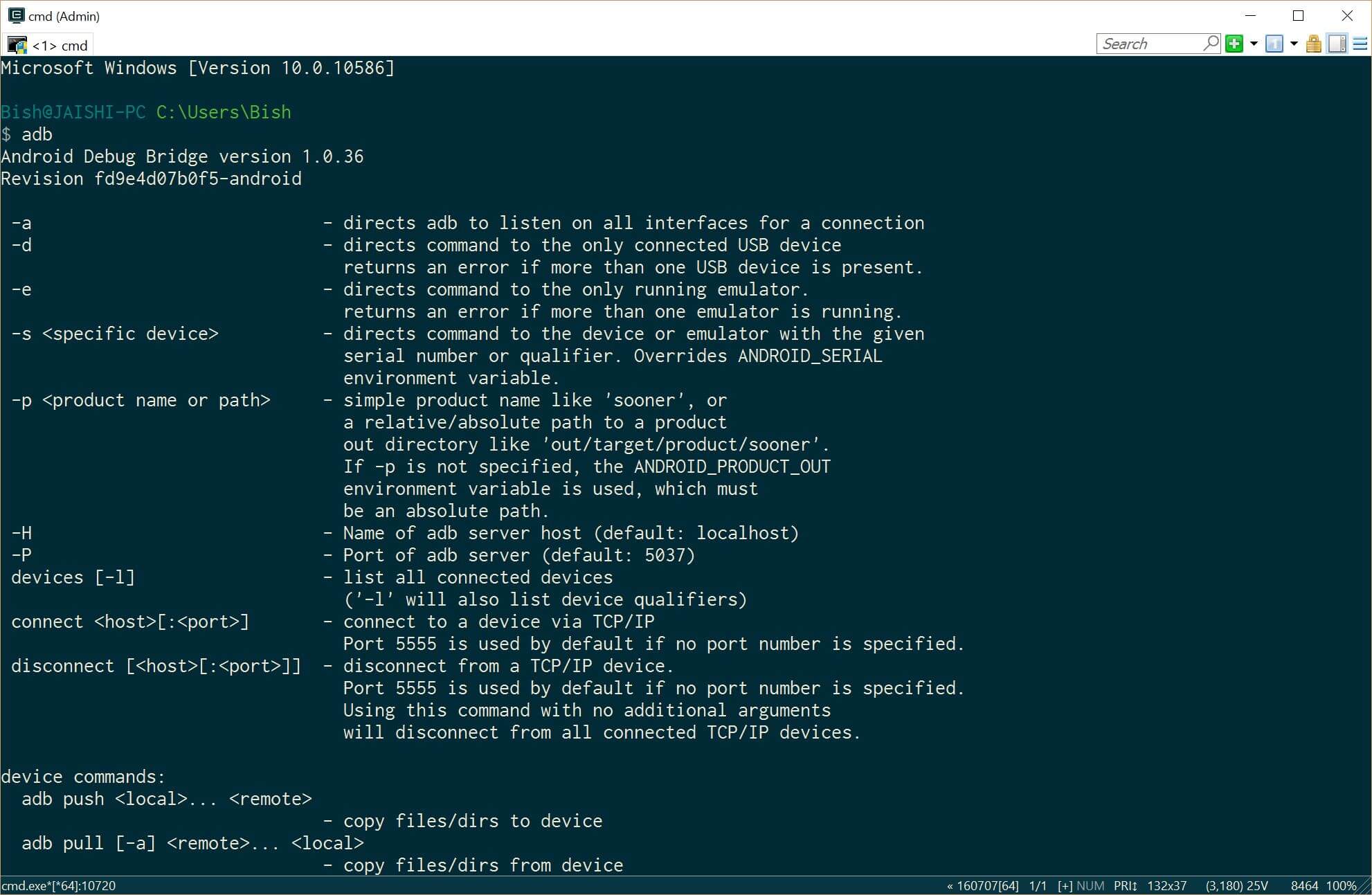
- Close the administrative command prompt and then open a new administrative command prompt and type adb. You should see the adb command returning help. This means that adb driver is installed and ready to go.
- Загрузіце апошнюю версію TWRP на ПК з дапамогай гэтай спасылка
- Пераназавіце загружаны файл recovery.img
- Адкрыйце камандную радок адміністратара
- Ўстаноўка Java JDK 8 выкарыстоўваючы шакаладным
- Now it is time to prepare the phone before we connect it to our already prepared PC. If your phone does not boot into android then you can skip the whole of this #4 падзел і перайсці да #5 (TWRP) section below.
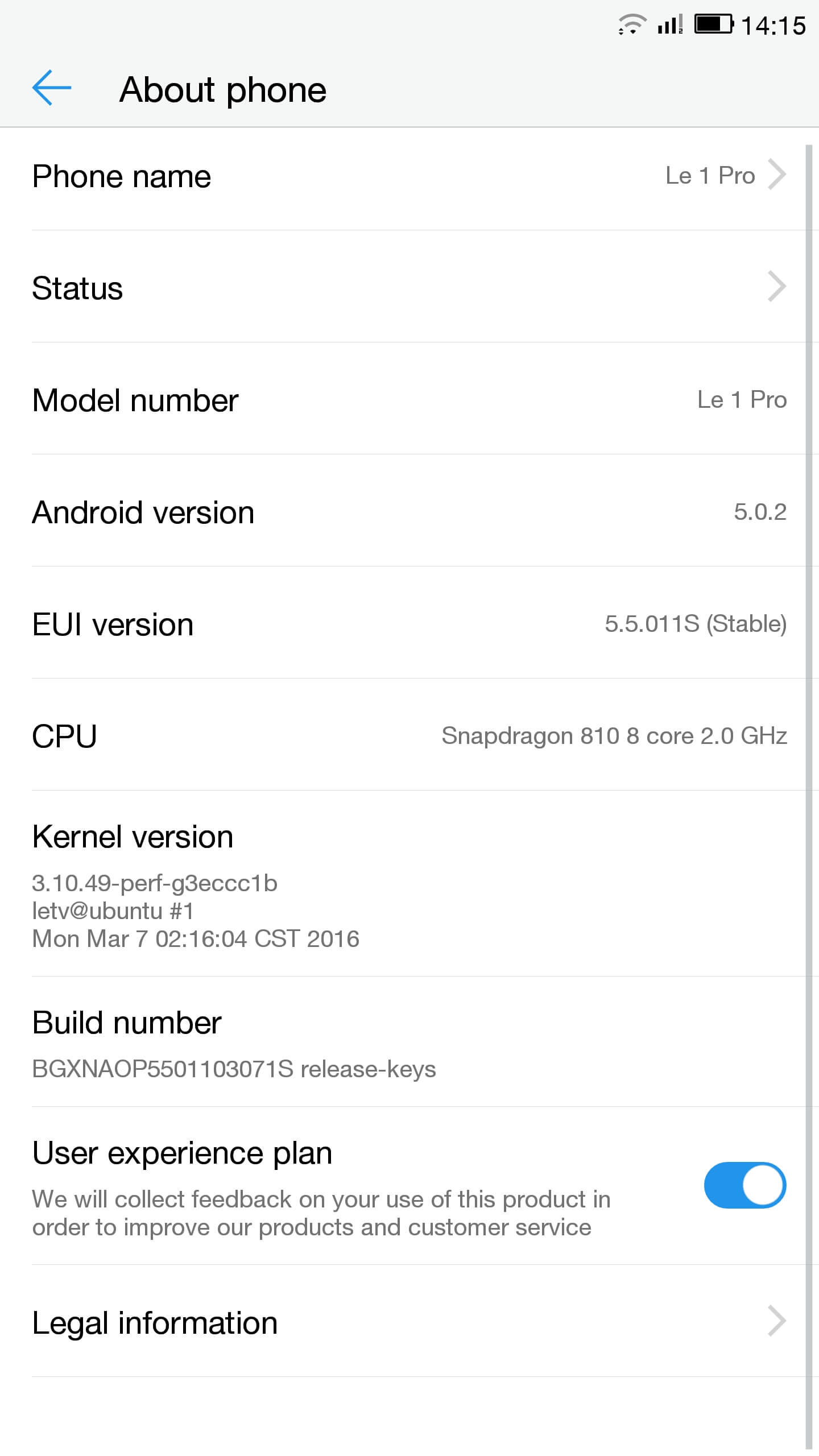
- Go to settings and then about on your phone. Unlock developer options by touching the build number several times.
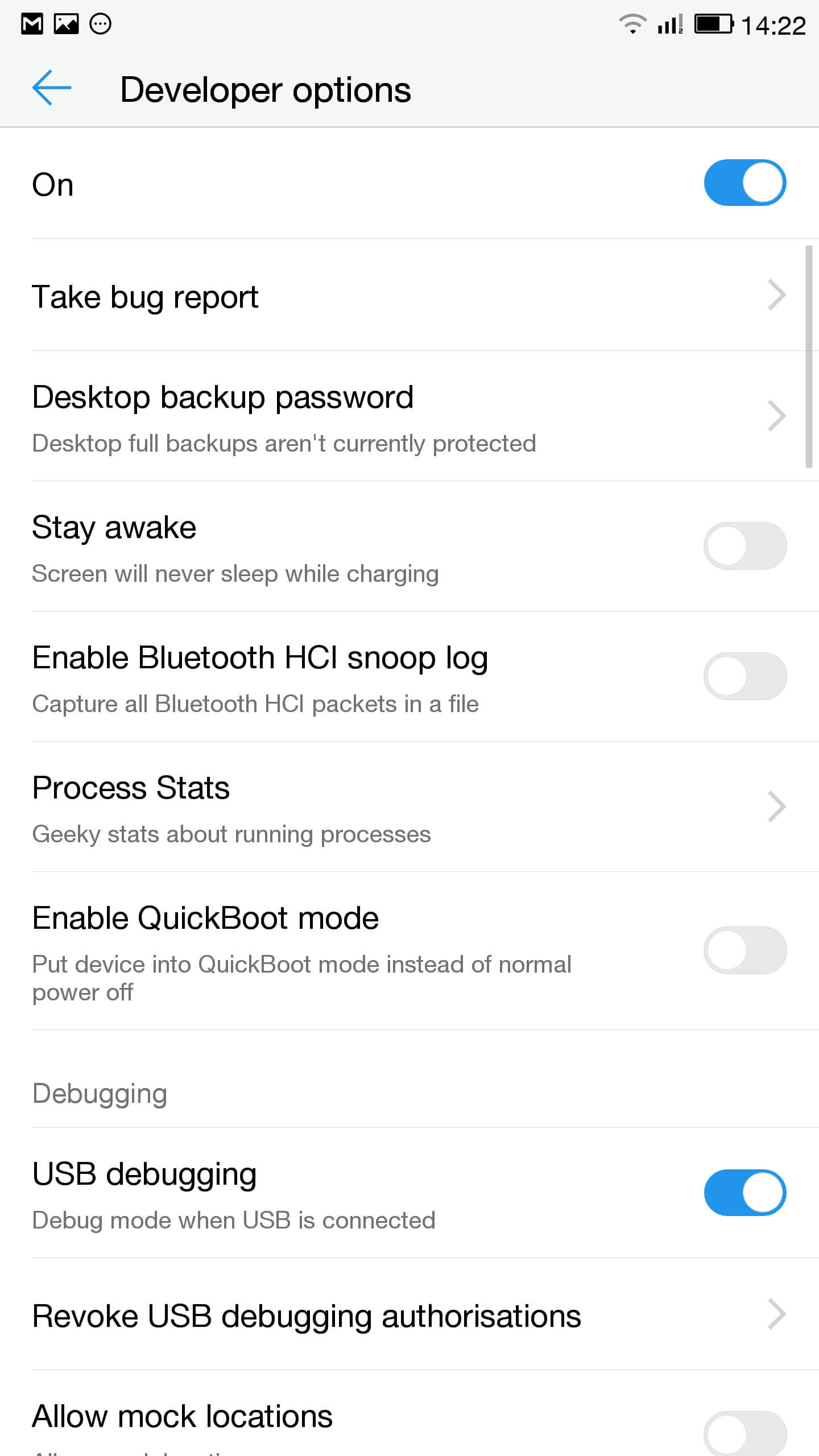
- Да налад, Для распрацоўшчыкаў і ўключыць адладку USB
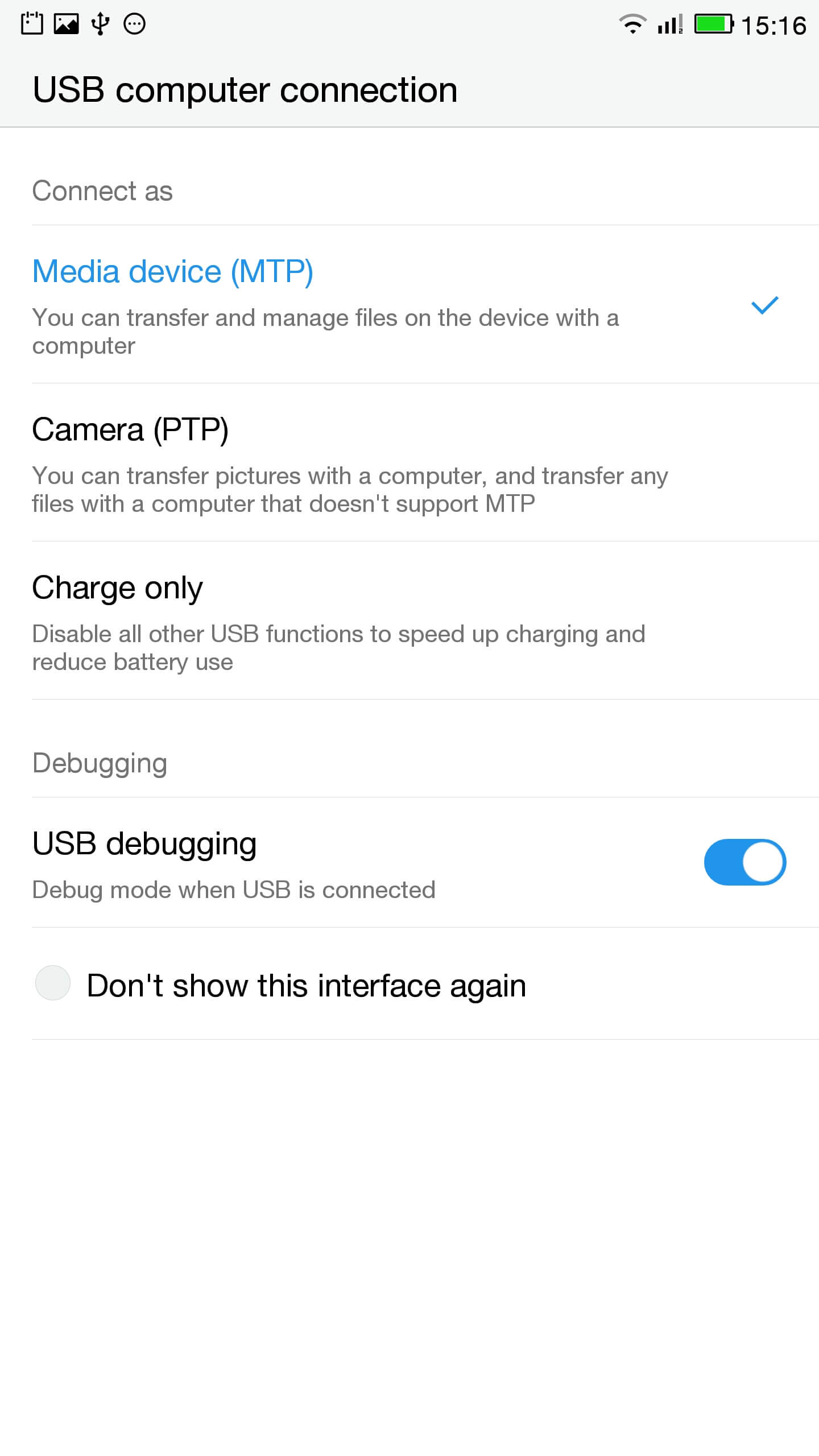
- У панэлі апавяшчэнняў націсніце на кантакт для опцый USB і пераканайцеся, што МТР абраны
- Падключыце тэлефон да ПК
- У адміністрацыйным радку праверыць тэлефон падлучаны правільна, увёўшы
ADB прылады
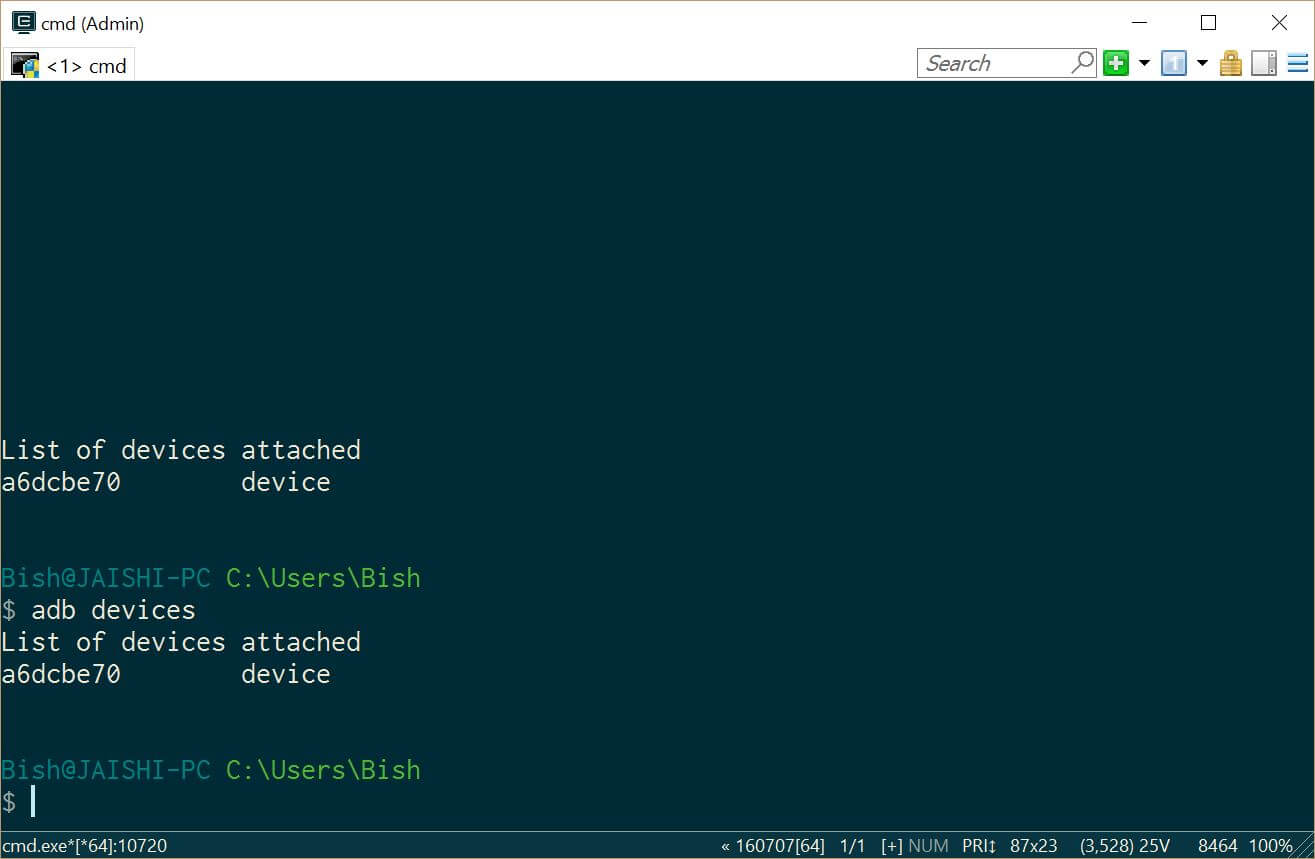
Вы павінны ўбачыць прылада пад ADB прылад - Спампаваць SuperSU і выкарыстоўваць файлавы менеджэр, каб змясціць у каранёвай каталог тэлефона
- Go to settings and then about on your phone. Unlock developer options by touching the build number several times.
- Lets flash TWRP into the phone. You should not lose any data, але калі ў вас ёсць дадзеныя па тэлефоне вы павінны зрабіць рэзервовую копію на ўсялякі выпадак.
- Нам трэба загрузіцца ў FastBoot. на ПК, адкрыць адміністрацыйную камандную радок і ўвядзіце
ADB перазагрузка Загрузнік
Калі прылада не загружаецца ў Android, вы можаце пайсці ў FastBoot пры выключэнні тэлефона, ўтрымлівайце клавішу рэгулявання гучнасці ўніз, а затым націсніце кнопку харчавання.
- Once in fastboot you should see a small picture of a penguin in the middle of the screen. To check that the phone is connected, ў адміністрацыйнай камандным радку увядзіце
FastBoot прылады
Вы павінны ўбачыць ваша прыладу ў спісе
- У камандным радку адміністрацыйнай пераканайцеся, што вы знаходзіцеся ў каталогу файла recovery.img і ўвядзіце наступную каманду
хуткай загрузкі флэш-recovery.img аднаўлення
- Пасля таго, як аднаўленне прамільгнула увядзіце наступную каманду і трымаць уверх клавішу рэгулявання гучнасці, каб перазапусціць ў працэсе аднаўлення
хуткай загрузкі перазагрузка
- You should now be in TWRP. In TWRP there may be an option advanced or settings to install SuperSU. If the option is not there use install to install SuperSU (спампавалі раней) ад кораня памяць тэлефона.
- Пасля ўстаноўкі вы можаце перазагрузіцца ў Android і вынікаючы інструкцыям у дадатку SuperSU.
- Пасля заканчэння ўстаноўкі спампаваць RootChecker дадатак з Google Play краму і праверыць, калі прылада ўкаранілася.
- Нам трэба загрузіцца ў FastBoot. на ПК, адкрыць адміністрацыйную камандную радок і ўвядзіце
- Ліквідацыю праблем, звязаных з YouTube і выдаленне шкоднаснага ПА
- Ўсталёўваць Easy Uninstaller, Ўпарты Trojan Killer і Malwarebytes Anti-Вірус з крамы Google Play.
- Uninstall YouTube and Ant Keyboard. I uninstalled Cantonese Keyboard Language and Mii Browser as well as I was not using these. If you start getting errors, проста перазагрузіць прылада.
- Спампаваць і ўсталяваць YouTube прыкладанне з крамы Google Play.
- Запусціце Упартае Trojan Killer і выдаліце ўсе выяўленыя траяны.
- Run the Malwarebytes Anti-Virus and remove any found viruses. Run the privacy scanner and follow the recommendations.
Пасля таго, як вы паспяхова завяршылі вышэйпаказаныя крокі, то прылада павінна быць шкоднаснай праграмай бясплатна і цалкам прыдатны для выкарыстання.
пошук няспраўнасцяў
Маё прылада замураваныя
Your device may not be bricked. It may just look bricked as the screen may not turn on and it will not charge. If this is the case leave your device for at least a week without charging it at all so that all the power is drained out. After a week connect it to the charger and see if the LED light indicator shows. If the LED does come on then allow the phone to charge for about 90 minutes and then hold down volume and power button. The penguin icon should be on the screen. If you see the penguin then you can continue from E.ii from the instructions above.
Маё прылада знаходзіцца ў bootloop
Калі гэта так, то проста ўтрымлівайце кнопку харчавання на працягу прыкладна 15 seconds until the device is off. Then hold down volume and power button. The penguin icon should be on the screen. If you see the penguin then you can continue from E.ii from the instructions above.
Android не працуе
Вы, магчыма, спатрэбіцца паўторна адштабнаваць ПЗУ. The original USA version of the ROM can be found тут.
Я не ведаю, калі ў мяне ёсць версія ЗША
Check the box of the device. If it has the web address of the USA website then it should be USA version, хоць я не магу гарантаваць яго.

Salut, j’ai suivi toutes les étapes à la lettre, cependant quand je tape en mode admin dans la console “fastboot device” aucun résultat…. c’est vide… que faire?
Switch off the phone. Hold the down volume key and then press power on button. You should see a penguin on the screen (this is fastboot mode). Now connect the phone to the PC. In an administrator command prompt type ‘fastboot devices’.
J’ai effectué cette manœuvre, vu le pinguin aussi au démarrage de l’appareil,
mais lorsque je passe en mode admin sur la console : je tape “adb device” mon appareil apparait dans la liste.
mais quand je tape “fastboot devices =”le néant complet ” il n’apparait pas, la est mon problème 🙁
The phone should remain in fastboot (penguin icon will show constantly on the screen) whilst you type the fastboot devices command. If the penguin picture goes off the screen then it means that your phone has rebooted and hence goes into android debugging.
If I try to turn it on it beeps and the notification light blinks red and purple. Any ideas?