

کس طرح مستقل طور پر ونڈوز پر Synaptics ٹچ پیڈ کی ترتیبات میں چوٹکی اور زوم خصوصیت کو بند کرنا 8 / 8.1 / 10
میں نے ایک HP حسد لیپ ٹاپ استعمال اور ویب ہر وقت براؤز ہوں. The problem is that the web page keeps zooming whilst I am moving the mouse pointer with the touchpad.
میں خصوصیت میں کنٹرول پینل پر جائیں اور ماؤس اور ٹچ پیڈ کی ترتیبات پر جانے کے لئے کی ضرورت ہے کہ Synaptics سافٹ ویئر کا حصہ ہے اور پتہ چلا کہ. There I click on additional mouse options and select the ClickPad settings tab. Here there is a check-box on Pinch and Zoom which I unchecked.
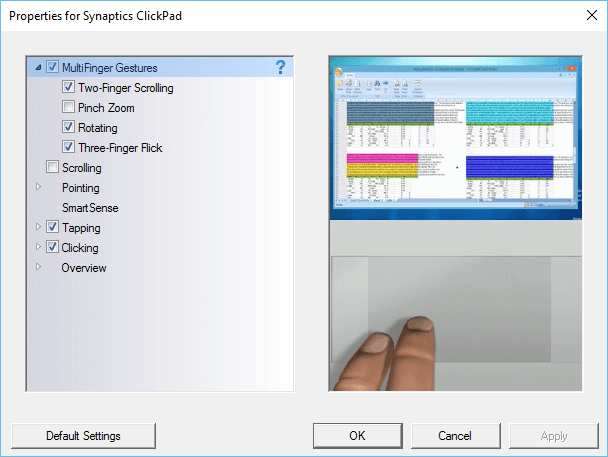
آخر میں میری ویب کے صفحے کے مسئلہ اتفاقی zooming کے چلا گیا, میں نے کمپیوٹر کو دوبارہ شروع تک. The zooming problem still happens on web pages. I check the settings in the control panel and find that the Pinch and Zoom check-box is again checked. This happens all the time, میں نے باکس انینترت, مشین دوبارہ شروع کرنے اور مسئلہ اب بھی وہاں ہے.
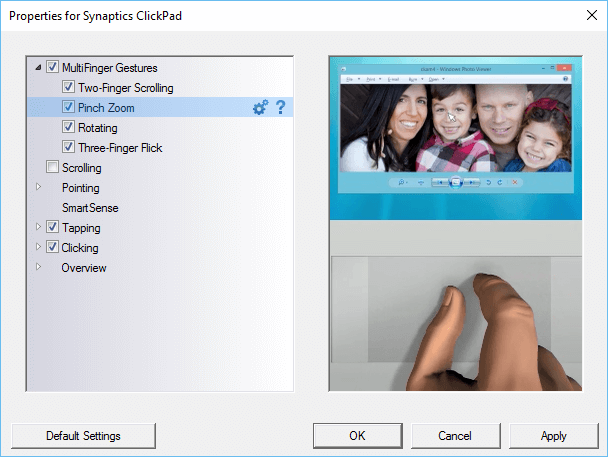
The only way to make sure that the pinch and zoom is permanently turned off is to make a change to the Windows registry.
مندرجہ ذیل اہم کرنے کے لیے ونڈوز کی قسم کی regedit اور نیویگیشن کے تلاش کے خانے میں:
- HKEY_LOCAL_MACHINE
- سافٹ ویئر
- Synaptics
- SynTp
- انسٹال
- SynTp
- Synaptics
- سافٹ ویئر
Find the key DeleteUserSettingsOnUpgrade. Right click on it and choose modify. Change the value of this key to 0. Click OK and close the Windows register.
ونڈوز دوبارہ شروع ہے جب چوٹکی اور زوم کی ترتیب بھی انینترت جائے گا.
