

ఎలా శాశ్వతంగా Windows న Synaptics టచ్ ప్యాడ్ అమరికలలో చిటికెడు మరియు జూమ్ లక్షణాన్ని ఆఫ్ 8 / 8.1 / 10
నేను ఒక HP అసూయ ల్యాప్టాప్ను ఉపయోగించడం మరియు వెబ్ అన్ని సమయం బ్రౌజ్ చేస్తున్నాను. The problem is that the web page keeps zooming whilst I am moving the mouse pointer with the touchpad.
నేను ఫీచర్ నేను కంట్రోల్ ప్యానెల్ వెళ్లి మౌస్ మరియు టచ్ ప్యాడ్ సెట్టింగులకు వెళ్ళి అవసరం Synaptics సాఫ్ట్వేర్ భాగం మరియు కనుగొన్నాడు. There I click on additional mouse options and select the ClickPad settings tab. Here there is a check-box on Pinch and Zoom which I unchecked.
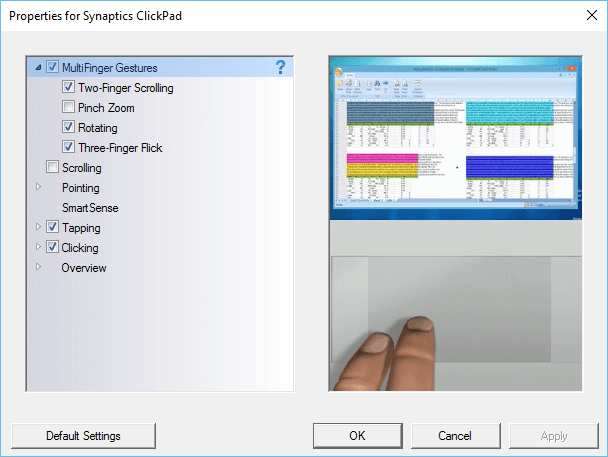
చివరగా నా వెబ్ పేజీ యొక్క సమస్య అనుకోకుండా జూమ్ పోయిందో, నేను కంప్యూటర్ పునఃప్రారంభించబడుతుంది వరకు. The zooming problem still happens on web pages. I check the settings in the control panel and find that the Pinch and Zoom check-box is again checked. This happens all the time, నేను బాక్స్ ఎంపిక తొలగించబడింది, యంత్రం పునఃప్రారంభించుము మరియు సమస్య ఇప్పటికీ ఉంది.
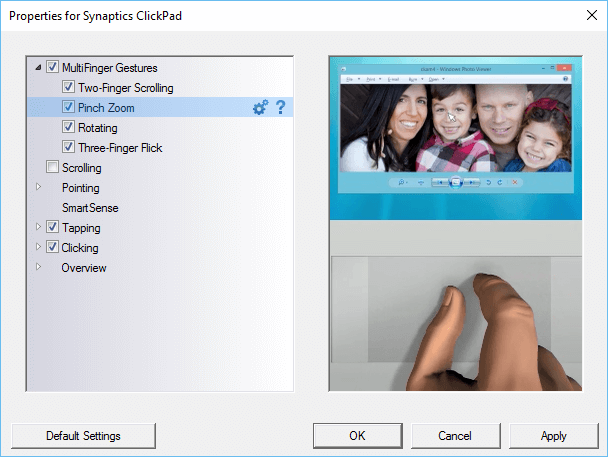
The only way to make sure that the pinch and zoom is permanently turned off is to make a change to the Windows registry.
క్రింది కీ చేయడానికి Windows రకం Regedit మరియు పేజీకి సంబంధించిన లింకులు శోధన బాక్స్లో:
- HKEY_LOCAL_MACHINE
- సాఫ్ట్వేర్
- Synaptics
- SynTp
- ఇన్స్టాల్
- SynTp
- Synaptics
- సాఫ్ట్వేర్
Find the key DeleteUserSettingsOnUpgrade. Right click on it and choose modify. Change the value of this key to 0. Click OK and close the Windows register.
Windows పునఃప్రారంభిస్తారు ఇప్పుడు చిటికెడు మరియు జూమ్ సెట్టింగ్ కూడా అనియంత్రిత చేయబడుతుంది.
