
Amosar notificacións teléfono Android en Windows 7/8.1 área de traballo / portátil / tablet PCs
Conectar o seu teléfono Android para o seu escritorio ou portátil PC con Windows, dá moitas vantaxes, como ser capaz de cargar o seu teléfono móbil ou ignorar as notificacións que non son importantes, mentres está a usar o seu escritorio ou portátil PC con Windows.
Ten 2 principais aplicacións para Android que son facilmente o mellor no que lle permite facelo. They are:
- Pushbullet
- AirDroid
Ambos os programas requiren a descarga de software de Windows, que as aplicacións a continuación, usar para enviar a notificación para o portátil / área de traballo.
Teremos mirada máis atento tanto do lado de aplicacións a banda.
Os Android App Interfaces
AirDroid

Pushbullet

Características
AirDroid
Transferencia de ficheiros
Transferir ficheiros do teléfono para o seu escritorio. Os arquivos poden ser Texto, Fotos, Cámara, Música ou vídeos. Airdroid allows to transfer multiple files at any one time.
Xestor de ficheiros
AirDroid ten un xestor de arquivos simple.
Hotspot
Comparte a túa conexión móbil
Tethering
Activar tethering USB
Booster
Booster frees RAM by closing apps.
Aplicacións
This is an app manager that allows to uninstall apps
Find phone
Visit a web browser and enter the airdroid url to find your phone.
Hotspot
Share your mobile data connection with other devices.
Tethering
Activar tethering USB
Pushbullet
Transferencia de ficheiros
Transferir ficheiros do teléfono para o seu escritorio. Os arquivos poden ser Nota, Ligazón, Foto e Arquivo. Files can only be transferred one at a time.
Canles
Pushbullet allows following channel feeds, which allows to receive latest news from followed channels.
Exemplos de cousas a seguir son TopGear, Android e moito máis…
Add Friends
If you know anybody registered with pushbullet then you will be able to add them as a friend. Adding friends enables you to push files, photos, notes and links to your friends.
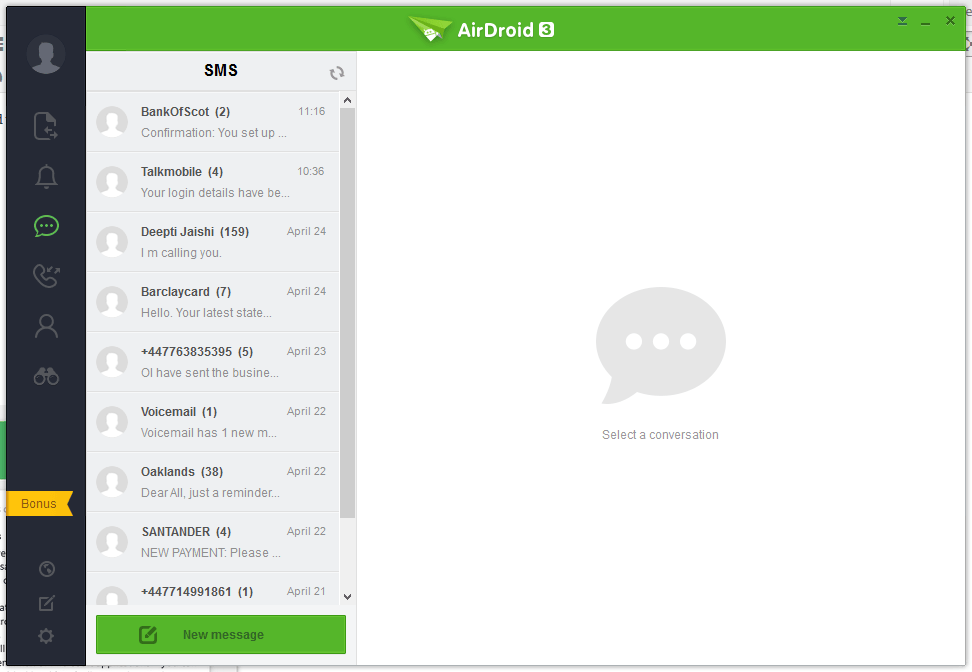
O Windows Portátil / Escritorio de Interface
AirDroid




Pushbullet
The following are the screenshots for pushbullet on Windows Desktop.


Memoria
Windows
Airdroid used about 160MB memory whilst running in the background, whereas Pushbullet uses 28.7MB.
Android Phone
Airdroid on an android phone uses 9.9MB memory, whereas Pushbullet uses 7MB.
Conclusion
Both apps for sending notifications to a Windows desktop / laptop are very good. If the extra features of Airdroid are relevant to you, then this would be best. If you want to conserve memory and some of the extra features in Airdroid is not required, then Pushbullet is best.
