
Vise android smartphone meldinger på Windows 7/8.1 desktop / laptop / tablet PCer
Koble din android smarttelefonen til Windows-skrivebordet eller bærbar PC, gir mange fordeler som å være i stand til å lade telefonen eller ignorere meldinger som ikke er viktige mens du bruker din Windows stasjonær eller bærbar PC.
Det finnes 2 Hoved android apps som er lett best på slik at du kan gjøre dette. They are:
- Pushbullet
- AirDroid
Begge programmene krever at du laste ned Windows-programvare, som apps deretter bruker til å sende melding til den bærbare / desktop.
La oss ta nærmere titt på både apps side ved side.
Android-appen grensesnitt
AirDroid

Pushbullet

Funksjoner
AirDroid
Filoverføring
Overføre filer fra telefonen til skrivebordet ditt. Filer kan være tekst, Bilder, Kamera, Musikk eller Videoer. Airdroid allows to transfer multiple files at any one time.
File Manager
Airdroid har en enkel filbehandler.
Hotspot
Del din mobil tilkobling
Tethering
Aktiver USB-tilknytning
Booster
Booster frees RAM by closing apps.
Apps
This is an app manager that allows to uninstall apps
Find phone
Visit a web browser and enter the airdroid url to find your phone.
Hotspot
Share your mobile data connection with other devices.
Tethering
Aktiver USB-tilknytning
Pushbullet
Filoverføring
Overføre filer fra telefonen til skrivebordet ditt. Filer kan være Note, Link, Bilde og Fil. Files can only be transferred one at a time.
Kanaler
Pushbullet allows following channel feeds, which allows to receive latest news from followed channels.
Eksempler på ting å følge er TopGear, Android og mer…
Add Friends
If you know anybody registered with pushbullet then you will be able to add them as a friend. Adding friends enables you to push files, photos, notes and links to your friends.
Windows Laptop / Desktop Interface
AirDroid


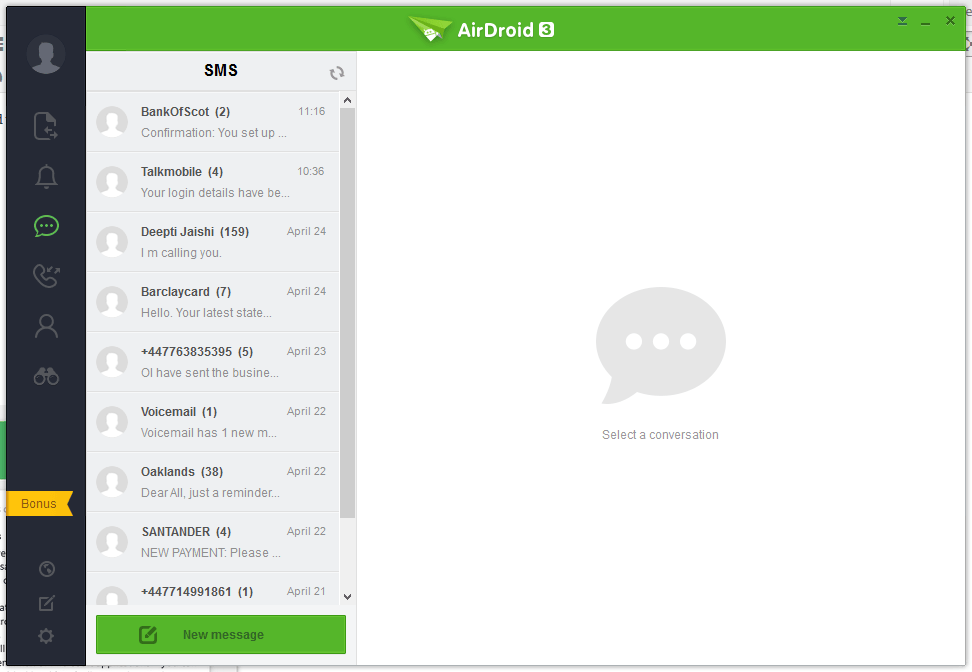


Pushbullet
The following are the screenshots for pushbullet on Windows Desktop.


Minne
Windows
Airdroid used about 160MB memory whilst running in the background, whereas Pushbullet uses 28.7MB.
Android Phone
Airdroid on an android phone uses 9.9MB memory, whereas Pushbullet uses 7MB.
Konklusjon
Both apps for sending notifications to a Windows desktop / laptop are very good. If the extra features of Airdroid are relevant to you, then this would be best. If you want to conserve memory and some of the extra features in Airdroid is not required, then Pushbullet is best.
