
Prikaz Android Smartphone obvestila o Windows 7/8.1 desktop / laptop / Tablični računalniki
Povezovanje vašega Android pametni telefon na Windows namizju ali prenosni računalnik, daje veliko prednosti, kot bi mogli polnjenje telefona ali ignorirati obvestila, da niso pomembni, medtem ko ste z vašim Windows namizja ali prenosni računalnik.
Obstaja 2 Glavni Android aplikacije, ki so preprosto najboljši na kar vam omogoča, da to storijo. They are:
- Pushbullet
- AirDroid
Oba aplikacije zahtevajo, da prenesete programsko opremo za Windows, katere aplikacije nato poslati obvestilo laptop / desktop.
Pa si podrobneje ogledali tako na apps ob bok.
Android App vmesniki
AirDroid

Pushbullet

Lastnosti
AirDroid
Prenos datotek
Prenos datotek iz telefona na namizju. Datoteke lahko Besedilo, Photos, Kamera, Glasba ali Videi. Airdroid allows to transfer multiple files at any one time.
File Manager
Airdroid ima preprosto upravitelja datotek.
Hotspot
Delite svoje mobilne povezave
Privezovanje
Omogoči USB privezovanja
Booster
Booster frees RAM by closing apps.
Apps
This is an app manager that allows to uninstall apps
Find phone
Visit a web browser and enter the airdroid url to find your phone.
Hotspot
Share your mobile data connection with other devices.
Privezovanje
Omogoči USB privezovanja
Pushbullet
Prenos datotek
Prenos datotek iz telefona na namizju. Datoteke lahko Note, Link, Foto in datoteke. Files can only be transferred one at a time.
Kanali
Pushbullet allows following channel feeds, which allows to receive latest news from followed channels.
Primeri stvari, ki sledijo, so TopGear, Android in več…
Add Friends
If you know anybody registered with pushbullet then you will be able to add them as a friend. Adding friends enables you to push files, photos, notes and links to your friends.
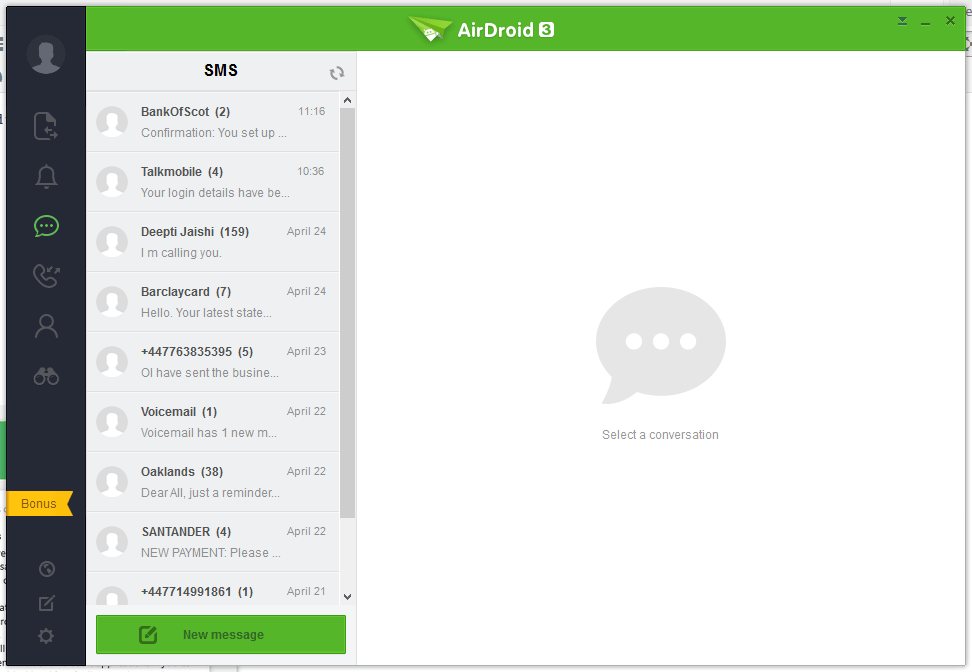
Windows Laptop / Desktop Interface
AirDroid




Pushbullet
The following are the screenshots for pushbullet on Windows Desktop.


Memory
Windows
Airdroid used about 160MB memory whilst running in the background, whereas Pushbullet uses 28.7MB.
Android Phone
Airdroid on an android phone uses 9.9MB memory, whereas Pushbullet uses 7MB.
Zaključek
Both apps for sending notifications to a Windows desktop / laptop are very good. If the extra features of Airdroid are relevant to you, then this would be best. If you want to conserve memory and some of the extra features in Airdroid is not required, then Pushbullet is best.
