

Jak naprawić & przywrócenie brakujących zabezpieczeń, Udostępnianie i Dostosuj zakładkach właściwości folderu w Windows 10
Aby przywrócić wszystkie lub niektóre z zakładek wymaga edycji rejestru. Wszystkie zmiany mogą być wykonane w tej samej lokalizacji w rejestrze.
Aby otworzyć rejestr:
Win Key + R
regedit -> OK
The registry should be open. Make sure the address bar is showing…
View -> Address Bar
Paste the following registry location into the address bar…
ComputerHKEY_CLASSES_ROOTDirectoryshellexPropertySheetHandlers
Here we need to create registry key values for each of the missing tabs.
Security Tab
Right click on the PropertySheetHandlers key…
New -> Key
Nazwij nowy klucz następujących…
{1f2e5c40-9550-11ce-99d2-00aa006e086c}
Sharing Tab
Right click on the PropertySheetHandlers key…
New -> Key
Nazwij nowy klucz następujących…
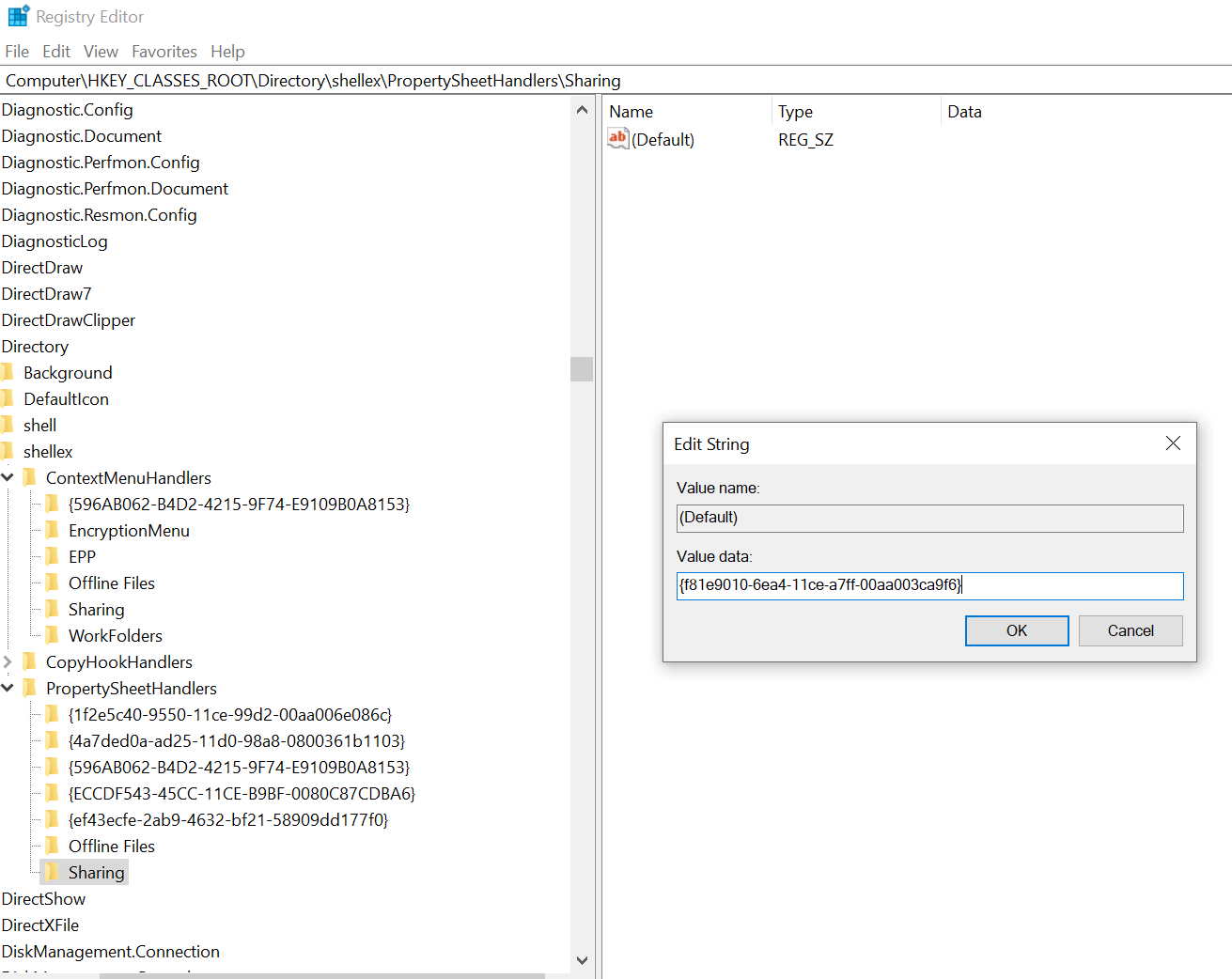
Sharing
Make sure the new key Sharing is selected by clicking on it. In the right pane double click the Default entry and enter the following in the value data field:
{f81e9010-6ea4-11ce-a7ff-00aa003ca9f6}
Customise Tab
Right click on the PropertySheetHandlers key…
New -> Key
Nazwij nowy klucz następujących…
{ef43ecfe-2ab9-4632-bf21-58909dd177f0}
