

Den LeTV Leeco 1 Pro USA versjon X800 Malware Removal, TWRP Recovery, Rooting og Fixing Boot Loop Problemer
Den LeTV The Leeco 1 Pro er en utmerket telefon som kommer til en svært lav pris. Some retailers are selling the phone for approx. £ 150. derimot, telefonen kommer med noen problemer.
The phone comes bundled with an old YouTube app which refuses to update to the latest version. The phone has malware where apps are installed in the background and ads are served in the Chrome browser.
At the time of writing there are no updated official ROMs. There are custom ROMs which should fix the problems above but there is no guarantee. Derfor, det er lettere å fikse problemene ovenfor innen dette installert ROM.
Oppdater 18.7.16
I skrivende stund var det ingen offisiell ROM tilgjengelig. Nå er en offisiell ROM har blitt sluppet. Det kan finnes i dette innlegget. Installere den offisielle ROM er den enkleste måten å fikse malware og app problemer med telefonen.
The TrustGo App from the Google Play store pointed out that the Ant Keyboard bundled app contained the malware. The YouTube problem can be fixed by uninstalling the bundled YouTube and installing the latest YouTube from the Google Play Store.
Telefonen måtte være forankret for å fjerne YouTube og malware app Ant Keyboard.
Følgende instruksjoner vil heie LeTV Le 1 Pro USA version only. derimot, rooting kan murstein telefonen, so if you do go ahead it will be your responsiblity. Rooting also invalidates the warranty of the phone. You will also be able to unroot your phone at a later date and reinstate your warranty.
Følgende forutsetter at du bruker Windows 10.
Rooting LeTV Le 1 Pro USA versjon
- Installer TWRP
- TWRP will allow to root the phone. First it needs to be installed.
- For å installere TWRP, du trenger for å koble telefonen til PC-en
- Lar klargjøre PCen før vi kobler den
- Installer Java JDK 8 bruker Chocolatey
- Åpne en administrator ledetekst
- Skriv inn cmd i søke, høyreklikk Ledetekst og velg Kjør som administrator.
- Kopier og lim inn følgende kode inn i administrative kommandovindu for å installere chocolately
@powershell -NoProfile -ExecutionPolicy Bypass -kommandoen "IB ((ny-objekt net.webclient).DownloadString('https://chocolatey.org/install.ps1'))" && SET PATH =% PATH%;%ALLUSERSPROFILE% chocolatey bin
- Installere og konfigurere JDK 8 ved å lime inn følgende kode i den administrative kommandovinduet.
choco install jdk8
- Last ned, installere og konfigurere android studio bruker standardinnstillingene i oppsett
- Last ned Android Studio
- Start oppsett og godta standardinnstillingene
- I det siste skjermbildet velger lanuch Android Studio og deretter ferdig
- Velg konfigurere dropdown og velg deretter SDK leder

- I SDK leder, sjekk Google USB Driver fra kategorien SDK Tools og velg OK

- Close the administrative command prompt and then open a new administrative command prompt and type adb. You should see the adb command returning help. This means that adb driver is installed and ready to go.
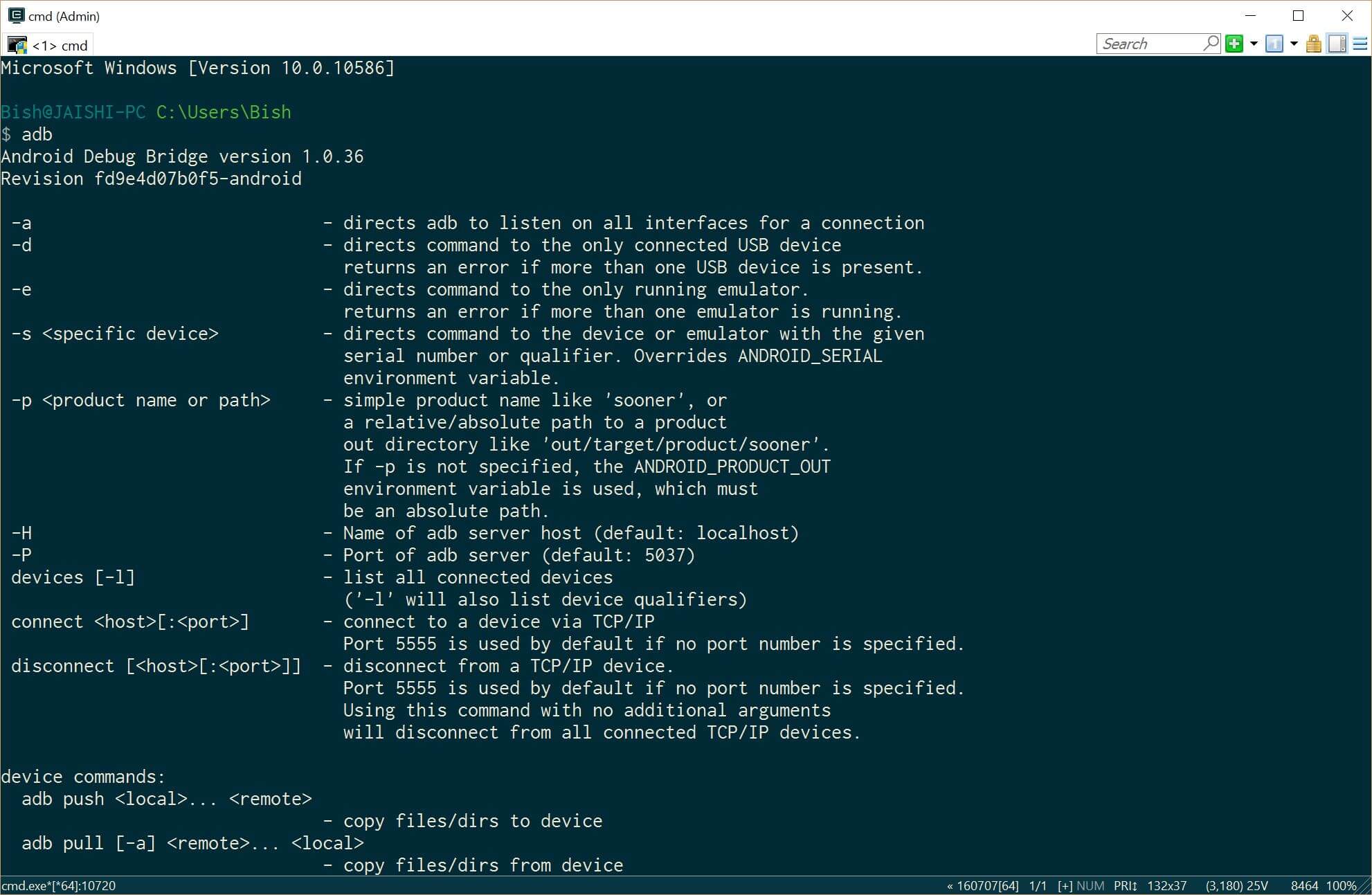
- Last ned den nyeste versjonen av TWRP på PC ved hjelp av denne link
- Gi nytt navn på den nedlastede filen for å recovery.img
- Åpne en administrator ledetekst
- Installer Java JDK 8 bruker Chocolatey
- Now it is time to prepare the phone before we connect it to our already prepared PC. If your phone does not boot into android then you can skip the whole of this #4 delen og gå videre til #5 (TWRP) section below.
- Go to settings and then about on your phone. Unlock developer options by touching the build number several times.
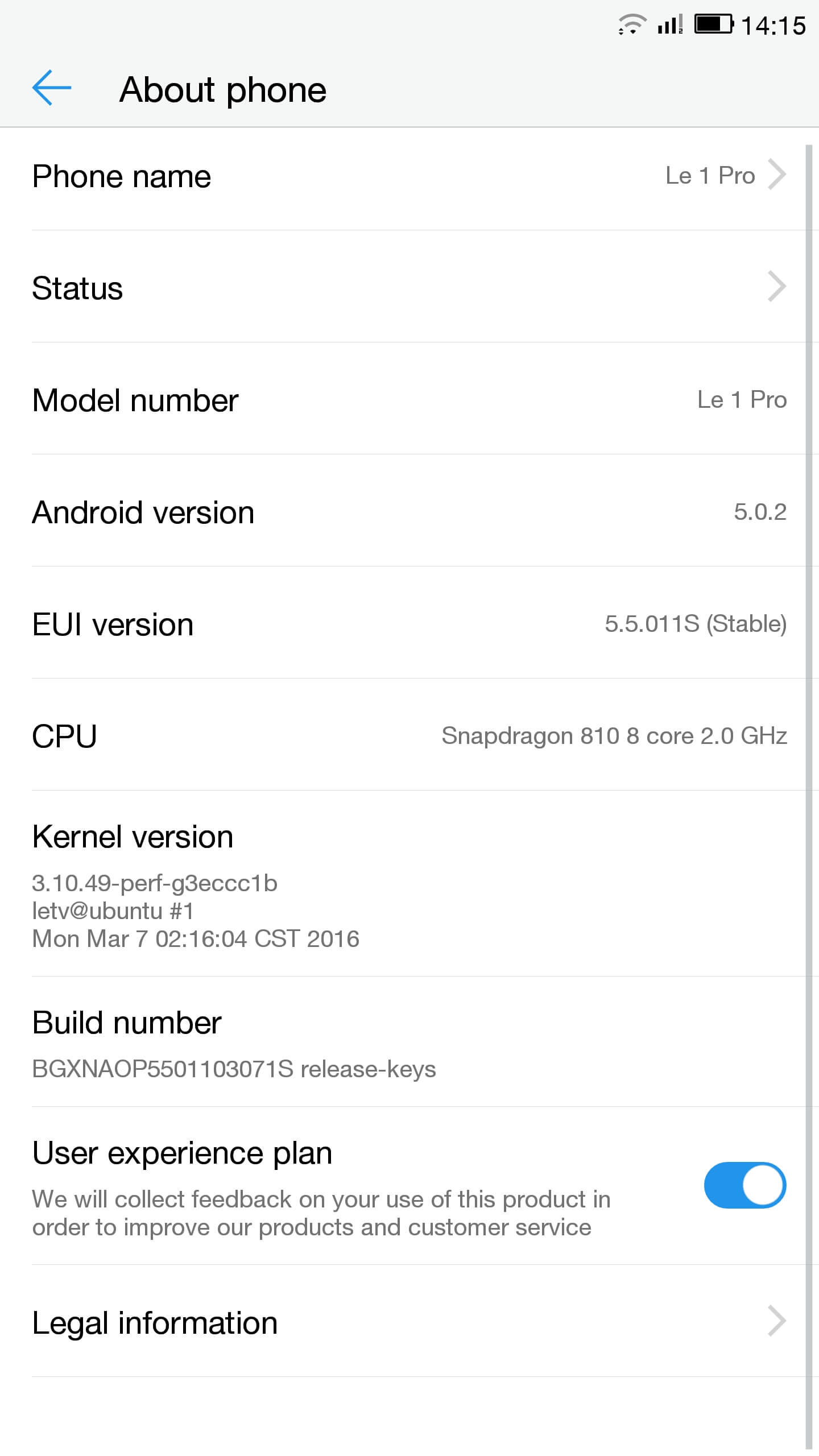
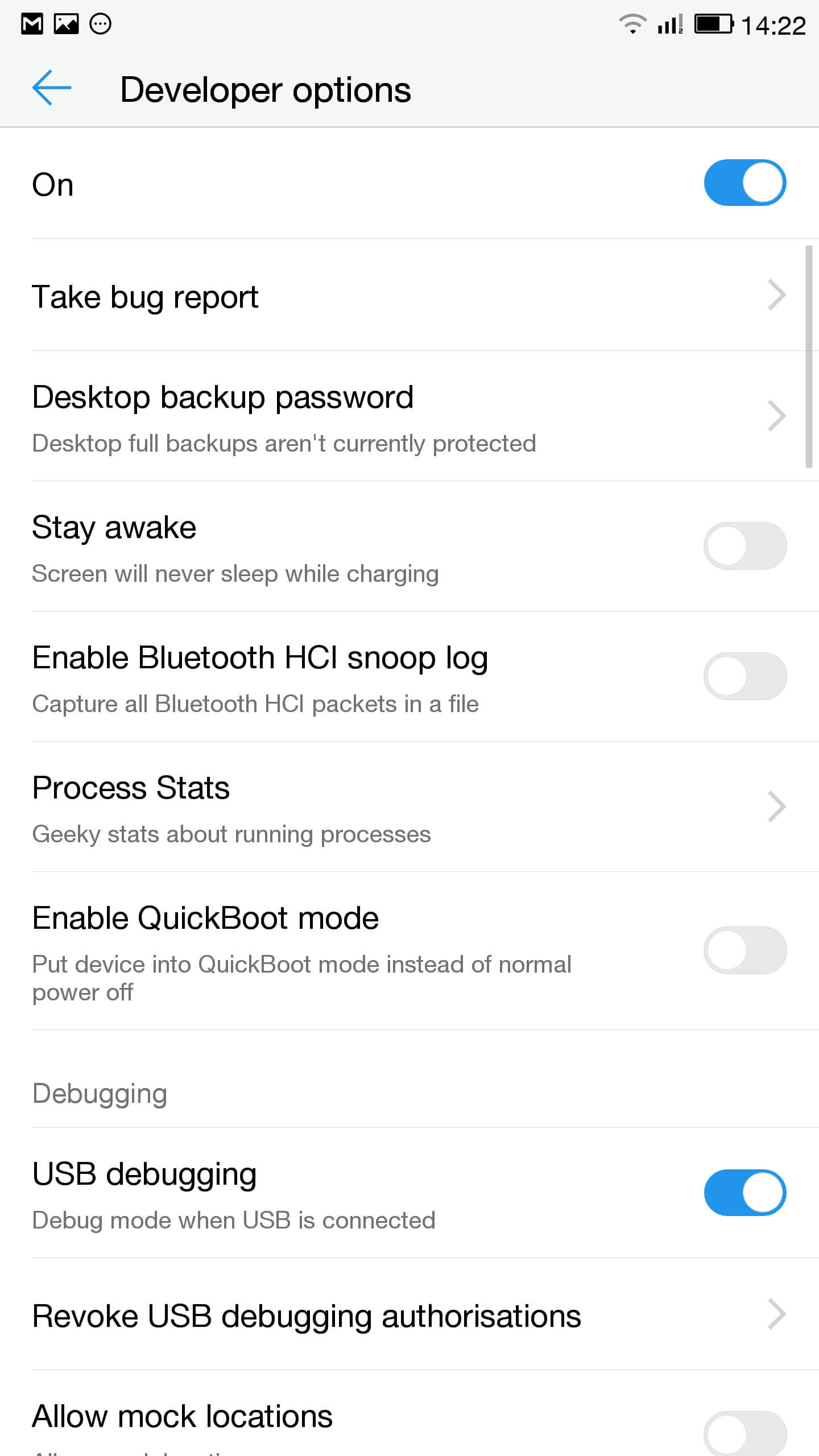
- Gå til innstillinger, utvikleralternativer og aktivere USB debugging
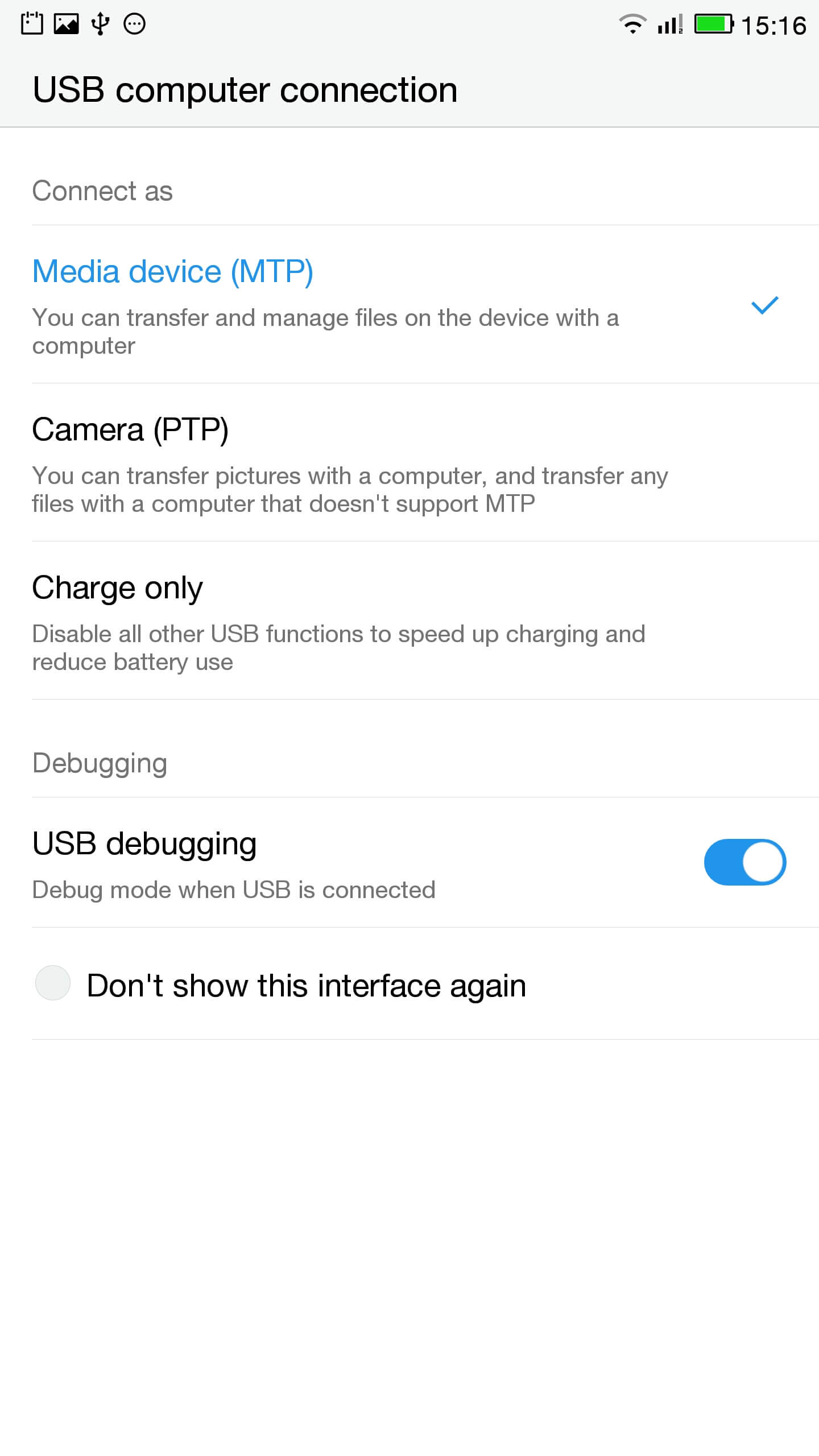
- I varslingslinjen klikk på touch for USB-alternativer og sikre at MTP er valgt
- Koble telefonen til PC-en
- I en administrativ rask sjekk telefonen er riktig tilkoblet ved å skrive
aDB-enheter
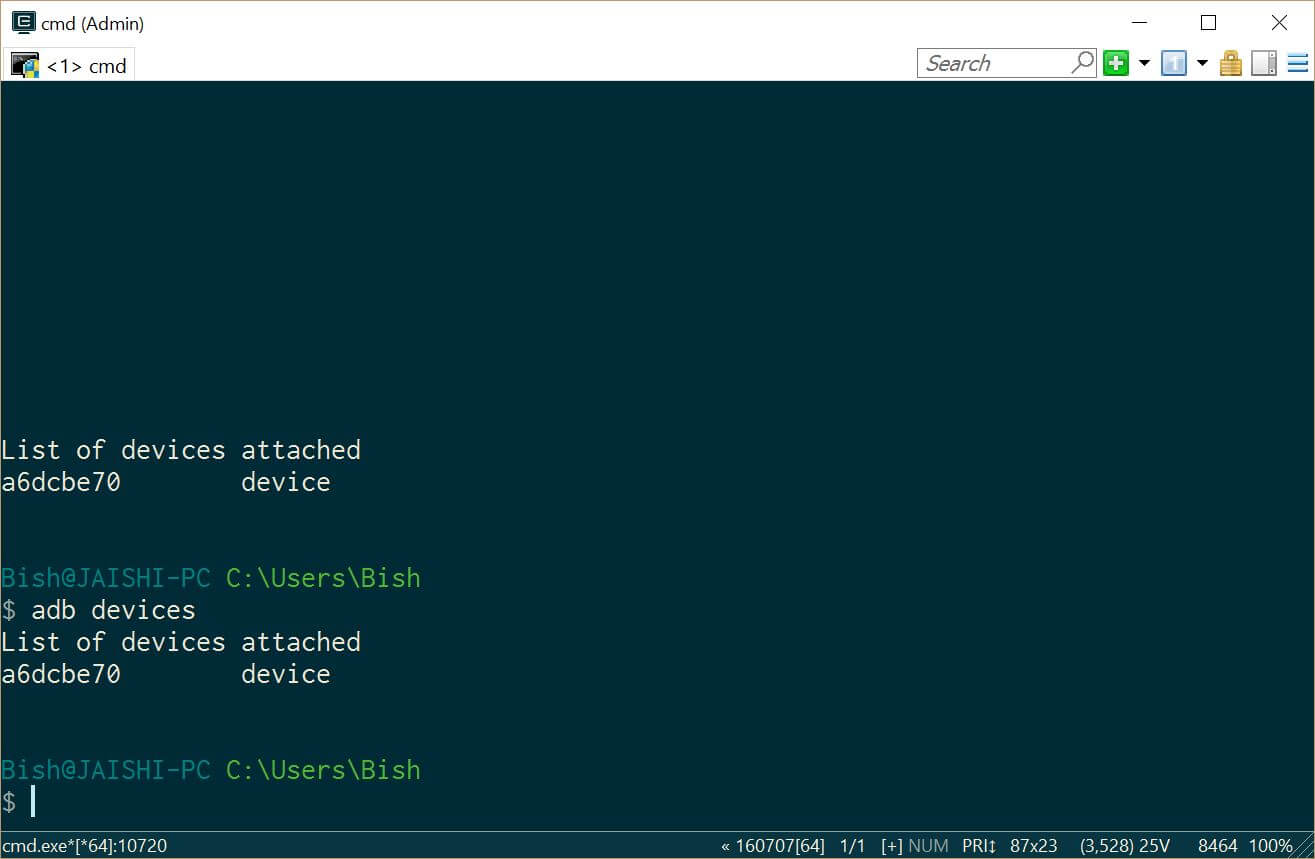
Du skal se en enhet under ADB-enheter - Last ned SuperSU og bruke filbehandling til å sette i rotkatalogen på telefonen
- Go to settings and then about on your phone. Unlock developer options by touching the build number several times.
- Lets flash TWRP into the phone. You should not lose any data, men hvis du har data på telefonen bør du ta en sikkerhetskopi i tilfelle.
- Vi trenger å starte opp i fastboot. På PC, åpne en administrativ ledetekst og skriv
ADB omstart bootloader
Hvis enheten ikke boote i Android, du kan gå inn i fastboot ved å slå av telefonen, hold nede volumtasten og trykk deretter på strømknappen.
- Once in fastboot you should see a small picture of a penguin in the middle of the screen. To check that the phone is connected, i administrativ ledeteksten skriver
fastboot enheter
Du bør se enheten oppført
- I administrativ ledetekst sørg for at du er i katalogen på recovery.img fil og skriv inn følgende
boot flash recovery recovery.img
- Når utvinning er blinket Skriv inn følgende og hold opp volumtasten for å starte i recovery
boot omstart
- You should now be in TWRP. In TWRP there may be an option advanced or settings to install SuperSU. If the option is not there use install to install SuperSU (lastet ned tidligere) fra roten av telefonens lagrings.
- Når den er installert kan du starte i android og følge instruksjonene i SuperSU app.
- Når installasjonen er fullført laste ned RootChecker app fra Google Play-butikken og sjekke om enheten er forankret.
- Vi trenger å starte opp i fastboot. På PC, åpne en administrativ ledetekst og skriv
- Fikse problemene med YouTube og fjerne malware
- Installer Easy Uninstaller, Vanskelige Trojan Killer og Malwarebytes Anti-Virus fra Google Play-butikken.
- Uninstall YouTube and Ant Keyboard. I uninstalled Cantonese Keyboard Language and Mii Browser as well as I was not using these. If you start getting errors, rett og slett starte enheten.
- Last ned og installer YouTube app fra Google Play-butikken.
- Kjør Sta Trojan Killer og fjern eventuelle funnet trojanere.
- Run the Malwarebytes Anti-Virus and remove any found viruses. Run the privacy scanner and follow the recommendations.
Når du har fullført trinnene ovenfor deretter enheten skal være malware gratis og helt brukbare.
Feilsøking
Enheten murt
Your device may not be bricked. It may just look bricked as the screen may not turn on and it will not charge. If this is the case leave your device for at least a week without charging it at all so that all the power is drained out. After a week connect it to the charger and see if the LED light indicator shows. If the LED does come on then allow the phone to charge for about 90 minutes and then hold down volume and power button. The penguin icon should be on the screen. If you see the penguin then you can continue from E.ii from the instructions above.
Enheten er i en bootloop
Hvis dette er tilfelle så bare hold strømknappen i ca. 15 seconds until the device is off. Then hold down volume and power button. The penguin icon should be on the screen. If you see the penguin then you can continue from E.ii from the instructions above.
Android fungerer ikke
Du må kanskje re-flashe ROM. The original USA version of the ROM can be found her.
Jeg vet ikke om jeg har USA-versjonen
Check the box of the device. If it has the web address of the USA website then it should be USA version, selv om jeg ikke kan garantere det.

Salut, j’ai suivi toutes les étapes à la lettre, cependant quand je tape en mode admin dans la console “fastboot device” aucun résultat…. c’est vide… que faire?
Switch off the phone. Hold the down volume key and then press power on button. You should see a penguin on the screen (this is fastboot mode). Now connect the phone to the PC. In an administrator command prompt type ‘fastboot devices’.
J’ai effectué cette manœuvre, vu le pinguin aussi au démarrage de l’appareil,
mais lorsque je passe en mode admin sur la console : je tape “adb device” mon appareil apparait dans la liste.
mais quand je tape “fastboot devices =”le néant complet ” il n’apparait pas, la est mon problème 🙁
The phone should remain in fastboot (penguin icon will show constantly on the screen) whilst you type the fastboot devices command. If the penguin picture goes off the screen then it means that your phone has rebooted and hence goes into android debugging.
If I try to turn it on it beeps and the notification light blinks red and purple. Any ideas?