

როგორ მუდმივად გამორთეთ pinch და მასშტაბის ფუნქცია Synaptics touch pad პარამეტრების Windows 8 / 8.1 / 10
მე გამოყენებით HP შური ლეპტოპი და ინტერნეტში ყველა დროის. The problem is that the web page keeps zooming whilst I am moving the mouse pointer with the touchpad.
გავარკვიე, რომ თვისება ნაწილი Synaptics პროგრამული უზრუნველყოფა და რომ მე უნდა წავიდეს პანელი და წასვლა მაუსის და touch-pad პარამეტრები. There I click on additional mouse options and select the ClickPad settings tab. Here there is a check-box on Pinch and Zoom which I unchecked.
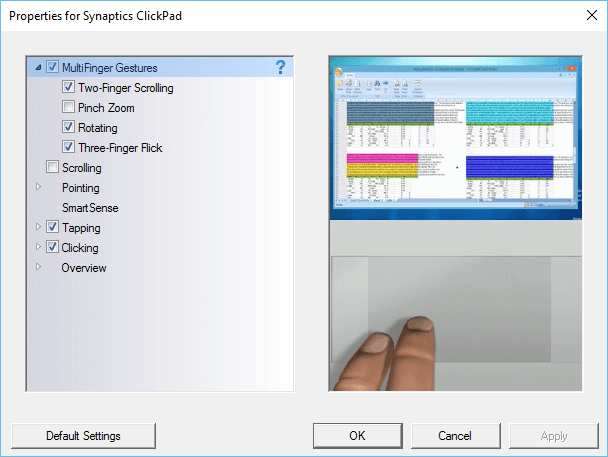
ბოლოს პრობლემა ჩემი ვებ გვერდი შემთხვევით მასშტაბირება წავიდა, სანამ მე გადატვირთეთ კომპიუტერი. The zooming problem still happens on web pages. I check the settings in the control panel and find that the Pinch and Zoom check-box is again checked. This happens all the time, მე გადაუმოწმებელი ყუთი, გადატვირთეთ მანქანა და პრობლემა ჯერ კიდევ არსებობს.
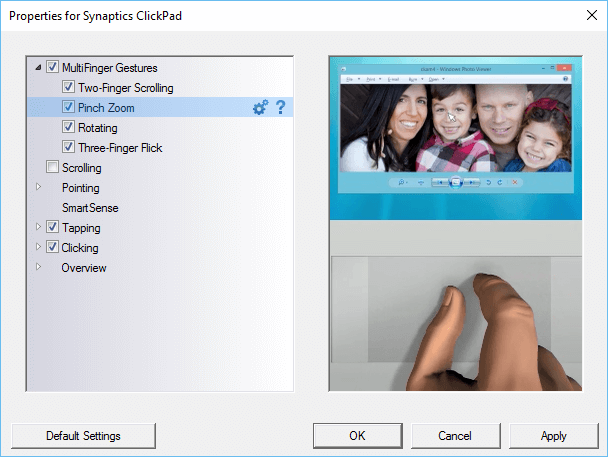
The only way to make sure that the pinch and zoom is permanently turned off is to make a change to the Windows registry.
ძიებაში ყუთი Windows ჩაწერეთ regedit და სანავიგაციო შემდეგი ძირითადი:
- HKEY_LOCAL_MACHINE
- პროგრამული უზრუნველყოფა
- Synaptics
- SynTp
- დააინსტალირეთ
- SynTp
- Synaptics
- პროგრამული უზრუნველყოფა
Find the key DeleteUserSettingsOnUpgrade. Right click on it and choose modify. Change the value of this key to 0. Click OK and close the Windows register.
ახლა pinch და მასშტაბის გარემოში იქნება გადაუმოწმებელი მაშინაც კი, როდესაც Windows განახლდება.
