
Ipakita android Smartphone notifications sa Windows 7/8.1 desktop / laptop / tablet pcs
Sumpay sa imong android smartphone ngadto sa imong Windows desktop o laptop PC, naghatag sa daghan nga mga bentaha sama sa nga makahimo sa sugoon sa imong telepono o sa pagbaliwala sa notifications nga dili importante samtang ikaw sa paggamit sa imong Windows desktop o laptop PC.
Adunay mga 2 nag-unang android apps nga dali ra ang labing maayo sa pagtugot sa kaninyo sa pagbuhat niini. They are:
- Pushbullet
- AirDroid
Ang duha apps nagkinahanglan kaninyo sa pag-download Windows software, nga ang mga apps unya sa paggamit sa pagpadala sa pahibalo ngadto sa laptop / desktop.
Atong mas pagtan-aw sa duha sa mga apps kiliran sa kiliran.
Ang Android App interface
AirDroid

Pushbullet

Features
AirDroid
File Transfer
Pagbalhin sa mga file gikan sa imong telepono sa imong desktop. Files mahimong Text, Litrato, Camera, Music o Videos. Airdroid allows to transfer multiple files at any one time.
File Manager
Airdroid adunay usa ka yano nga file manager.
Hotspot
Ipakigbahin ang inyong mobile koneksyon
Tethering
Makapahimo sa USB tethering
Booster
Booster frees RAM by closing apps.
Apps
This is an app manager that allows to uninstall apps
Find phone
Visit a web browser and enter the airdroid url to find your phone.
Hotspot
Share your mobile data connection with other devices.
Tethering
Makapahimo sa USB tethering
Pushbullet
File Transfer
Pagbalhin sa mga file gikan sa imong telepono sa imong desktop. Files mahimong Note, Link, Photo ug File. Files can only be transferred one at a time.
Channels
Pushbullet allows following channel feeds, which allows to receive latest news from followed channels.
Ang mga pananglitan sa mga butang sa pagsunod sa mga TopGear, Android ug mas…
Add Friends
If you know anybody registered with pushbullet then you will be able to add them as a friend. Adding friends enables you to push files, photos, notes and links to your friends.
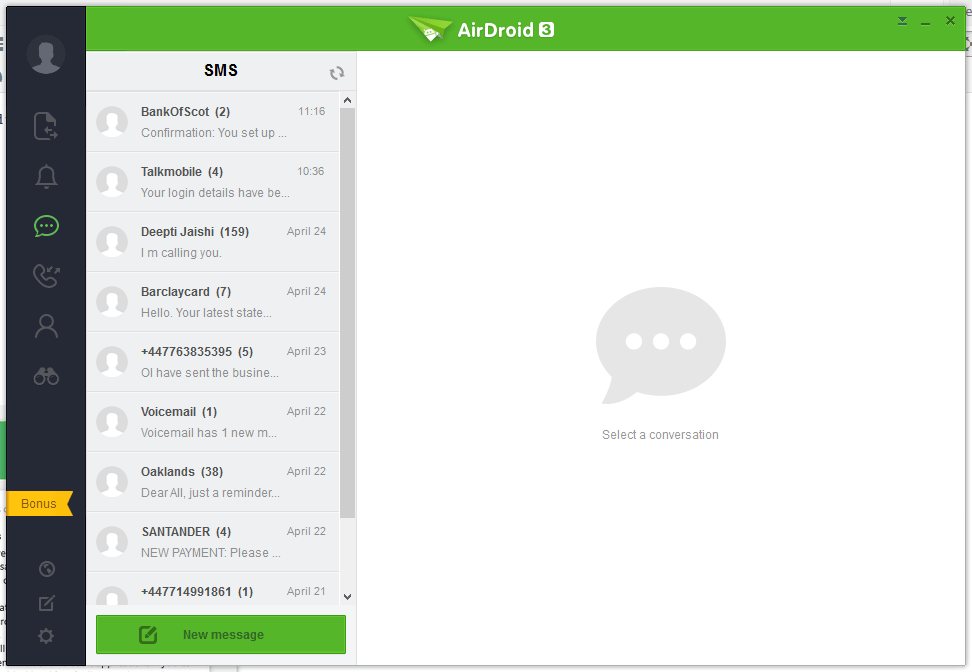
Windows Laptop / Desktop Interface
AirDroid




Pushbullet
The following are the screenshots for pushbullet on Windows Desktop.


Memory
Windows
Airdroid used about 160MB memory whilst running in the background, whereas Pushbullet uses 28.7MB.
Android Phone
Airdroid on an android phone uses 9.9MB memory, whereas Pushbullet uses 7MB.
Conclusion
Both apps for sending notifications to a Windows desktop / laptop are very good. If the extra features of Airdroid are relevant to you, then this would be best. If you want to conserve memory and some of the extra features in Airdroid is not required, then Pushbullet is best.
