
Display Android սմարթֆոնը ծանուցումները Windows 7/8.1 սեղանադիր / նոուտբուք / դեղահատ հատ
Connecting Ձեր Android սմարթֆոնի Ձեր Windows աշխատասեղանին կամ laptop համակարգչի, Ձեզ հնարավորություն է տալիս բազմաթիվ առավելություններ, ինչպիսիք են, որ կարողացել է լիցքավորել Ձեր հեռախոսը, կամ անտեսել ծանուցումները, որոնք կարեւոր չէ, մինչդեռ դուք օգտագործում եք ձեր Windows աշխատասեղանին կամ laptop համակարգչի.
Կա 2 Հիմնական Android apps, որոնք հեշտությամբ լավագույնն է թույլ է տալիս Ձեզ է անել դա. They are:
- Pushbullet
- AirDroid
Երկու ծրագրերը պահանջում եք բեռնել Windows ծրագրային ապահովման, որն ծրագրերը, ապա օգտագործեք ուղարկել ծանուցում laptop / սեղանադիր.
Եկեք ավելի սերտ նայում, այնպես էլ ծրագրերը կողք կողքի.
The Android App որոնում
AirDroid

Pushbullet

Նկարագրություն
AirDroid
Նիշքերի փոխանցման հաղորդակարգ
Փոխանցում ֆայլեր ձեր հեռախոսից Ձեր աշխատասեղանին. Ֆայլերը կարող են լինել տեքստ, Լուսանկարներ, Ֆոտոխցիկ, Երաժշտություն կամ Videos. Airdroid allows to transfer multiple files at any one time.
File Manager
AirDroid ունի պարզ ֆայլի մենեջերի.
Hotspot
Կիսեք Ձեր բջջային կապը
Tethering
Միացնել հիշողություն USB tethering
Booster
Booster frees RAM by closing apps.
Apps
This is an app manager that allows to uninstall apps
Find phone
Visit a web browser and enter the airdroid url to find your phone.
Hotspot
Share your mobile data connection with other devices.
Tethering
Միացնել հիշողություն USB tethering
Pushbullet
Նիշքերի փոխանցման հաղորդակարգ
Փոխանցում ֆայլեր ձեր հեռախոսից Ձեր աշխատասեղանին. Ֆայլերը կարող են լինել Նշում, Կապ, Ֆոտո եւ File. Files can only be transferred one at a time.
Channels
Pushbullet allows following channel feeds, which allows to receive latest news from followed channels.
Օրինակներ բաներ հետեւել են topgear, Android եւ ավելի շատ…
Add Friends
If you know anybody registered with pushbullet then you will be able to add them as a friend. Adding friends enables you to push files, photos, notes and links to your friends.
Windows Laptop / Desktop Ինտերֆեյս
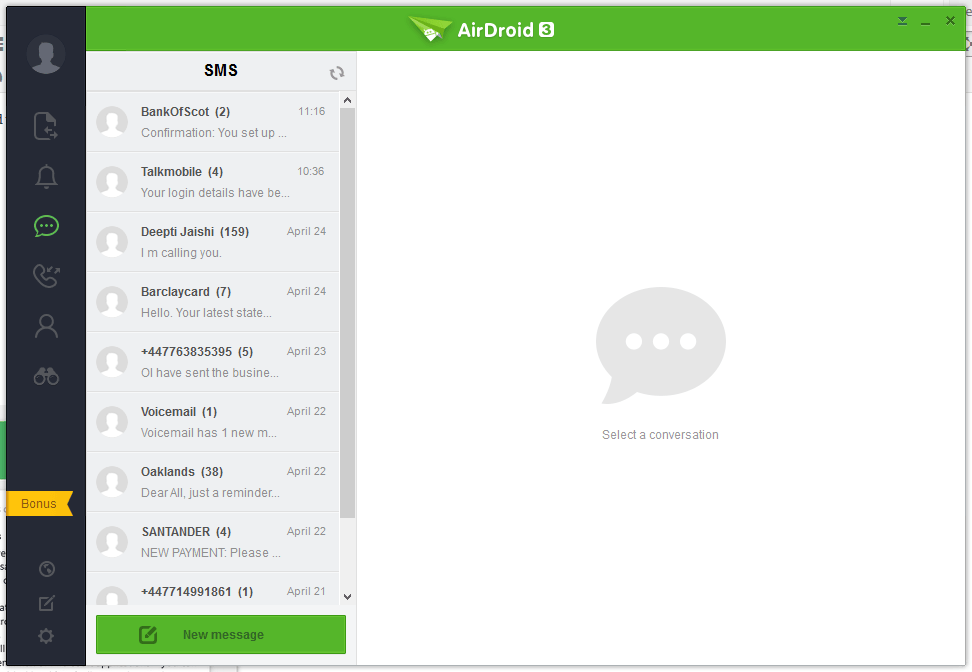
AirDroid




Pushbullet
The following are the screenshots for pushbullet on Windows Desktop.


Հիշողություն
Windows
Airdroid used about 160MB memory whilst running in the background, whereas Pushbullet uses 28.7MB.
Android Phone
Airdroid on an android phone uses 9.9MB memory, whereas Pushbullet uses 7MB.
Conclusion
Both apps for sending notifications to a Windows desktop / laptop are very good. If the extra features of Airdroid are relevant to you, then this would be best. If you want to conserve memory and some of the extra features in Airdroid is not required, then Pushbullet is best.
