

Unsa nga paagi sa permanente pagpabalik sa pinch ug zoom bahin sa Synaptics paghikap pad setting sa Windows 8 / 8.1 / 10
Ako sa paggamit sa usa ka HP laptop kasina ug browse sa web sa tanan nga mga panahon. The problem is that the web page keeps zooming whilst I am moving the mouse pointer with the touchpad.
Akong nahibaloan nga ang bahin mao ang bahin sa Synaptics software ug nga ako kinahanglan nga moadto sa control panel ug moadto sa mouse ug paghikap-pad setting. There I click on additional mouse options and select the ClickPad settings tab. Here there is a check-box on Pinch and Zoom which I unchecked.
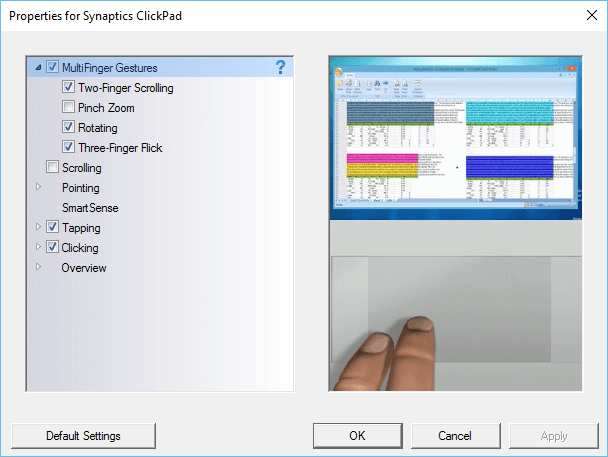
Sa katapusan ang problema sa akong web page aksidenteng zooming na, hangtud nga ako sa pagsugod usab sa computer. The zooming problem still happens on web pages. I check the settings in the control panel and find that the Pinch and Zoom check-box is again checked. This happens all the time, Ako dili mapugngan ang kahon, pagsugod usab sa makina ug sa mga problema mao ang pa didto.
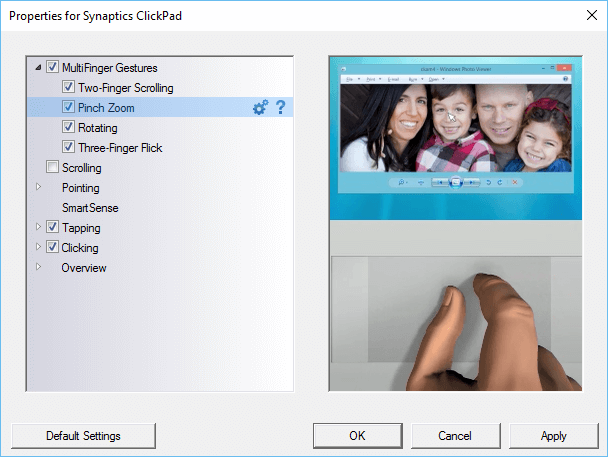
The only way to make sure that the pinch and zoom is permanently turned off is to make a change to the Windows registry.
Sa sa search box sa Windows matang regedit ug tabok-tabok sa mga mosunod nga mga yawe:
- HKEY_LOCAL_MACHINE
- Software
- Synaptics
- SynTp
- Instalar
- SynTp
- Synaptics
- Software
Find the key DeleteUserSettingsOnUpgrade. Right click on it and choose modify. Change the value of this key to 0. Click OK and close the Windows register.
Karon ang pinch ug zoom kahimtang nga dili mapugngan bisan kon Windows ang restarted.
