

Yuav ua li cas teeb tsa tus IP chaw nyob zoo li qub hauv CentOS
Cov kauj ruam hauv qab no yuav teeb tsa CentOS nrog qhov chaw nyob IP zoo li qub.
- Check the network interface that you would like to set the static IP address on.
ip addr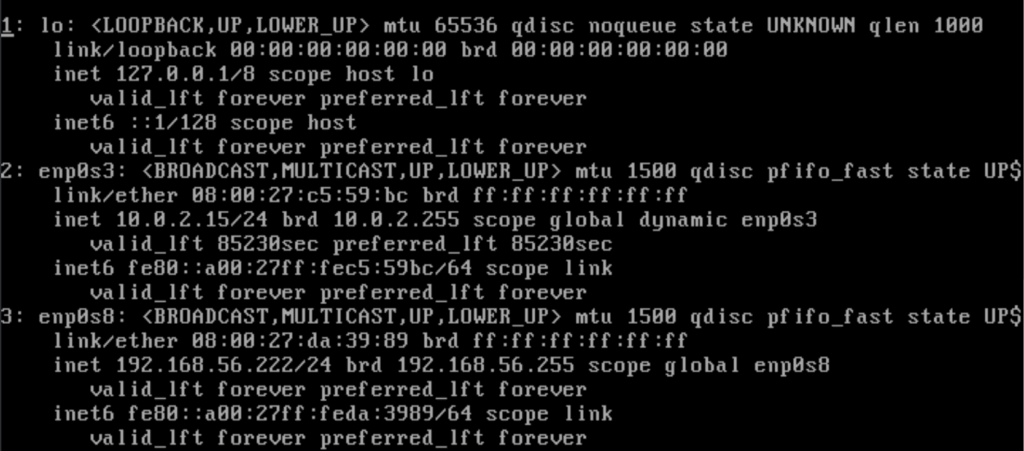
- Here we are setting network interface enp0s8 to be static. We need to edit the corresponding file in the path /etc/sysconfig/network-scripts . The file for interface enp0s8 is ifcfg-enp0s8 .
sudo nano ifcfg-enp0s8 - The file needs to be changed from the following
NAME="enp0s8"
DEVICE="enp0s8"
ONBOOT=yes
NETBOOT=yes
UUID="9ca41371-ee2d-4061-ab44-30bc06df3076"
IPV6INIT=yes
BOOTPROTO=dhcp
TYPE=Ethernet
Change the above to the following to make the interface use a static IP address. Additions are in green and amendments are in amber.
IPADDR=192.168.56.222
NETMASK=255.255.255.0
GATEWAY=192.168.56.1
NAME="enp0s8"
DEVICE="enp0s8"
ONBOOT=yes
NETBOOT=yes
UUID="9ca41371-ee2d-4061-ab44-30bc06df3076"
IPV6INIT=yes
BOOTPROTO=static
TYPE=Ethernet
Press Ctrl + X to save the file
- Restart the network service
service network restart - Verify the IP address
ip addr
