

LeTV Leeco 1 Pro USA Version X800 Malware Removal, TWRP Rimëkëmbjes, Rooting dhe Fixing Boot Loop Problemet
LeTV Leeco 1 Pro është një telefon i shkëlqyer që vjen me një çmim shumë të ulët. Some retailers are selling the phone for approx. £ 150. megjithatë, telefoni ka ardhur me disa probleme.
The phone comes bundled with an old YouTube app which refuses to update to the latest version. The phone has malware where apps are installed in the background and ads are served in the Chrome browser.
At the time of writing there are no updated official ROMs. There are custom ROMs which should fix the problems above but there is no guarantee. prandaj, është më e lehtë për të rregulluar problemet e mësipërme në këtë ROM instaluar.
Update 18.7.16
Në kohën e shkrimit nuk ka ROM zyrtare në dispozicion. Tani një ROM zyrtar është liruar. Ajo mund të gjendet në ky post. Instalimi ROM zyrtare është mënyra më e lehtë për të rregulluar malware dhe aplikacioneve problemet me telefon.
The TrustGo App from the Google Play store pointed out that the Ant Keyboard bundled app contained the malware. The YouTube problem can be fixed by uninstalling the bundled YouTube and installing the latest YouTube from the Google Play Store.
Telefoni duhej të rrënjosur për të hequr YouTube dhe app malware Ant Keyboard.
Udhëzimet e mëposhtme do të çrrënjosur LeTV Le 1 Pro USA version only. megjithatë, rooting kanaçe tullave telefoni juaj, so if you do go ahead it will be your responsiblity. Rooting also invalidates the warranty of the phone. You will also be able to unroot your phone at a later date and reinstate your warranty.
Në vijim supozon se jeni duke përdorur Windows 10.
Rooting LeTV Le 1 Pro USA Version
- Install TWRP
- TWRP will allow to root the phone. First it needs to be installed.
- Në mënyrë që të instaloni TWRP, ju keni nevojë për të lidhur telefonin me PC
- Lejon të përgatisë PC para se të lidhë atë
- Instalo Java JDK 8 duke përdorur chocolatey
- Hap një komandën prompt administratori
- Lloji cmd në kërkim, right click Command Prompt dhe zgjidhni Run si administrator.
- Copy dhe paste kodin e mëposhtëm në komandën administrative dritare të shpejtë për të instaluar chocolately
@powershell -NoProfile -ExecutionPolicy Bypass -Command "IEX ((new-object net.webclient).DownloadString('https://chocolatey.org/install.ps1'))" && SET PATH =% PATH%;%ALLUSERSPROFILE% chocolatey bin
- Instaluar dhe konfiguruar JDK 8 duke pasting kodin e mëposhtëm në komandën administrative dritare të shpejtë.
choco install jdk8
- Shkarko, instaluar dhe konfiguruar studio android përdorur standarte në setup
- Shkarko Android Studio
- Launch setup dhe pranoni standarte
- Në ekranin e fundit përzgjidhni lanuch Android Studio dhe pastaj të përfundojë
- Zgjidhni dropdown configure dhe pastaj zgjidhni menaxher SDK

- Në menaxher SDK, kontrolloni Shofer USB Google nga skedën SDK Tools dhe zgjidhni OK

- Close the administrative command prompt and then open a new administrative command prompt and type adb. You should see the adb command returning help. This means that adb driver is installed and ready to go.
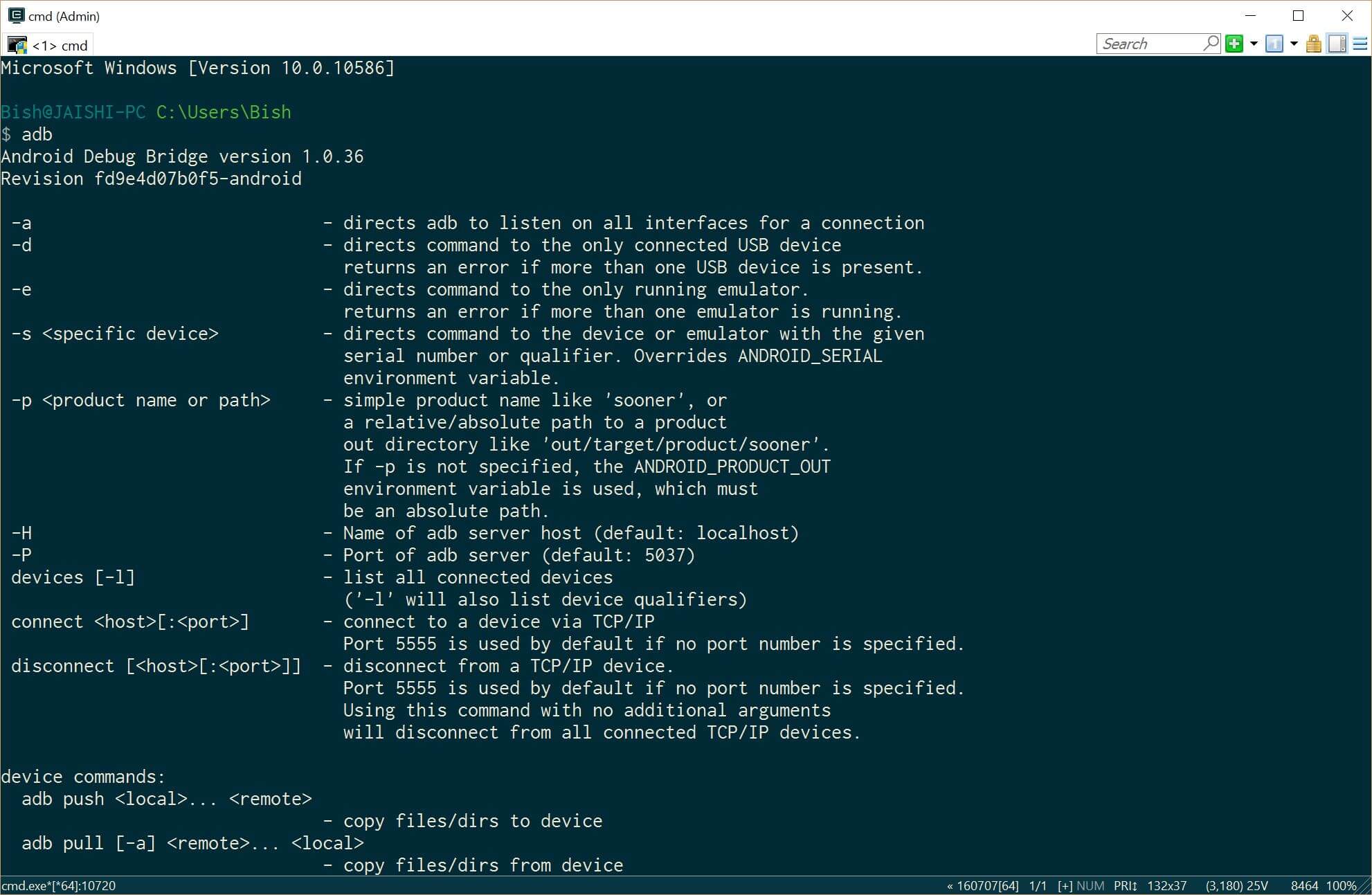
- Shkarko versionin e fundit të TWRP mbi PC duke përdorur këtë lidhje
- Rename file shkarkuar në recovery.img
- Hap një komandën prompt administratori
- Instalo Java JDK 8 duke përdorur chocolatey
- Now it is time to prepare the phone before we connect it to our already prepared PC. If your phone does not boot into android then you can skip the whole of this #4 seksioni dhe të lëvizin për #5 (TWRP) section below.
- Go to settings and then about on your phone. Unlock developer options by touching the build number several times.
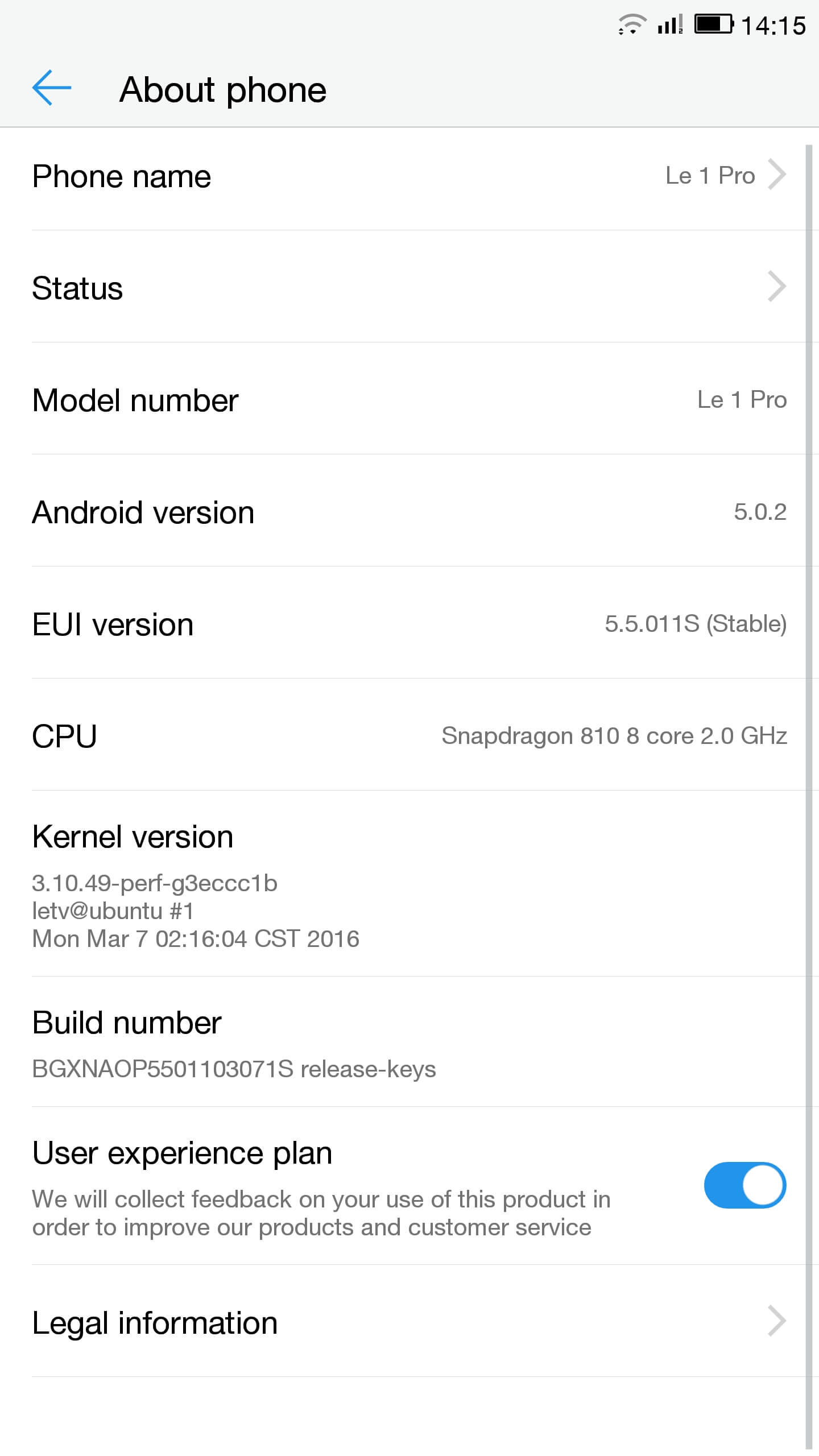
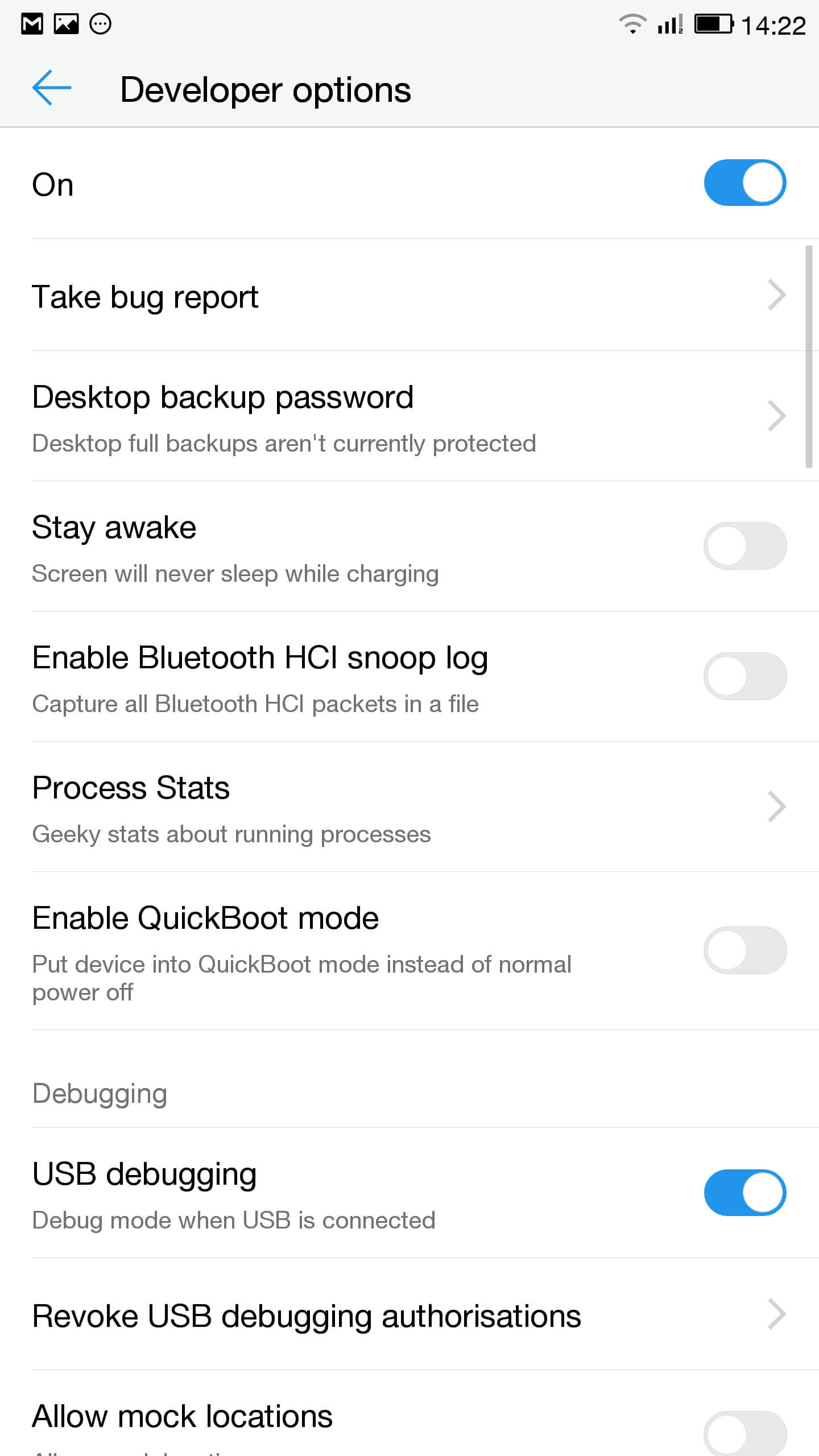
- Shko tek settings, Opsionet zhvilluesi dhe mundësojnë USB debugging
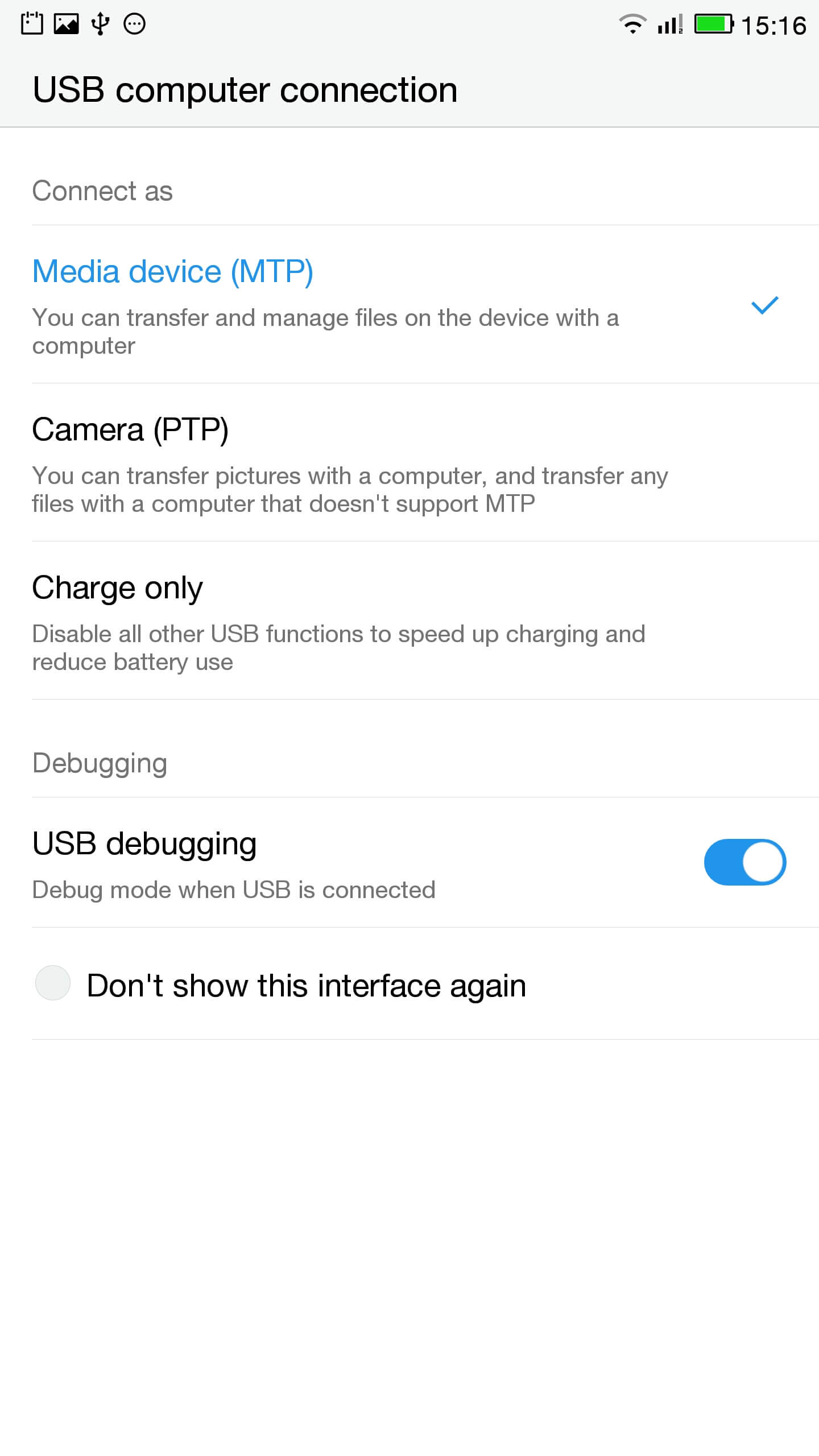
- Në shiritin e njoftimit klikoni në kontakt për mundësitë USB dhe të sigurojë që MTP është zgjedhur
- Lidheni telefonin me PC
- Në një shpejtë administrativ kontrolloni telefonin është e lidhur në mënyrë korrekte nga shtypja
pajisjet ADB
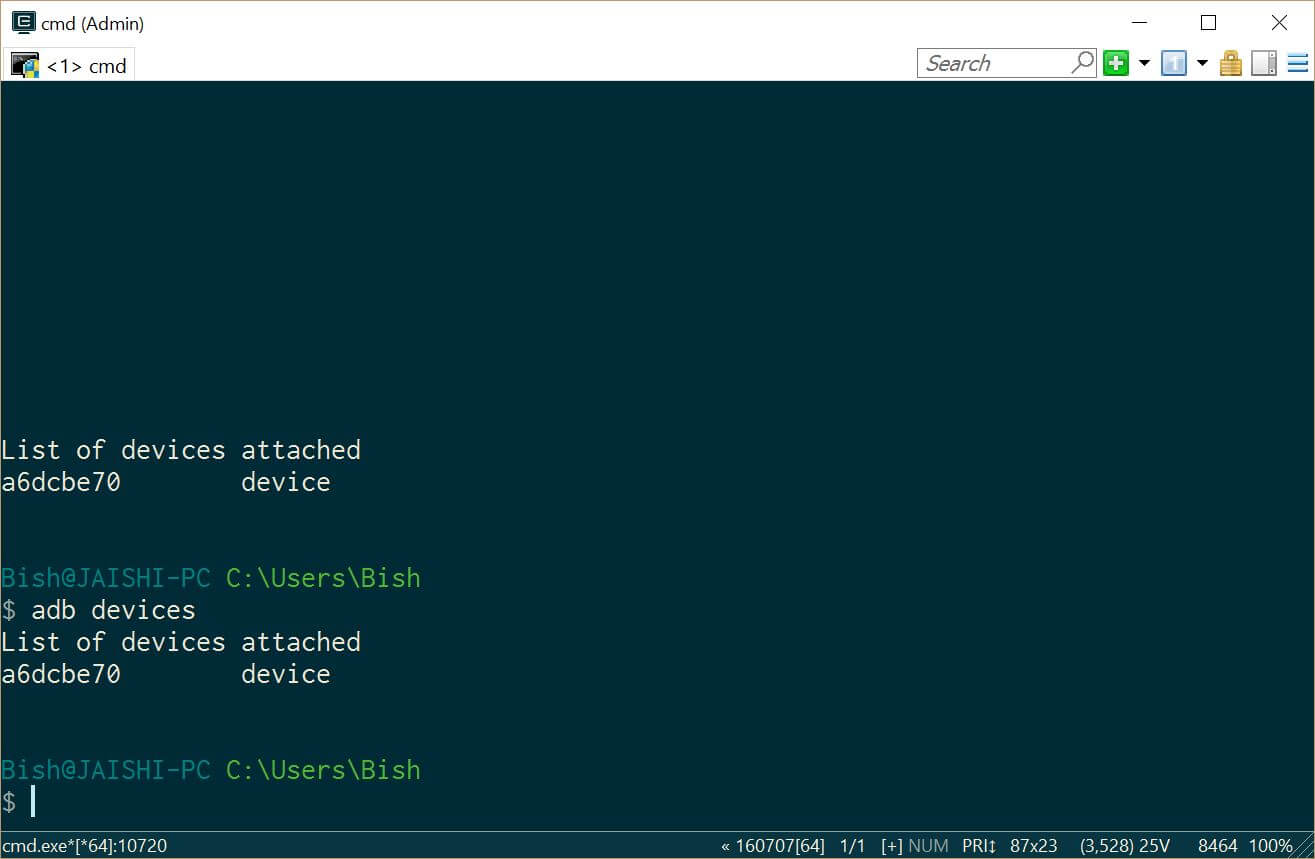
Ju duhet të shihni një pajisje nën pajisjet ADB - Shkarko SuperSU dhe përdorimin e file manager për të vënë në directory rrënjë e telefonit
- Go to settings and then about on your phone. Unlock developer options by touching the build number several times.
- Lets flash TWRP into the phone. You should not lose any data, por në qoftë se ju keni të dhëna në telefon ju duhet të bëni një backup vetëm në rast.
- Ne duhet të boot në fastboot. Në PC, të hapur një komandë të shpejtë administrative dhe shkruani
adb reboot bootloader
Nëse pajisja juaj nuk boot në android, ju mund të shkoni në fastboot nga switching off telefonin tuaj, mbani të shtypur butonin e volumit poshtë dhe pastaj shtypni butonin e pushtetit.
- Once in fastboot you should see a small picture of a penguin in the middle of the screen. To check that the phone is connected, në llojin e komandës shpejtë administrative
pajisjet fastboot
Ju duhet të shikoni pajisja juaj të listuara
- Në komandën administrative shpejtë sigurohuni që ju jeni në dosjen e file recovery.img dhe lloji në vijim
fastboot flash shërim recovery.img
- Pasi shërim është flashed lloji në vijim të shtypur tastin e volumit lart për të rifilluar në shërim
fastboot reboot
- You should now be in TWRP. In TWRP there may be an option advanced or settings to install SuperSU. If the option is not there use install to install SuperSU (shkarkohet më parë) nga rrënja e magazinimit telefonit.
- Pasi të instalohet ju mund të ristartoni në android dhe ndjekur udhëzimet në app SuperSU.
- Pasi instalimi është i plotë pa RootChecker app nga Google Luaj dyqan dhe kontrolloni nëse pajisja është rrënjosur.
- Ne duhet të boot në fastboot. Në PC, të hapur një komandë të shpejtë administrative dhe shkruani
- Fiksimin e problemeve me YouTube dhe largimin e malware
- Install Easy Uninstaller, Kokëfortë Trojan Killer dhe Malwarebytes Anti-Virus nga Play Store Google.
- Uninstall YouTube and Ant Keyboard. I uninstalled Cantonese Keyboard Language and Mii Browser as well as I was not using these. If you start getting errors, thjesht reboot pajisjen tuaj.
- Shkarko dhe instaloni YouTube app nga Google Luaj Store.
- Run Trojan Killer kokëfortë dhe për të hequr çdo trojans gjetur.
- Run the Malwarebytes Anti-Virus and remove any found viruses. Run the privacy scanner and follow the recommendations.
Pasi të keni përfunduar me sukses hapat e mësipërme, atëherë pajisja juaj duhet të jetë malware pa pagesë dhe plotësisht të përdorshme.
Troubleshooting
Pajisja ime është bricked
Your device may not be bricked. It may just look bricked as the screen may not turn on and it will not charge. If this is the case leave your device for at least a week without charging it at all so that all the power is drained out. After a week connect it to the charger and see if the LED light indicator shows. If the LED does come on then allow the phone to charge for about 90 minutes and then hold down volume and power button. The penguin icon should be on the screen. If you see the penguin then you can continue from E.ii from the instructions above.
Pajisja im është në një bootloop
Nëse ky është rasti, atëherë vetëm të mbajë butonin e energjisë për rreth 15 seconds until the device is off. Then hold down volume and power button. The penguin icon should be on the screen. If you see the penguin then you can continue from E.ii from the instructions above.
Android nuk punon
Ju mund të kenë nevojë të ri-flash ROM. The original USA version of the ROM can be found këtu.
Unë nuk e di nëse kam versionin USA
Check the box of the device. If it has the web address of the USA website then it should be USA version, edhe pse unë nuk mund të garantojë atë.

Salut, j’ai suivi toutes les étapes à la lettre, cependant quand je tape en mode admin dans la console “fastboot device” aucun résultat…. c’est vide… que faire?
Switch off the phone. Hold the down volume key and then press power on button. You should see a penguin on the screen (this is fastboot mode). Now connect the phone to the PC. In an administrator command prompt type ‘fastboot devices’.
J’ai effectué cette manœuvre, vu le pinguin aussi au démarrage de l’appareil,
mais lorsque je passe en mode admin sur la console : je tape “adb device” mon appareil apparait dans la liste.
mais quand je tape “fastboot devices =”le néant complet ” il n’apparait pas, la est mon problème 🙁
The phone should remain in fastboot (penguin icon will show constantly on the screen) whilst you type the fastboot devices command. If the penguin picture goes off the screen then it means that your phone has rebooted and hence goes into android debugging.
If I try to turn it on it beeps and the notification light blinks red and purple. Any ideas?