
Прикажи Андроид smartphone известувања за Windows 7/8.1 десктоп / лаптоп / таблет компјутерите
Поврзување на вашиот Андроид паметен телефон на вашиот Windows десктоп или лаптоп компјутер, дава многу предности, како што се во можност да наплаќаат вашиот телефон или игнорира известувања кои не се важни, додека го користите вашиот Windows десктоп или лаптоп компјутер.
Има 2 Главната Андроид апликации кои се лесно најдобар во што ќе ви овозможи да го направите ова. They are:
- Pushbullet
- AirDroid
Двете апликации бара од вас да ја преземете Windows софтвер, кои апликации потоа се користи за да се испрати известување до лаптоп / десктоп.
Ајде да се одблизу и апликации рамо до рамо.
Андроид App Интерфејси
AirDroid

Pushbullet

Карактеристики
AirDroid
Пренос на датотеки
Трансфер на датотеки од вашиот телефон на вашиот десктоп. Додадени фајлови: може да биде текст, Фото-Галерија, Камера, Музика или видео. Airdroid allows to transfer multiple files at any one time.
Менаџер на датотеки
Airdroid има едноставен менаџер на датотеки.
Жариште
Споделете ги вашите мобилни врска
Врзување
Овозможи USB поврзување
Booster
Booster frees RAM by closing apps.
Приложения
This is an app manager that allows to uninstall apps
Find phone
Visit a web browser and enter the airdroid url to find your phone.
Жариште
Share your mobile data connection with other devices.
Врзување
Овозможи USB поврзување
Pushbullet
Пренос на датотеки
Трансфер на датотеки од вашиот телефон на вашиот десктоп. Додадени фајлови: може да биде Забелешка, Линк, Фото и датотеки. Files can only be transferred one at a time.
Канали
Pushbullet allows following channel feeds, which allows to receive latest news from followed channels.
Примери на работи кои треба да се следат TopGear, Андроид и повеќе…
Add Friends
If you know anybody registered with pushbullet then you will be able to add them as a friend. Adding friends enables you to push files, photos, notes and links to your friends.
Windows лаптоп / Интерфејсот на работната околина
AirDroid


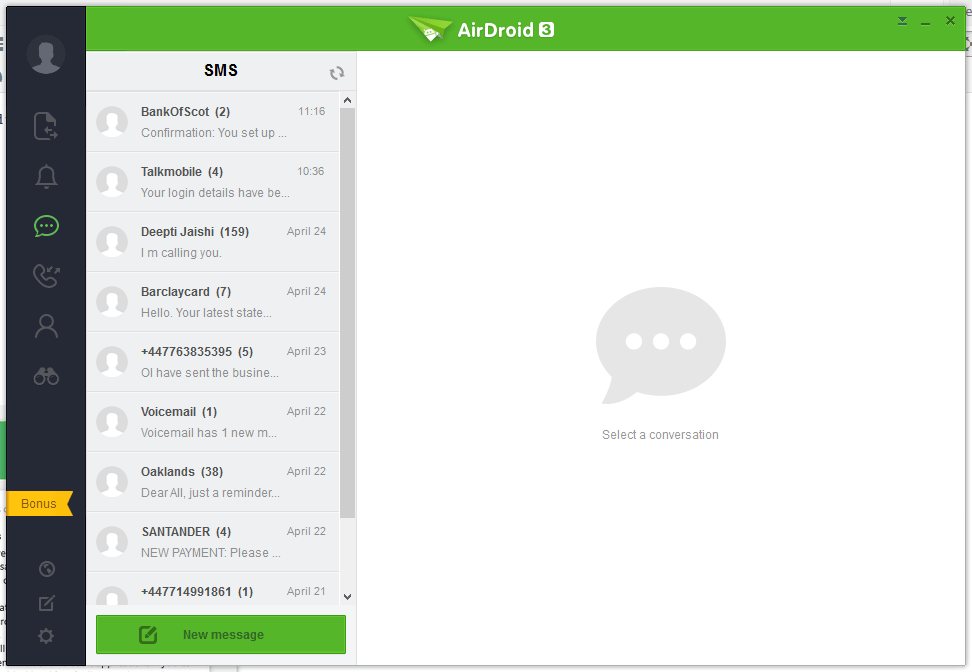


Pushbullet
The following are the screenshots for pushbullet on Windows Desktop.


Меморија
Прозорци
Airdroid used about 160MB memory whilst running in the background, whereas Pushbullet uses 28.7MB.
Android Phone
Airdroid on an android phone uses 9.9MB memory, whereas Pushbullet uses 7MB.
Conclusion
Both apps for sending notifications to a Windows desktop / laptop are very good. If the extra features of Airdroid are relevant to you, then this would be best. If you want to conserve memory and some of the extra features in Airdroid is not required, then Pushbullet is best.
