

Инсталирање на Windows IoT на Малина Пи користење на Windows 8.1 / 7 (На / applydrive опција не е призната во овој контекст.)
Ако сте за создавање на Windows IoT на Малина Пи, ќе бидете во можност да се инсталира со користење на упатствата за користење на Microsoft Windows само 10 OS.
Ако користите Windows 7, 8 или 8.1 тогаш ќе се добие “На / applydrive опција не е призната во овој контекст.” грешка. This is because the dism.exe version on Windows 7, 8 и 8.1 е различен од на dism.exe на Windows 10.
Постои лесен начин да инсталирате Windows IoT на Windows 7, 8 или 8.1. Just follow the following instructions.
- Download the Raspberry Pi2 Windows IoT latest build from Microsoft Connect

- Отпакувајте ја zip датотека да се в:/Јахтата
- Превземи imgmount and place the exe file to c:/Јахтата
- Open a administrator command prompt and go to c:/iot and type imgmount Flash.ffu. This will convert the ffu to a VHD image and mount it in Disk Management
- Go to disk management and detach the VHD
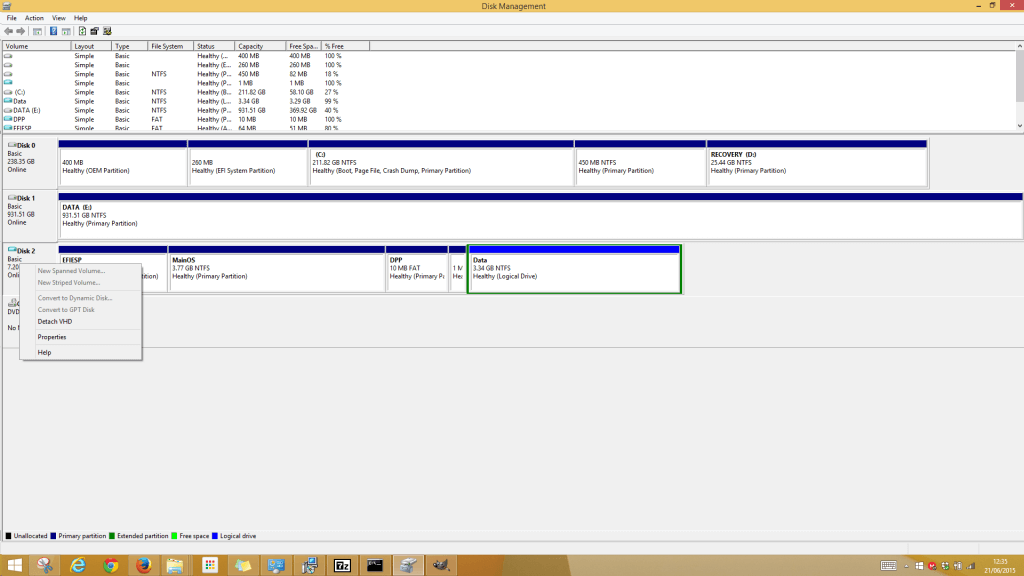
- Next is to restore the VHD file to the SD Card using winimage
- Превземи winimage and install. Open the winimage administrator
- Click Disk from the menu and choose Restore Virtual Hard Disk image on physical drive
- Select your SD Card from the list and navigate to the VHD file which should be the following path “C:\Users\{user}\AppData\Local\Temp” .
Restoring the image onto the SD Card can take a while. After it is complete insert the SD Card into the Raspberry Pi 2 and all should be working.
